Why the distro matters less than the checklist that comes with it
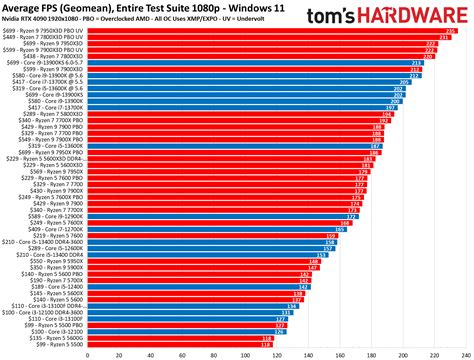
Phoronix tested GNOME 48, KDE Plasma 6.3, Xfce 4.20, and LXQt 2.1 on the same Ubuntu 25.04 base, the same Linux 6.14 kernel, the same Mesa 25.0.1, and the same Ryzen 9 9900X3D and Radeon RX 7900 XTX hardware. The Wayland sessions on GNOME and KDE edged ahead of the X11 sessions on Xfce and LXQt, but the margins across the game benchmarks were slim in both directions. Once the GPU is the bottleneck, which it is in most modern titles at real resolutions, the desktop environment sitting on top barely moves the frame counter.
That has a direct consequence for distro shopping: the “gaming” label on a distro mostly buys you setup time, not a different performance ceiling. Valve maintains Proton itself, and any current distro with Steam installed and Steam Play enabled runs the same translation layer. What a dedicated gaming distro actually adds is preinstalled drivers, GameMode, sometimes Proton-GE, and a desktop tuned to boot straight into a controller-friendly session. Useful conveniences, not a hidden speed advantage.
Do I need a gaming-specific distro at all?No. Any current distro plus Steam plus Steam Play covers the same Proton stack a gaming-labeled distro ships. A dedicated build saves you the setup steps, particularly driver installation and GameMode configuration, but it doesn’t change what Proton itself can or can’t run.
NVIDIA, AMD, or Intel: the fork that decides your shortlist
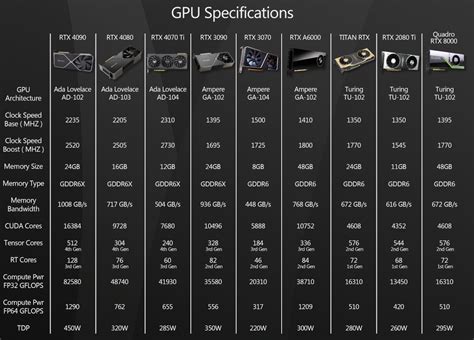
AMD and Intel graphics run on Mesa, the open-source driver stack that ships inside the distro itself and updates with every Mesa release. NVIDIA needs a separate proprietary driver package layered on top, version-locked to whatever the distro’s release cadence allows unless the distro builds in a way to swap driver branches. Bazzite’s open NVIDIA driver currently sits at 610.43.02, with a separate LTS branch held at 580.159.04 for older RTX and GTX cards that the newer branch doesn’t support. Nobara’s driver manager lets you swap between NVIDIA’s production, beta, and open-source branches from a graphical tool instead of a terminal.
This is the fork that should narrow your shortlist before you read a single distro name: NVIDIA owners should weight toward Pop!_OS or a distro with active driver-branch management, and AMD or Intel owners can pick almost anywhere on the list below without a driver headache.
The picks, by scenario
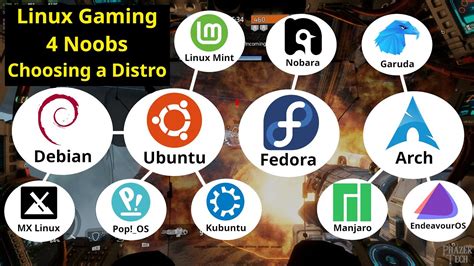
Pop!_OS 24.04 LTS
Ships Linux kernel 7.0.9, Mesa 25.1.5-1, and NVIDIA driver 585, preinstalled on a dedicated NVIDIA ISO from System76. Best for NVIDIA laptops with hybrid graphics and for beginners who want one vendor accountable for both the hardware and the OS. The wrong choice if you want the newest Mesa release the week it lands, since Pop!_OS follows Ubuntu’s LTS cadence rather than a rolling model.
Bazzite
An image-based build on Fedora Atomic, currently at kernel 7.0.9-ogs3.2 and Mesa 26.1.3, with KDE Plasma 6.7.1 or GNOME 50.3 depending on edition. The root filesystem is read-only and managed through rpm-ostree, updates are atomic, and failed updates simply don’t apply rather than leaving the system half-updated. Best for handhelds, couch PCs, and anyone who wants SteamOS’s console feel with a full desktop underneath. The wrong choice if you need to hand-edit system files outside a container on a regular basis.
Nobara
Fedora-based and maintained by the developer of Proton-GE. Moved to a rolling-release model starting with version 41 and 42 in May 2025; version 43 shipped December 27, 2025. Five editions exist, including dedicated Steam-HTPC and Steam-Handheld builds. Best for players who want Fedora’s underlying stability paired with gaming-specific kernel patches and a driver manager that handles NVIDIA branch switching. The wrong choice if you want a true set-and-forget LTS release: rolling means frequent small updates instead of infrequent big jumps.
Linux Mint 22.3 “Zena”
Kernel 6.14, Cinnamon 6.6, built on Ubuntu 24.04.3 LTS, supported until 2029. Best for older or resource-constrained hardware and for anyone who wants years of stability without touching a rolling release. The wrong choice if you’re chasing current Mesa for a brand-new GPU, since Mint trails the bleeding edge on purpose.
Garuda Linux
Arch-based rolling release using btrfs with automatic Timeshift snapshots restorable straight from the GRUB boot menu, running the linux-zen kernel by default. Ships Chaotic-AUR with roughly 2,400 precompiled packages and a one-click Garuda Gamer tool for installing gaming utilities. Best for power users who want Arch’s package breadth without a manual Arch install, and who’ll take fast rollback over long-term stability. The wrong choice on limited RAM: Garuda’s documentation and independent reviewers both describe it as heavier than Ubuntu or Fedora-based alternatives.
| GPU vendor | Priority | Recommended distro | Why not the alternative |
|---|---|---|---|
| NVIDIA | Simplicity, laptop | Pop!_OS 24.04 LTS | Bazzite’s NVIDIA build occasionally needs troubleshooting on newer open-driver features; Nobara asks you to manage driver branches yourself |
| AMD or Intel | Handheld or couch feel | Bazzite | Pop!_OS has no handheld-specific mode; Garuda’s Arch base trades stability for freshness a fixed handheld doesn’t need |
| AMD or Intel | Rolling, gaming-tuned, Fedora base | Nobara | Bazzite’s immutable model blocks the quick file edits some tinkerers want; Mint’s LTS cadence lags current Mesa |
| Any GPU | Old or low-end hardware | Linux Mint 22.3 | Garuda’s RAM footprint and Bazzite’s atomic update model both ask more of aging hardware than Mint does |
| AMD or Intel, power user | Fastest updates, full configurability | Garuda | Mint and Pop!_OS trail current Mesa by design; Nobara is gentler but less configurable than raw Arch |
The recommendation to run through first is GPU vendor, not desktop polish: an NVIDIA laptop owner picking Garuda for its looks inherits a driver-branch problem that Pop!_OS solves by default, regardless of how either desktop feels day to day.
Immutable vs. traditional filesystems: the real tradeoff

Bazzite and SteamOS both build on an immutable, image-based model: the root filesystem is read-only, updates apply as atomic images, and a broken update rolls back instead of leaving a half-patched system. Garuda, Pop!_OS, Linux Mint, and Nobara all use traditional, fully writable filesystems, just with different release rhythms.
| Update model | Rollback behavior | Customization limits | Best-fit user |
|---|---|---|---|
| Immutable (Bazzite, SteamOS) | Atomic; a failed update doesn’t apply. Bazzite documents a 90-day rollback window | System files are read-only; extra software goes through layered packages, Flatpak, or containers | Wants console-like reliability, comfortable with Flatpak or containers for anything extra |
| Rolling, traditional (Garuda) | Snapshot-based via Timeshift and btrfs, restored manually from the GRUB menu if an update breaks something | Full root access; any file can be edited directly | Comfortable troubleshooting an occasional broken package in exchange for the newest packages |
| Fixed-point LTS (Pop!_OS, Linux Mint) | No built-in rollback; recovery depends on backups or a fresh install | Full root access, but major changes wait for the next release cycle | Wants long stretches with no surprises |
| Rolling, semi-managed (Nobara) | No built-in rollback; the team syncs Fedora snapshots to control which packages ship | Full root access; kernel and Mesa arrive patched but stay directly editable | Wants frequent updates without a raw Arch experience |
What happens if a rolling-release update breaks something?On Garuda, boot into an earlier Timeshift snapshot from the GRUB menu and roll back the filesystem. Bazzite rolls back to the previous deployed image instead, since there’s no single package to revert. Nobara has no automatic snapshot system, so recovery there relies on ordinary backups.
SteamOS and handhelds: what changed in June 2026
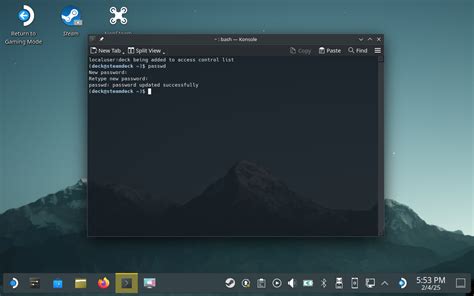
Valve shipped SteamOS 3.8 on June 18, 2026, and it added official installation support for desktop PCs, but only with AMD or Intel graphics. NVIDIA GPU owners still cannot install SteamOS and expect a working result: Valve engineer Pierre-Loup Griffais confirmed the company is collaborating with NVIDIA on driver support, calling it something the team is “working on in the background,” with most reporting placing a realistic release in late 2026 at the earliest and 2027 as more likely. Valve’s guidance in the SteamOS 3.8.10 release notes points NVIDIA owners toward Bazzite or Nobara as the current alternative.
Steam Machines, Valve’s own desktop hardware running SteamOS, launched on June 30, 2026, starting at $1,049. For builders with existing AMD or Intel hardware, the DIY path is now official rather than an unsupported workaround, though Valve has said component costs, particularly RAM, mean a self-built Steam Machine won’t always undercut the retail price.
Does SteamOS work on a regular desktop PC now?Yes, as of June 18, 2026, but only with AMD or Intel graphics. NVIDIA cards are not officially supported, and Valve has not committed to a release date beyond “not before late 2026.”
Anti-cheat and competitive multiplayer: check this before you install anything
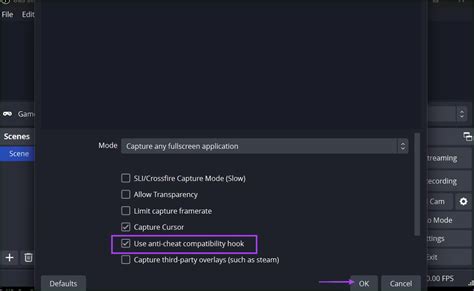
Anti-cheat support is a per-game decision made by the developer, not a property of any distro. Are We Anti-Cheat Yet currently tracks 1,166 games: 194 are marked Supported (17%), 276 Running (24%), 642 Broken (55%), 52 formally Denied by the developer (4%), and 2 Planned.
| Game | Anti-cheat system | Status |
|---|---|---|
| Fortnite | Easy Anti-Cheat | Denied |
| Battlefield 2042 | EA anti-cheat | Denied |
| Apex Legends | Easy Anti-Cheat, Hyperion | Denied |
| Valorant | Vanguard | Denied |
| Rainbow Six Siege | FairFight, BattlEye | Denied |
| PUBG: Battlegrounds | BattlEye | Broken |
| Halo Infinite / Master Chief Collection | Easy Anti-Cheat | Supported |
| Dead by Daylight | Easy Anti-Cheat | Supported |
| DayZ | BattlEye, VAC | Supported |
| ARK: Survival Evolved | BattlEye, VAC | Supported |
Fifty-five percent of tracked games sit in Broken, and the titles that land there tend to be exactly the big competitive shooters people search for by name, so check your specific game before assuming any distro or Steam Play will cover it.
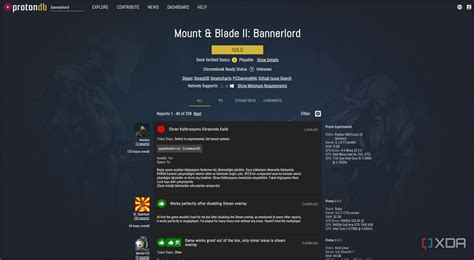
Will my competitive multiplayer game even run?Check the game by name on Are We Anti-Cheat Yet before installing anything. A Supported or Running status means it should work; Denied means the developer has explicitly refused Linux support, and no distro changes that.
Common mistakes and install-day friction points
- Skipping the partition step. Most installers offer a guided “erase disk” option and a manual partitioning option; picking manual without a reason to (dual-boot, existing data to preserve) adds risk for no benefit.
- Assuming the word “gaming” on a distro means faster games. The performance ceiling comes from Mesa, the kernel, and the GPU driver, not the distro’s marketing, as the desktop-environment test above shows.
- Installing before checking anti-cheat status. Committing a drive to Linux only to discover your main competitive title is Denied is the single most avoidable disappointment on this list.
- Switching desktop environments after installing Bazzite. Bazzite’s documentation advises against swapping desktop environments post-install, since configuration files follow different standards across environments and the switch commonly breaks things; building a custom image is the supported path instead.
- Picking an unsupported NVIDIA driver branch on older hardware. Bazzite’s open-source NVIDIA driver option is documented as still error-prone for some NVIDIA GPUs; older cards are generally safer on the proprietary branch.
If you’re after retro or console emulation instead
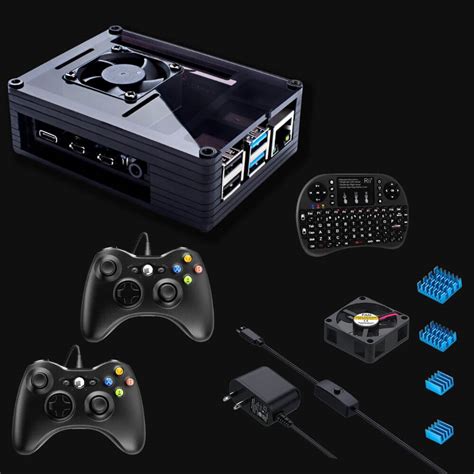
Everything above assumes modern PC gaming through Steam and Proton. Console emulation is a different category built around RetroArch-style front ends rather than a Steam library, and the criteria in this guide, GPU driver branch, anti-cheat status, filesystem model, mostly don’t apply there. Look at a distro built specifically for emulation instead, and expect a smaller, ROM-management-focused feature set in exchange.
Post-install checklist

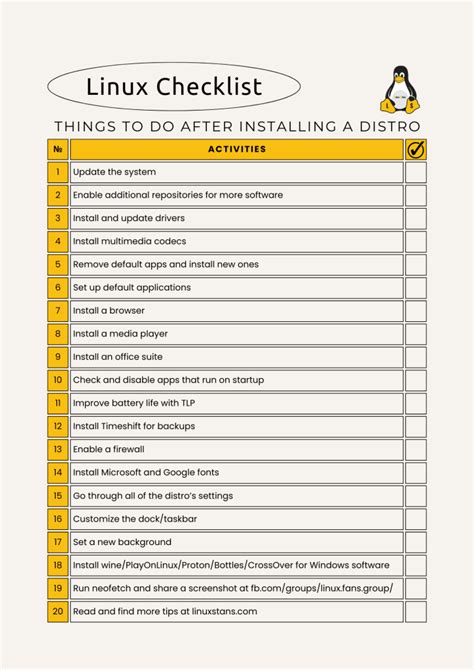
- Enable Steam Play for all titles in Steam’s compatibility settings, not just for titles without a native Linux version.
- Install GameMode for a scheduler-priority bump while a game is running.
- Check ProtonDB and Are We Anti-Cheat Yet for your library before buying anything new, not after a failed launch.
- Confirm your actual Mesa and kernel version against what the distro’s release notes promise; a mismatch usually means an update is pending.
- Update once, reboot once, then run a Vulkan check before troubleshooting any individual game.