Same Ubuntu base, different kernel currency
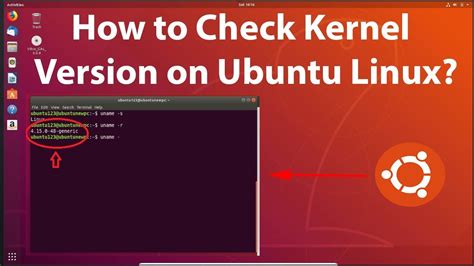
Both projects currently build on Ubuntu 24.04 LTS, so the “which base is older” framing that circulates in older comparisons doesn’t hold for the versions shipping right now. What differs is which kernel sits on top of that base and what each edition costs to run.
| Edition | Official min. RAM | Kernel (current point release) | Price | Support window |
|---|---|---|---|---|
| Zorin OS 18.1 Core | 2 GB | Linux 6.17 | Free | Security updates until June 2029 |
| Zorin OS 18.1 Lite | 512 MB | Linux 6.17 (Xfce 4.20) | Free | Security updates until June 2029 |
| Zorin OS 18.1 Pro | 2 GB | Linux 6.17 | $47.99 one time | Security updates until June 2029 |
| Linux Mint 22.3 Cinnamon | 2 GB (4 GB recommended) | Linux 6.14 default; 6.17 via optional HWE | Free | Security updates into 2029 |
| Linux Mint 22.3 Xfce/MATE | 2 GB | Linux 6.14 default | Free | Security updates into 2029 |
Sources: Zorin’s 18.1 release announcement, Zorin’s system requirements page, Linux Mint’s Zena feature notes, Mint 22 spec summary.
The practical takeaway: if your laptop or GPU shipped in 2024 or 2025, Zorin’s default kernel covers it out of the box, while Mint users need to manually opt into the HWE kernel to get the same coverage.
Can Zorin OS Lite or Mint’s lighter editions run on a 10-year-old laptop?Officially, yes for both: Zorin OS Lite’s 512MB minimum and Mint’s 2GB minimum for Xfce and MATE both sit well within what a machine from the mid-2010s typically carries, though real comfort depends on storage speed as much as RAM.
Getting Windows apps to run
Zorin OS 18.1 maintains a database that now recognizes installer files for more than 240 Windows applications, a 40% jump from the roughly 170 apps its predecessor recognized. When it detects a match, it doesn’t just run the Windows installer through Wine: it interrupts and offers a better path. Launch the Windows installer for Plex, for instance, and Zorin redirects you to install Plex’s native Linux version from its Software store instead. Try to install Microsoft Outlook, and it suggests Evolution Mail as a native alternative rather than attempting a Wine install at all.
Linux Mint has no equivalent detection layer. Wine and Bottles both work on Mint, but you identify, install, and configure them yourself, and Mint’s official documentation doesn’t maintain a curated alternatives list the way Zorin’s help site does.
| Scenario | Zorin OS 18.1 | Linux Mint 22.3 |
|---|---|---|
| Installing a popular Windows app (240+ recognized) | Built-in detector intercepts and suggests the best path automatically | No detector; user must recognize the need for Wine and set it up manually |
| Microsoft Outlook | Suggests Evolution Mail as a native alternative | No automatic suggestion; user researches alternatives independently |
| Media apps like Plex | Redirects installer attempt to the native Linux Software-store package | Native package exists in Mint’s repos but requires manual discovery |
| Complex commercial software (Photoshop, Office desktop apps) | Runs through the same Wine layer; independent testing reports these run with issues, limited functionality, or not at all | Same underlying Wine limitation applies equally, since both distros rely on the same compatibility technology |
Sources: Zorin’s 18.1 release notes, Zorin’s Windows App Support documentation, Pureinfotech’s independent Wine compatibility testing.
Both distros run the identical open-source Wine layer underneath. Zorin simply wraps it in guidance Mint doesn’t attempt to provide.
Can I dual-boot either distro alongside Windows?Yes, both support standard dual-boot installs alongside an existing Windows partition using their respective installers’ built-in partitioning tools.
Gaming
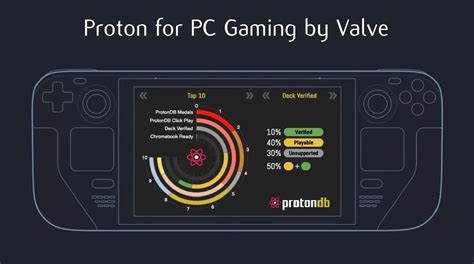
Neither distro maintains its own gaming-compatibility layer: Steam, Proton, and GPU drivers work identically across both because Proton compatibility is determined by the game and driver version, not by which Ubuntu-based distro sits underneath. Wine, the technology behind Zorin’s Windows App Support, is separately unsuited to installing Windows games, so gaming on either distro runs through Steam’s Proton rather than through Zorin’s Windows-app detector at all.
Which one is better for gaming?Neither has a distro-specific advantage. Install Steam on either, enable Proton, and performance depends on your GPU driver version and the specific game’s Proton compatibility rating, not on Zorin versus Mint.
Update mechanics and long-term support
Zorin OS 18.1 arrived six months after Zorin OS 18’s launch as a point release, and users update through the same Software Updater tool or a direct terminal command, moving to the newer kernel and features without a reinstall. Mint 22.3 follows a similar point-release cadence within the 22.x series, but enabling its HWE kernel remains a manual opt-in step rather than something the Update Manager switches on by default.
Do I have to reinstall when a new major version comes out?No for point releases on either distro (18 to 18.1, or within Mint’s 22.x series); yes for a jump to the next major version (Zorin OS 19, or Mint 23 once it ships on Ubuntu 26.04), though both projects provide upgrade tools rather than requiring a clean install.
Where each tends to break

Zorin’s visual customization sits on top of GNOME Shell as a set of extensions and theme patches instead of forking the underlying technology the way Cinnamon forks GNOME. That means Zorin’s desktop layer depends on GNOME’s own shell APIs staying stable release to release; when GNOME changes something underneath, Zorin has to patch its extensions to match before the next release. This is a structural tradeoff of building deep customization on an upstream shell, not a defect unique to Zorin.
Mint’s tradeoff sits on the opposite side. Cinnamon changes less aggressively between releases, so users get a more visually static experience across upgrades, but that same conservatism means newer GNOME-ecosystem features often reach Cinnamon later, if at all, since Cinnamon’s maintainers reimplement rather than inherit them directly.
Which one fits your situation
| Your situation | Recommended | Why |
|---|---|---|
| Migrating from Windows, want minimal manual Wine setup | Zorin OS 18.1 Core | Built-in 240-app installer detector and native-alternative suggestions cut out manual configuration |
| Hardware older than roughly 2015, or under 2GB RAM | Zorin OS Lite or Mint Xfce/MATE | Both officially support RAM floors far below the flagship GNOME/Cinnamon editions |
| Want every feature at zero cost | Linux Mint (any edition) | Zorin’s extra layouts and bundled software sit behind the $47.99 Pro tier; Mint has no paid tier |
| Need the newest kernel for 2024 to 2025 GPU or Wi-Fi hardware | Zorin OS 18.1 | Ships kernel 6.17 by default; Mint needs the optional HWE kernel to match |
| Prioritize a desktop that changes the least between releases | Linux Mint 22.3 Cinnamon | Cinnamon’s forked model insulates the desktop from upstream GNOME shell changes more than Zorin’s extension-based layer |