| Symptom | Most likely cause | Where to look |
|---|---|---|
| Banner appeared, no sound or vibration | Attention Aware Features lowered the alert volume | Rang, but silently |
| Alarm only vibrated, no sound | Sound option is set to None | Never fired at all |
| Sound played, but not from the phone | Audio routed to Bluetooth or wired headphones | Rang, but silently |
| Nothing happened at all, no banner | Alarm deleted, disabled, or corrupted after a restore or update | Never fired at all |
| Alarm fired an hour early or late | Daylight Saving Time transition on a repeating alarm | Known iOS bugs |
Your alarm rang, but silently
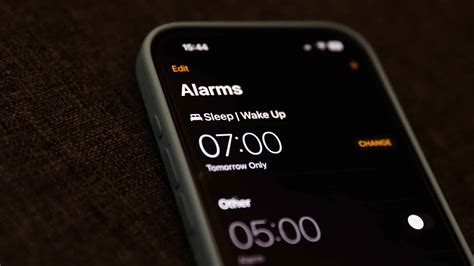
Attention Aware Features is the single most common cause of a silent-but-visible alarm. Apple documents that when the TrueDepth camera detects you’re looking at the device, it lowers the volume of some alerts, and this is available on iPhone X and later except the iPhone SE. Turn it off under Settings, Face ID & Passcode (or Face ID & Attention on newer software). The second most common cause sits right next to it in Settings: the Ringtone and Alert Volume slider sets alarm, call, and alert volume together, separate from media volume, so Spotify can play at full blast while this slider sits near the bottom and the alarm rings at that same low level.
Bluetooth and wired headphones create a real, documented tension worth knowing about. Apple’s alarm-setup page states that when headphones are connected, the alarm plays through the built-in speaker as well as the headphones. But MacObserver has reported iOS 26-era complaints of alarms defaulting to AirPods or a paired speaker instead, with no audio at all from the phone itself. If you sleep with earbuds in, or leave AirPods charging nearby, disconnect Bluetooth before testing anything else.
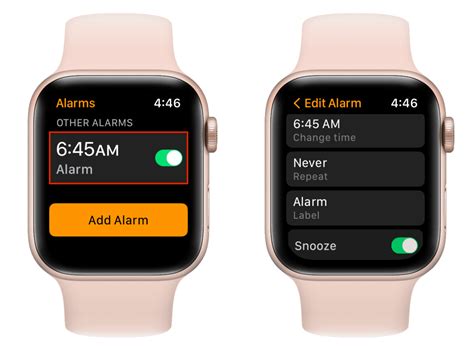
Apple Watch owners should know this doesn’t work the same way on wrist devices as it does on iPhone. Six Colors explains that Silent Mode on an Apple Watch does silence alarms, unless you’ve enabled Break Through Silent Mode, which is the opposite of how Silent Mode behaves on iPhone and iPad. Someone troubleshooting a paired Watch-and-iPhone setup is often fighting two different silencing systems.
Will my alarm still ring if my phone is in Silent Mode?
Yes. The Ring/Silent switch and Silent Mode don’t affect the Clock app’s alarm on iPhone or iPad, confirmed directly in Apple’s alarm-setup instructions.
Your alarm never fired at all
A quieter but real cause: an alarm’s Sound setting getting reset to None. 9to5Mac reported in January 2026 that a small number of users found their alarm sound had changed to None on its own, possibly tied to older “Classic” tone selections, producing a fully silent trigger with no vibration either. Open each alarm in the Clock app and confirm the Sound field isn’t blank.
If the alarm didn’t fire at all, not even silently, the most likely culprit is a corrupted entry, and this is most common right after restoring from backup, transferring to a new phone, or installing a major iOS update. Deleting the alarm and recreating it from scratch clears this in most reported cases. If you use the Health app’s Sleep Schedule, check that its own “Wake Up” alarm isn’t set for a similar time and silently taking priority over an alarm you set manually in Clock.
Why did my alarm stop working right after I restored or updated my phone?
Alarm entries can be corrupted during a restore or major update without any visible error. Deleting the affected alarm and creating a new one resolves this in most cases; it isn’t something you did wrong in the settings.
If you use a third-party alarm app instead of the Clock app

Several reports describe third-party alarm apps behaving differently from the native Clock app after an update, and MacObserver’s iOS 26 coverage notes conflicts serious enough that switching back to the built-in Clock app resolved missed alarms for some users. Apple hasn’t published how the two systems differ internally, so treat this as an open question rather than a confirmed mechanism, and test any third-party app again after every iOS update.
Do third-party alarm apps work the same way as the Clock app?
Not necessarily. Some users have reported third-party alarms failing after iOS updates in ways the native Clock app didn’t, though Apple hasn’t published details on why.
Known iOS bugs and the Daylight Saving pattern
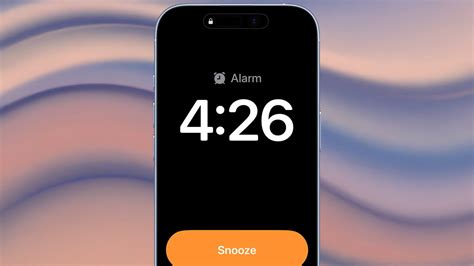
The clearest confirmed bug in recent years hit in March 2024: Macworld reported that iOS 17.4.1 caused widespread silent or missing alarms, and the Wall Street Journal’s Joanna Stern got direct confirmation from Apple that it was aware and working on a fix. That’s a different event from what one popular troubleshooting source claims: that iOS 17.2.1, released three months earlier in December 2023, already patched this. Macworld’s coverage of 17.2.1 at the time shows its release notes listed no specific fix at all, just an unexplained “important bug fixes” line. Treat the “17.2.1 fixed it” claim as unconfirmed.
Daylight Saving Time is a separate, older, and better-documented pattern. In 2010, an Apple spokesperson confirmed to CNN that a glitch caused repeating alarms, specifically, to fire an hour late after the fall transition, and recommended one-time alarms as a workaround until the next update. The same repeating-alarm pattern recurred in 2023, per VentureBeat. One-time alarms have not been reported as affected. DST ends in the US on Sunday, November 1, 2026; if you rely on a repeating weekday alarm, that’s the morning to double-check it manually rather than trust the automatic shift. Apple’s next scheduled update, iOS 26.6, is expected around July 27, 2026, based on the company’s historical release pattern for x.6 updates.
| Cause | Status | Source |
|---|---|---|
| Attention Aware lowering alert volume | Apple-documented | Apple Support |
| Sound option reset to None | Reported by users, covered by tech press, not in an Apple support document | 9to5Mac |
| iOS 17.4.1 silent/missing alarms | Apple confirmed awareness and a fix in progress | Macworld / WSJ |
| Repeating alarms off by an hour at DST | Apple confirmed and issued workaround guidance | CNN / VentureBeat |
| “iOS 17.2.1 patched the silent-alarm bug” | Disputed: release notes list no specific fix, predates the 17.4.1 crisis by three months | Macworld |
A confirmed bug and a widely repeated but unconfirmed claim can look identical in a quick search; the difference only shows up when you check the actual release notes against the date the reports started.
Does Daylight Saving Time affect one-time alarms too?
No. Every documented instance of this bug, going back to 2010, has affected repeating alarms specifically.
Is it a hardware problem?
Before assuming settings are to blame, run Apple’s own speaker test: open Settings, Sounds & Haptics, and drag the Ringtone and Alerts slider back and forth. A test tone plays as you drag. If you hear nothing, or the speaker icon on that slider appears dimmed, Apple’s guidance is that the speaker may need service, not more troubleshooting.
My alarm still doesn’t work after trying everything above. What now?
Run the speaker self-test above first. If it fails, this points to hardware rather than a setting, and further software troubleshooting is unlikely to help.
Preventing another missed alarm
- Raise the slider until the test tone is clearly audible, not just barely present, and turn off Change with Buttons so a stray volume-button press can’t undo that.
- Disable Attention Aware Features if you don’t rely on it for anything else.
- Set a backup alarm five minutes later with a different sound; a second entry isn’t subject to the same corrupted-entry risk as the first.
- Test any alarm the same night you set it, not the morning you’re depending on it.