Two questions hiding inside one search
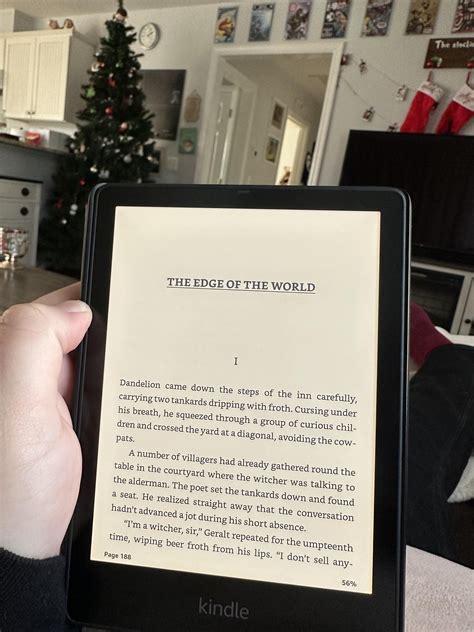
“Do old Kindles still work” usually means one of two different things. One reader wants to know whether Amazon just disabled their specific device. Another reader has a Kindle from 2015 or 2018 gathering dust in a drawer and just wants to know if it’s safe to charge up and use again. The first question has a hard, dated answer below. The second one has nothing to do with Amazon’s policy: it’s a question about an aging lithium-ion battery and years of storage, not about a corporate cutoff.
Which Kindle models lost Store access on May 20, 2026
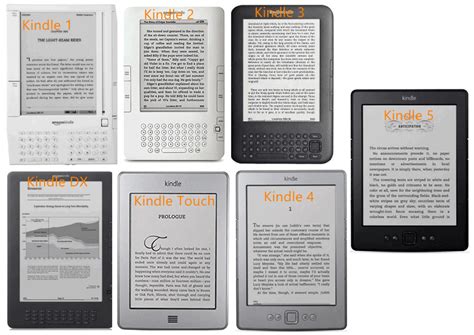
Amazon’s cutoff applies to 13 named models, all released in 2012 or earlier, and nothing newer (Forbes).
| Model | Released | What changed on May 20, 2026 | If you reset or deregister it |
|---|---|---|---|
| Kindle (1st generation) | 2007 | No Store access | Locked out permanently |
| Kindle 2 | 2009 | No Store access | Locked out permanently |
| Kindle DX / DX Graphite | 2009 to 2010 | No Store access | Locked out permanently |
| Kindle Keyboard (3rd generation) | 2010 | No Store access | Locked out permanently |
| Kindle 4 | 2011 | No Store access | Locked out permanently |
| Kindle Touch | 2011 | No Store access | Locked out permanently |
| Kindle 5 | 2012 | No Store access | Locked out permanently |
| Kindle Paperwhite (1st generation) | 2012 | No Store access | Locked out permanently |
| Kindle Fire (1st, 2nd gen), Fire HD 7, Fire HD 8.9 | 2011 to 2012 | Loses Kindle e-book Store features | Locked out permanently |
Every device on this list predates 2013. That’s the real dividing line: the cutoff tracks release year, so a Paperwhite bought new in 2013 keeps working the way it always has, while the visually similar first-generation Paperwhite from 2012 does not.
Will Amazon delete the books already on my old Kindle?No. Your account and library stay intact and remain accessible on any device released after 2012, plus the Kindle apps and Kindle for Web (Amazon). The affected device itself just can’t reach the Store anymore.
How to tell exactly which Kindle you own
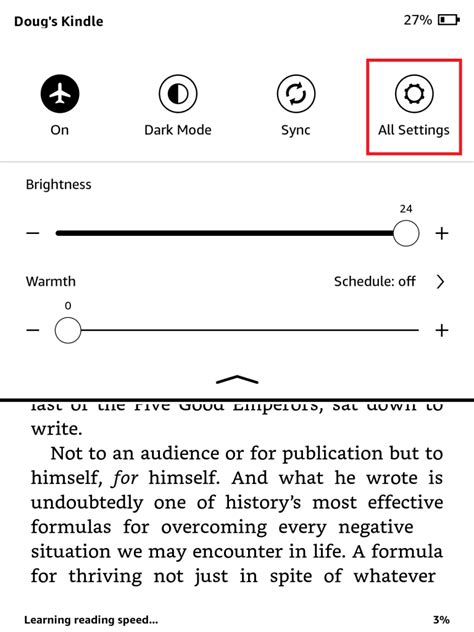
Check Settings, then Device Options, then Device Info: the model name, generation, and serial number are all listed there (Amazon). If the device won’t power on, log into amazon.com/mydevices instead and check the registration date on file. On very old units where the on-device menu doesn’t show a full model name, the first four to six characters of the serial number identify the generation; a community-maintained reference for those prefixes is kept at the MobileRead Wiki. Anything registered in 2012 or earlier is on the affected list above.
If your Kindle isn’t on this list
A 2014 Voyage, a 2016 Oasis, a Paperwhite 2 or later, or a basic Kindle from 2013 onward is unaffected by any of this. It buys, borrows, and downloads exactly as it did before May 20, 2026. The reassurance here is specific, not general: it comes from the same official list above, read the other direction. If your device’s registration date on amazon.com/mydevices reads 2013 or later, nothing in this cutoff applies to it.
Does this affect the Kindle app on my phone or tablet?No. The cutoff applies only to the 13 listed hardware devices; Kindle apps on iOS, Android, and desktop keep working, and your library stays accessible there regardless of what happens to an old device (TechCrunch).
What still works, and what doesn’t, on an affected device
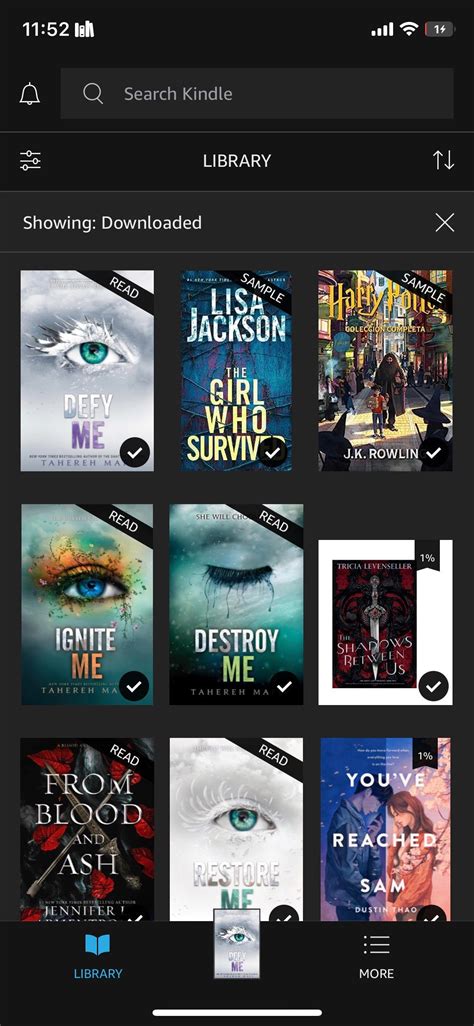
An affected Kindle keeps reading every book downloaded before the cutoff and keeps its dictionary and highlighting functions. Library apps like Libby that rely on wireless delivery to the device stop working the same way Store purchases do, since both depend on the same account connection that’s now closed off.
Why Amazon is doing this
This isn’t Amazon’s first cutback on old Kindles
The May 2026 Store cutoff is the third step in a pattern, not an isolated decision.
| Date | Change | What it meant for the reader |
|---|---|---|
| 2016 | Amazon required Kindle e-readers from 2012 or earlier to install a firmware update just to keep Store access | First formal line drawn at the same 2012 boundary used again in 2026 |
| February 26, 2025 | Amazon removed “Download & Transfer via USB,” the feature that let a purchased book be downloaded to a computer and moved manually | Backing up a personal library outside the Kindle ecosystem became harder for every Kindle owner, not just pre-2013 ones |
| May 20, 2026 | Store access closed entirely on the 13 pre-2013 models | The device itself, not just the backup path, loses its connection to Amazon’s servers |
The 2016 update requirement (TechCrunch) and the 2025 USB change (Cloudwards) both narrowed how a Kindle owner could get books onto a device; only the 2026 change closes the device’s account connection outright.
Is this the same thing as the 2025 USB download change?No. The 2025 change removed a computer-based backup method for every Kindle owner. The 2026 cutoff closes Store access on 13 specific pre-2013 devices; the two are related steps in the same direction, not the same event.
What to do now
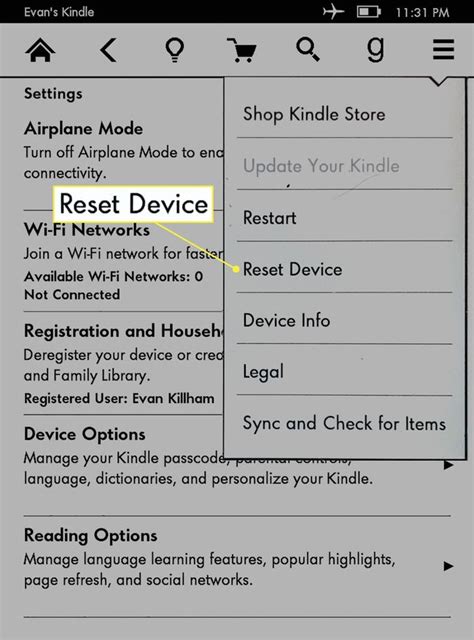
What happens if I already reset my Kindle by accident after May 20?Based on Amazon’s stated terms, it cannot be re-registered to your account after that point. Contacting Amazon support directly is worth trying, but the published policy doesn’t describe an exception.
Reading your old Kindle without the Store
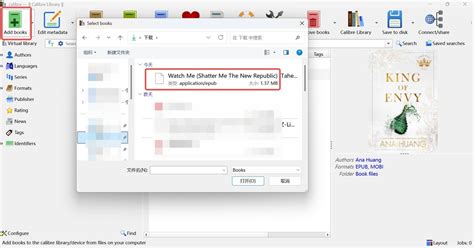
An affected device isn’t limited to Amazon content. USB transfer of personal, DRM-free files still works, and a small ecosystem of tools and libraries fills the gap left by the Store.
| Method | What it lets you do | Its limit |
|---|---|---|
| USB transfer of personal documents | Move PDFs, MOBI, or AZW3 files from a computer directly to the device | No purchased Kindle Store books; DRM-locked files still won’t open |
| Calibre plus DRM-free libraries | Convert and load books from Project Gutenberg or Standard Ebooks using Calibre | Only covers public-domain and DRM-free titles, not your existing Amazon purchases |
| Jailbreaking | Adds custom software and reader features Amazon never shipped | Voids any remaining support and carries a real risk of bricking the device (Gadget Hacks) |
Is jailbreaking my old Kindle a safe way around this?It adds functionality Amazon doesn’t provide, but independent coverage of the process is explicit that it carries a real risk of bricking the device and offers no vendor support if something goes wrong.
If you’re ready to move on
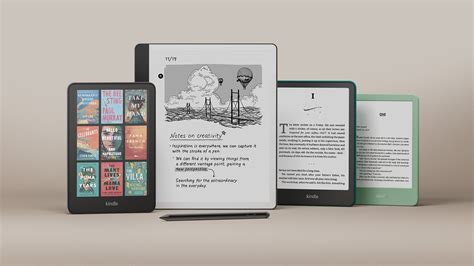
Amazon’s current lineup gives a concrete sense of what an upgrade costs: the 11th-generation Kindle (2024) lists at $109.99 with ads or $129.99 without, while the 12th-generation Paperwhite starts at $159.99, with roughly 12 weeks of battery life against about 6 weeks on the base model (Techlicious).
If you’d rather not buy anything, an affected Kindle still works as a dedicated, offline reader for personal or public-domain files. Beyond that, global e-waste is projected to reach 82 million tonnes by 2030, a 32% increase over 2022, per United Nations Institute for Training and Research estimates reported alongside this cutoff (TechCrunch).