Choosing by what you actually read
The right device changes completely depending on the material, and treating “reading” as one activity is where most buying guides go wrong.
For novels and general nonfiction, a 6- to 7-inch E Ink screen at 300 PPI is enough: text reflows to fit the screen, so size barely affects legibility. For PDFs, textbooks, and scanned documents, reflow usually doesn’t work, since these formats are page images, not adjustable text, so the physical page has to be large enough to read without zooming. For comics and manga, color and screen size both matter: a monochrome E Ink screen renders panels in grayscale only, and color E Ink panels (E Ink Kaleido 3) drop resolution from 300 PPI to roughly 150 PPI in the color layer, which is visible in fine linework.
| Device | Display / PPI | Battery | Price | Best for | Skip if |
|---|---|---|---|---|---|
| Kindle (base) | 6″ E Ink, 300 PPI | Weeks | ~$109 | Novels on a tight budget | You want a larger screen or waterproofing |
| Kindle Paperwhite 12th Gen | 7″ E Ink Carta 1300, 300 PPI | Up to 12 weeks | $159–169 | Novels, Amazon ecosystem readers | You read PDFs often or need on-device library audiobooks |
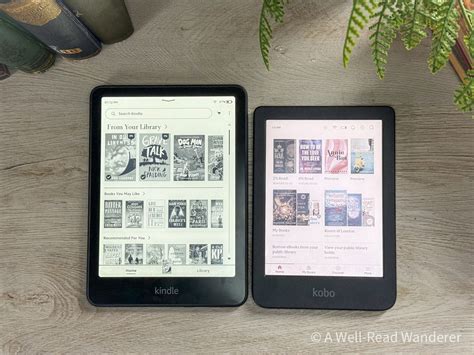
| Kobo Libra Colour | 7″ E Ink Kaleido 3, 300 PPI mono / ~150 PPI color | ~25 hrs continuous at 50% brightness | $219–229 | Library borrowers, color comics/manga | You want the sharpest possible monochrome text |
| 8″+ E Ink tablet (e.g. Boox-class devices) | 8″+ E Ink, 300 PPI | Days to weeks (Android-based) | $300–450 | Regular PDF/textbook reading | Budget is the top priority |
| LCD tablet (e.g. iPad mini class) | LCD/OLED, color, 8–11″ | 8–14 hours active use | $400–700 | Reading plus browsing, video, apps | Reading comfort over long sessions is the priority |
The table shows the actual tradeoff: the only device that is both PDF-comfortable and inexpensive doesn’t exist yet in this lineup, so the real decision is which limitation you’d rather accept.
E Ink or LCD, the short version
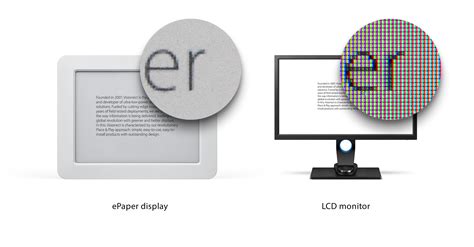
E Ink reflects ambient light like paper and uses power only when the page changes, which is why battery life is measured in weeks. LCD emits light directly and refreshes continuously, trading that battery life and paper-like glare resistance for full color, video, and app support. Neither is objectively better: the right choice depends on whether reading is the primary task or one of several.
Is E Ink actually easier on your eyes?
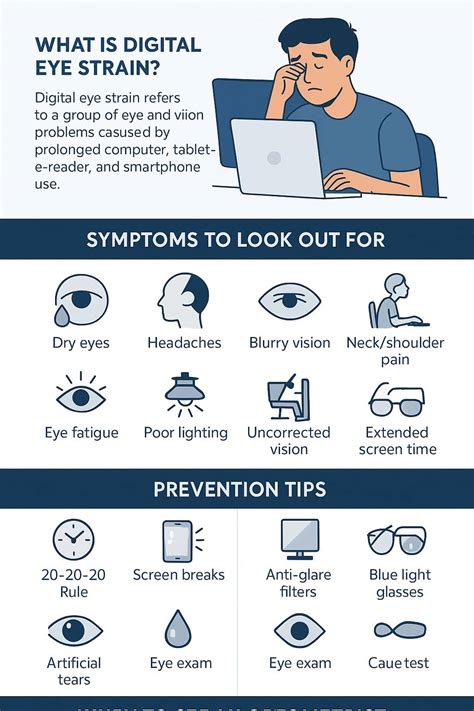
The claim shows up in nearly every reading-tablet guide, but the evidence behind it is thinner than the confidence with which it’s usually stated.
A 2013 peer-reviewed study in PLOS ONE tested E Ink, LCD, and paper across prolonged reading sessions and found that subjective fatigue scores were lower on E Ink and paper than on LCD, but the study’s own objective measures, blink rate and flicker-fusion threshold, gave contrasting results that didn’t clearly back up the subjective finding.
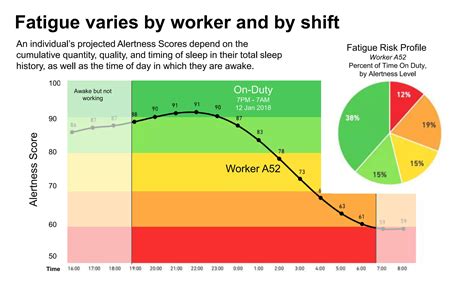
Is E Ink actually proven to reduce eye strain, or is that assumed?Subjectively, most readers report less fatigue on E Ink than on LCD over long sessions, and one peer-reviewed study backs that up. Objectively, the same study’s measurements didn’t confirm it clearly, and the field’s most popular statistic came from an industry-funded study rather than an independent one.
The PDF zoom problem, in real numbers
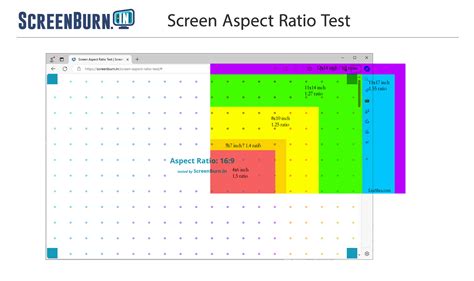
Screen size is the single biggest factor in whether a PDF is actually readable, and it’s rarely quantified in buying guides. In hands-on testing of a 200-page technical PDF across four devices, a reviewer found a 6-inch screen nearly unusable, requiring constant zooming and panning, a 7-inch device tolerable for occasional reference but not comfortable for extended reading, and an 8-inch screen the point where PDFs became genuinely usable without zooming at all.
| Screen size | What happens with a standard PDF page | Verdict |
|---|---|---|
| 6 in | Text too small to read at fit-to-screen zoom; constant pinch-zoom and panning required | Not usable for PDFs |
| 7 in | Readable at fit-to-screen zoom for short reference, tiring over longer sessions | Occasional use only |
| 8 in | Standard page readable without zooming for most font sizes | Comfortable |
| 10.3 in+ | Full page readable with margin to spare, including two-column academic layouts | Best for PDF-heavy use |
An 8-inch screen is the real threshold for comfortable PDF reading, not the 6- to 7-inch size most e-readers ship with by default.
On top of screen size, the Kindle Paperwhite’s own PDF tools add friction: an independent review found only 3 margin settings and 4 contrast levels, sluggish pinch-zoom, and a zoom level that resets on every page turn.
Can I read PDFs comfortably on a 6-inch or 7-inch e-reader?Not for extended sessions. Treat anything under 8 inches as fine for the occasional document but not built for regular PDF or textbook reading; if that’s your main use, size up.
Library borrowing: Kindle vs. Kobo, and why it’s not just “has OverDrive”
Library ebooks and audiobooks aren’t unlimited digital copies: publishers negotiated a one-copy-per-patron model with OverDrive, so popular titles carry waitlists just like a physical library. Loan periods are set by each library, typically a choice of 7, 14, or 21 days, and are adjustable per checkout.
The device you pick changes how that borrowing actually feels. On a Kobo Libra Colour, Libby audiobooks play natively on the device; on a Kindle Paperwhite, Libby’s on-device integration covers ebooks only, and any borrowed audiobook has to be played from a phone instead. For a reader who borrows audiobooks regularly, that’s a daily-use difference, not a footnote.
| Kindle Paperwhite | Kobo Libra Colour | |
|---|---|---|
| Loan period | Library-set, typically 7 to 21 days | Same OverDrive system, same library-set periods |
| Ebook borrowing | Via Libby, sent to device | Native, one-tap in-device |
| Audiobook borrowing | Ebook-only on-device; audiobooks require a phone | Plays natively on-device |
| Borrowing-limit trend | Set by library, trending down | Set by library, trending down |
Borrowing limits themselves are also shrinking. Marin County Free Library cut its simultaneous Libby holds and checkouts from 25 to 15 in 2025, citing rising digital-licensing costs, a pattern showing up at other library systems as ebook licensing fees climb.
Does my library work the same way on a Kindle and a Kobo?The lending system (waitlists, loan periods) is identical since both use OverDrive. What differs is the device experience: Kobo handles audiobooks natively, Kindle pushes them to your phone, and some libraries are now capping how many titles you can hold at once.
Where the top picks fail you
- Skip the Kindle Paperwhite if you read PDFs or textbooks regularly, you need library-borrowed audiobooks on the device itself, or you live outside the US, where Kindle’s library-borrowing support is more limited than Kobo’s broader OverDrive access.
- Skip the Kobo Libra Colour if you want the sharpest possible black-and-white text: color E Ink’s resolution drop to roughly 150 PPI in the color layer is visible in fine detail, and you’re paying a real premium for a feature you may only use occasionally.
- Skip E Ink entirely if you want to browse the web, run apps, or watch video on the same device; no E Ink screen handles motion or color well enough for that.
What it costs to choose wrong
Switching screen technology after the fact is a real cost, not just an inconvenience. Single-purpose e-readers typically see thinner resale markets than general-purpose tablets, since the buyer pool for a device that only reads books is smaller, though comparable resale-price data wasn’t available at the time of writing. Return windows also differ sharply by retailer, so a wrong pick made at full price is not always an easy undo.
What if I buy an e-reader and end up wanting color or apps later?You’ll likely need a second device rather than a software fix: E Ink hardware can’t add color or app support after purchase, and resale value on single-purpose e-readers is typically weaker than on general tablets.
Budget picks and the accessibility gap nobody addresses
For a tight budget, the base Kindle covers novels adequately without the Paperwhite’s larger screen or waterproofing. On accessibility, most guides mention text-to-speech or screen-reader support in passing without comparing it across devices; independent, comparable data on accessibility feature quality by specific model wasn’t available at the time of writing, and that gap is worth naming directly instead of glossing over it.