pkg install openssh followed by sshd, then connect on port 8022, the port Android forces non-root apps to use instead of the standard port 22.Connecting from Android to a remote server
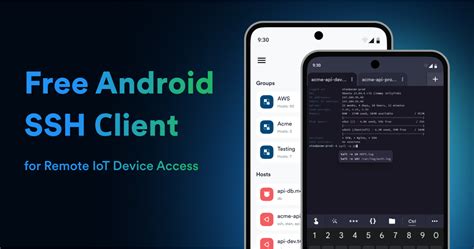
Three apps cover nearly every mobile SSH use case: Termius for cross-device sync, ConnectBot for a lightweight open-source option, and Termux when you also want a full Linux environment on the same device.
Choosing an app
| App | Maintenance status | Key management | Cost | Best for |
|---|---|---|---|---|
| Termius | Actively updated; Play Store build dated 18 Jun 2026 | Generates and imports RSA, ECDSA, ed25519 keys; device-bound SSH.id keys | Free tier, paid sync | Cross-device users who also work from a desktop |
| ConnectBot | Actively updated; official site lists 16 Apr 2026 | Generates keys on-device, including ed25519 | Free, open source | Users who want a minimal, ad-free client |
| Termux | Actively updated via F-Droid and GitHub | ssh-keygen available directly inside the Linux environment |
Free, open source | Users who also want a real Linux shell on the phone |
| JuiceSSH | Unpublished from the Play Store 11 Dec 2025; last update 4 Feb 2021 | ed25519 unsupported in the shipped build | Was free/paid | Nobody; do not install a new copy |
JuiceSSH, recommended by nearly every existing SSH-on-Android guide, is no longer available to new installs and hasn’t been patched since before Android 12 shipped.
Which app should I use now that JuiceSSH is gone?Termius if you want cross-device sync and a polished interface. ConnectBot if you prefer a small, open-source, ad-free client with no account required.
Step-by-step connection setup
- Install the app from the Play Store (Termius) or F-Droid (ConnectBot, Termux).
- Add a host: the server’s IP address or hostname, port 22 unless your provider assigns another, and your username.
- Pick an authentication method: password or key, for the first connection.
- Accept the host key fingerprint on first connect; this is expected, not a warning to dismiss blindly.
Setting up key-based authentication
On Termius, generate a key from the Keychain screen, then attach it to a host so it’s offered automatically. On ConnectBot, open Manage Pubkeys, generate an ed25519 key, and enable “load key on start.” On Termux, run ssh-keygen -t ed25519 and copy the public key to the server’s ~/.ssh/authorized_keys, either with ssh-copy-id or by pasting it manually if the server lacks that tool.
Turning your Android device into an SSH server with Termux
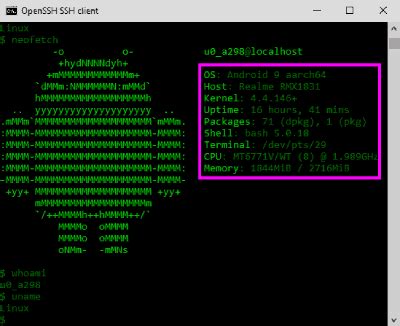
Termux, installed from F-Droid instead of the Play Store, is the only actively maintained way to turn an Android phone into a genuine SSH server in 2026.
Installing Termux and OpenSSH
- Run
pkg update && pkg upgrade. - Run
pkg install openssh. - Set a password with
passwd. - Start the server with
sshd.
Why the port is 8022, not 22
Android treats ports 1 through 1024 as privileged, and only root processes may bind them. Because Termux runs unprivileged even on rooted phones, its sshd defaults to port 8022 instead of 22. Connect with ssh -p 8022 username@phone-ip-address, using whoami inside Termux for the username and ifconfig for the IP.
Reaching your phone from outside your Wi-Fi network
A phone’s SSH server is only reachable on its local network by default. Getting to it from outside requires one of three approaches.
| Method | Setup effort | Cost | Works behind CGNAT | Best for |
|---|---|---|---|---|
| Tailscale (mesh VPN) | Low: install, sign in, done | Free Personal plan: 6 users, unlimited devices | Yes | Most personal users |
| Router port forwarding | Medium: router admin access needed | Free | No | Fixed home networks with a static or dynamic DNS address |
| Reverse tunnel (ngrok, frp) | Medium: separate account or self-hosted relay | Free tier available, paid for persistent addresses | Yes | Quick, temporary access without router changes |
For a phone that changes networks throughout the day, Tailscale is the only option in this table that keeps working without router configuration or a fixed address.
Can I reach my phone’s SSH server from outside my home Wi-Fi?Not with port forwarding alone if your carrier uses carrier-grade NAT. A mesh VPN like Tailscale, or a reverse tunnel, avoids that restriction entirely.
Root access and SSH
Neither direction requires a rooted phone. Client apps like Termius, ConnectBot, and Termux run entirely in user space, and Termux’s sshd works the same way on stock, unrooted Android. Root only matters if you specifically want sshd to bind port 22 instead of 8022, since that still requires elevated privileges on Android’s networking stack.
Why your SSH session keeps disconnecting
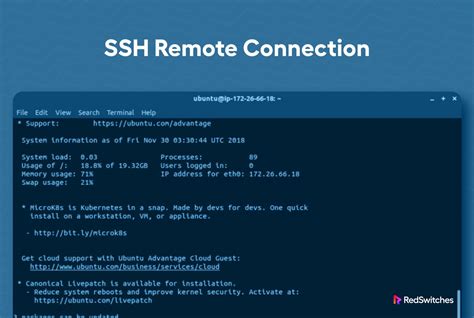
Two unrelated Android behaviors cause most dropped mobile SSH sessions: the OS suspending background network access to save battery, and the plain SSH/TCP protocol failing to survive a change of IP address when you switch networks.
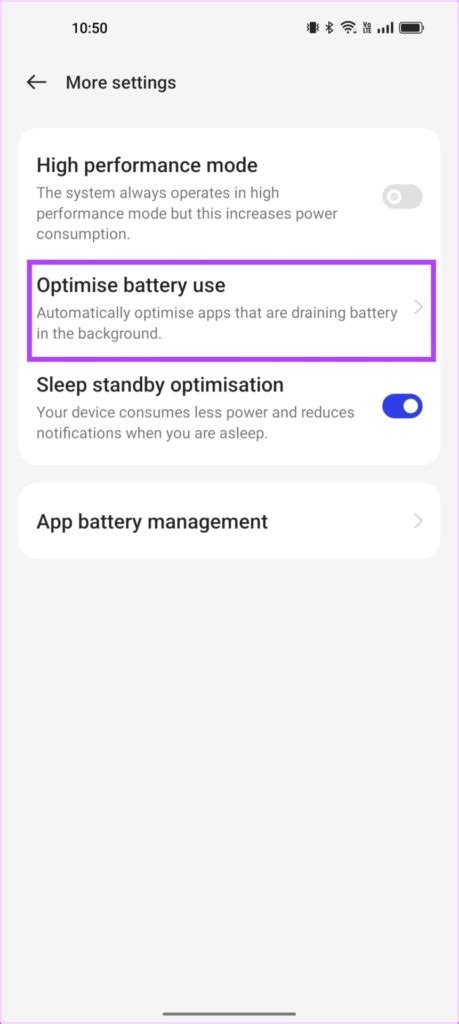
On Android 13 and higher, an app the user hasn’t opened in 8 days moves into the “restricted” standby bucket, a much tighter threshold than the 45 days used on Android 12 and below. Apps in that bucket lose most background network access, which is why a Termux sshd left running overnight can simply stop answering. Exempting the app from battery optimization (Settings, Battery, Battery Optimization, select the app, Allow) keeps it reachable, at the cost of the battery savings Android’s own documentation attaches to any exempted app.
The second cause is unrelated to Doze: standard SSH runs over TCP, which breaks when the client’s IP address changes, such as moving from Wi-Fi to cellular. Mosh replaces that transport with a UDP-based protocol that sends a heartbeat at least every three seconds and keeps the session alive across roaming, using UDP ports 60000 to 61000 by default.
Why does my SSH session disconnect when I switch apps or lose signal?Plain SSH runs over TCP, which breaks when your IP address changes. Installing mosh on both ends replaces that transport with a UDP protocol built to survive network switches and brief outages.
Security: what to check before you expose anything
A default password left unchanged is the easiest way into a phone-hosted SSH server, and the easiest thing to fix before you connect from anywhere but your own network.
Disable password authentication in Termux’s sshd_config once key-based login works; a phone on a home network is a softer target than a hardened cloud VPS. If you expose the server beyond your local network at all, do it through a tool with access controls instead of a bare port forward: Tailscale’s tag-based ACLs default to deny, so SSH access can be scoped to specific devices instead of the whole internet.
Is it safe to leave an SSH server running on my phone?Yes, if you disable password authentication, restrict access with device-level controls such as Tailscale’s ACLs, and avoid exposing Termux’s port directly to the open internet.
Troubleshooting
| Symptom | Likely cause | Fix |
|---|---|---|
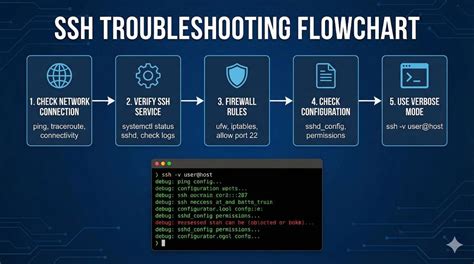
| “Connection refused” on port 8022 | sshd isn’t running because Termux was killed or restarted |
Reopen Termux and run sshd again; it doesn’t restart automatically |
| “Permission denied (publickey)” | Wrong key loaded, or the public key wasn’t appended correctly | Re-run the key-copy step and confirm authorized_keys permissions are 600 |
| Works on Wi-Fi, fails on mobile data | Carrier-grade NAT blocks unsolicited inbound connections | Connect through Tailscale or a reverse tunnel instead of a direct IP |
| “Bind: Permission denied” setting the port to 22 | Android reserves ports below 1024 for root processes | Use the default port 8022, or another port above 1024 |
Three of these four symptoms come from Android’s own restrictions rather than a misconfigured SSH server.
Common mistakes and limitations

- Reinstalling JuiceSSH from an APK mirror instead of the Play Store. The app is delisted for a reason: it predates modern Android’s key formats and permission model, and third-party APK sources add their own risk for an app that stores credentials.
- Leaving password authentication enabled after testing. Disable it in
sshd_configonce a key works. - Assuming port 22 always applies. Termux defaults to 8022, and forgetting to pass
-ptosshis the single most common cause of “connection refused.” - Expecting a background SSH server to survive Doze indefinitely. Even with a battery-optimization exemption, Android can still suspend network access during deep Doze on a stationary, screen-off phone.