What “sleek” means in measurable terms
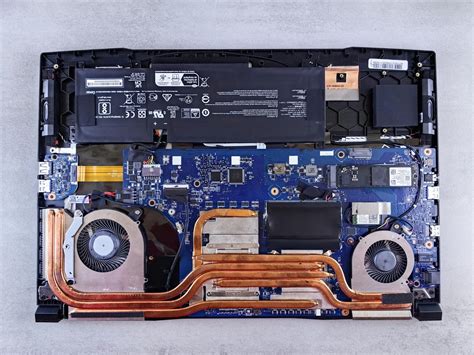
Every outlet ranking “sleek” laptops reaches for the same adjective without defining it. Four measurable properties decide whether a laptop’s design holds up under scrutiny: the chassis material and how it’s formed, the thickness-to-weight ratio for its screen size, the bezel-to-screen ratio, and the hinge mechanism’s resistance to wobble.
Thickness alone is a weak signal. A 2026 sample of premium ultraportables ranges from 8.08mm at the front edge to 14.37mm at the rear edge on the same laptop, per Lenovo’s ThinkPad X1 Carbon Gen 13 Aura Edition spec sheet, and down to a uniform 11mm on the Asus Zenbook S16. None of these numbers mean much without pairing them against weight and battery capacity: a thin chassis that skips battery capacity to hit a number is a different product than one that keeps both.
Chassis material decides more than the marketing copy admits
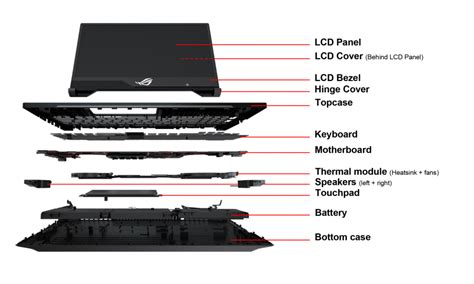
“Premium build” almost always means one of three materials at the top of the market: aluminum unibody, magnesium alloy paired with carbon fiber, or a ceramic-aluminum composite. Each behaves differently in daily use, and the difference rarely appears in a spec sheet’s headline copy.
| Model | Chassis material | Weight | Thickness | Starting price |
|---|---|---|---|---|
| Apple MacBook Air 13″ (M5) | Aluminum unibody | 1.23 kg (2.7 lb) | 11.2 mm | $1,099 (Tom’s Hardware) |
| Asus Zenbook S16 (UM5606) | All-metal body, Ceraluminum lid | 1.5 kg (3.3 lb) | 11 mm | $1,400 (Asus) |
| Lenovo ThinkPad X1 Carbon Gen 13 Aura Edition | Carbon fiber top, magnesium/aluminum bottom | 0.99 kg (2.17 lb) | 8.08 to 14.37 mm | $2,013 (Tom’s Hardware) |
The weight and thickness numbers move independently of material. The Zenbook S16 is both the heaviest and, at 11mm, among the thinnest of the three, because its 78Wh battery adds mass a smaller battery wouldn’t. The ThinkPad X1 Carbon Gen 13 Aura Edition undercuts an aluminum unibody laptop on weight by nearly 20 percent using a mixed carbon fiber and magnesium build, at a price roughly $900 above the aluminum option.
Can a Windows laptop match MacBook-level build quality?Yes, on rigidity and finish. Lenovo’s ThinkPad X1 Carbon Gen 13 Aura Edition and Asus’s Zenbook S16 both use cast or CNC-machined metal shells that their manufacturers back with durability testing (Lenovo publishes environmental operating limits; Asus rates the Zenbook S16 to MIL-STD-810H drop standards), matching the rigidity most reviewers report for Apple’s aluminum unibody. Software polish and trackpad feel remain the more common gap, not the metal itself.
The thinness versus durability and keyboard-feel tradeoff

Every millimeter shaved off a chassis has to come from somewhere: battery volume, keyboard travel, cooling headroom, or structural rigidity. The compromise shows up differently depending on which one a manufacturer accepts.
Asus’s Zenbook S16 packs a 6-speaker system, dual fans, and a 78Wh battery into an 11mm shell. That density has a cost: independent hands-on testing measured the keyboard’s key travel at 1.1mm, per Hitech Century, and Asus’s own engineering targets a 4°C reduction in keyboard-deck temperature over the prior generation, itself an acknowledgment that surface heat is a known constraint of this thickness, per Asus’s own product page.
Lenovo takes the opposite tradeoff on the X1 Carbon Gen 13 Aura Edition: the chassis varies from 8.08mm at the front edge to 14.37mm at the rear, a wedge shape that keeps the keyboard deck thicker where the keys sit, while still fitting a user-replaceable battery and a full-size keyboard with a dedicated TrackPoint into a sub-1kg shell weighing 986g, according to LaptopMedia’s testing coverage.
Does a thinner laptop always mean a worse keyboard or fewer ports?Not automatically, but it is the most common cost. Lenovo keeps a full port selection and deep keyboard on the ThinkPad X1 Carbon Gen 13 Aura Edition by tapering the chassis instead of flattening it uniformly. Uniformly thin designs like the Zenbook S16 tend to compress keyboard travel and concentrate heat instead.
Battery capacity relative to weight matters more than the hours claimed
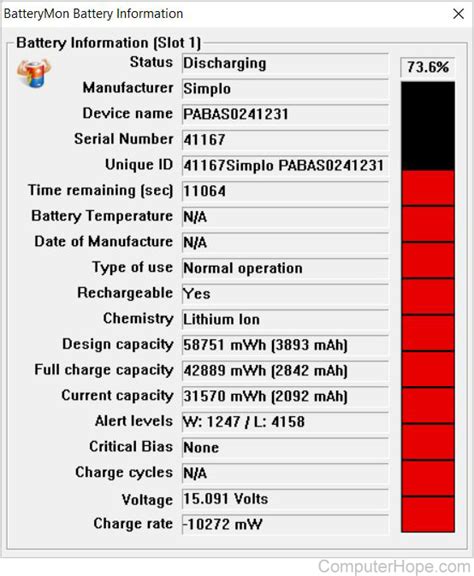
Every manufacturer publishes a battery-life estimate, and none of them are measured the same way.
| Model | Battery capacity | Weight | Wh per kg | Manufacturer-stated battery life |
|---|---|---|---|---|
| Apple MacBook Neo | 36.5 Wh (MacRumors) | 1.23 kg | ~30 | Up to 16 hours, 1080p video (Apple) |
| Lenovo ThinkPad X1 Carbon Gen 13 Aura Edition | 57 Wh (Lenovo PSREF) | 0.99 kg | ~58 | Up to 18 hours (LaptopMedia) |
| Asus Zenbook S16 (UM5606) | 78 Wh (Asus) | 1.5 kg | ~52 | “All-day autonomy,” no hour figure published |
By raw capacity, the Zenbook S16 carries the most energy of the three at 78Wh. But the ThinkPad X1 Carbon Gen 13 Aura Edition stores more energy per kilogram of laptop, about 58Wh/kg against roughly 52Wh/kg for the Zenbook and 30Wh/kg for the Neo, because its carbon fiber and magnesium shell weighs the least for the energy it carries.

How a premium feel is built, or faked, at different prices
A premium feel and a premium price are not the same purchase. Manufacturers can reach a metal chassis, a bright display, and a comfortable keyboard well below flagship pricing by cutting specific, identifiable features rather than the whole experience.
Apple’s MacBook Neo, launched March 11, 2026 at $599, uses the same aluminum unibody construction and 500-nit Liquid Retina display technology as pricier Macs, per Apple’s own tech specs, but ships without a backlit keyboard, the first MacBook to omit one in more than 15 years, limits one of its two USB-C ports to USB 2.0 speeds of 480 Mb/s with no Thunderbolt support at all, and requires an extra $100 to add a Touch ID sensor, according to Cult of Mac’s breakdown.
The tradeoffs are legible if you know where to look: keyboard backlighting, port bandwidth, and biometric hardware are common places to cut cost without touching the visible metal shell, which is exactly why “premium build” claims need to be checked against the full spec sheet, not just the marketing photo.
Do more expensive laptops always look and feel more premium?Only partly. The MacBook Neo hits 500 nits of brightness and a full aluminum shell for $599, matching the display brightness of the $1,099 MacBook Air. The higher price mainly buys a faster M-series chip, Thunderbolt-speed ports, and a backlit keyboard, on top of a similar-looking shell.
What color and finish don’t change
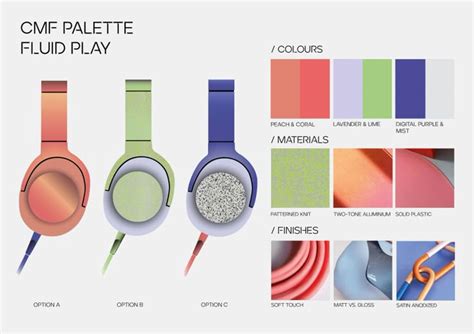
Color and finish mostly change perception. Asus is the exception worth naming: it markets its Ceraluminum lid as holding the same drop and scratch resistance in both its Scandinavian White and Antrim Gray colorways, based on the company’s own tribotesting and drop-test disclosures, per Asus’s product page. Apple’s four MacBook Air and Neo colorways all sit on the same aluminum shell as the base silver finish, with no separately reported durability difference between them, per Wikipedia’s MacBook Neo entry. When a spec sheet names a finish, it’s worth checking whether the manufacturer backs it with a testing claim or just a paint description.
Does a laptop’s color or finish affect its durability?Usually no. The exception is a lid-material change like Asus’s Ceraluminum, which the company says adds scratch and stain resistance over plain anodized aluminum regardless of color, verified through its own tribotesting to more than 18,000 cycles. A painted or anodized color change alone typically carries no such claim.
Grouping laptops by design language instead of price tier

The “best overall, best budget, best gaming” taxonomy used across most laptop buying guides groups laptops by intended workload. A design-first grouping instead separates laptops by what their shell is trying to communicate.
| Design language | Example model | Chassis approach | Best suited for |
|---|---|---|---|
| Minimalist unibody metal | Apple MacBook Air 13″ (M5) | Single-material aluminum shell, notch display, no visible seams | Buyers who want a consistent look across sizes and colors without cutting core specs |
| Engineered composite, durability-first | Lenovo ThinkPad X1 Carbon Gen 13 Aura Edition | Carbon fiber top, magnesium/aluminum bottom, tapered profile | Buyers who prioritize weight, port count, and years of daily typing |
| Ceramic-composite luxury | Asus Zenbook S16 (UM5606) | CNC-machined all-metal body with Ceraluminum lid, MIL-STD-810H rating | Buyers who want a distinct tactile finish and can carry more battery weight |
| Budget metal minimalism | Apple MacBook Neo | Aluminum unibody with select features cut (no backlight, limited USB) | Buyers who want the aesthetic and base build quality without the full feature set |
Each of these four laptops uses a metal or composite shell, but the design language governs which compromise a buyer accepts: Lenovo trades some visual minimalism for repairability and full-size ports, Asus trades battery weight for a tactile ceramic-composite finish, and Apple trades the Neo’s keyboard backlight and Thunderbolt speed for a $599 price attached to a real aluminum shell. This comparison covers four laptops with independently verifiable material and battery data; other well-known design-forward laptops were left out where a manufacturer spec sheet or independent test couldn’t confirm the same figures.
Signs a sleek laptop is the wrong choice

A design-first purchase can still go wrong. Four signals are worth checking before buying on looks alone:
- Chassis flex under normal typing pressure. A shell that visibly bows or clicks when you press near the keyboard’s center usually means a thinner internal frame than the exterior suggests, independent of the material name on the spec sheet.
- A battery under roughly 50Wh in a 14-inch or larger chassis. Among the models compared here, that threshold separates the ThinkPad X1 Carbon Gen 13 Aura Edition’s 57Wh cell from a genuinely undersized pack; anything meaningfully below it in a similarly sized shell is trading endurance for thinness more aggressively than these benchmarks do.
- A “premium build” claim with no named material. “Premium,” “aircraft-grade,” and “durable” are marketing words; “aluminum unibody,” “carbon fiber,” and “Ceraluminum” are material names a buyer can verify against a manufacturer’s own spec sheet.
- No published durability testing. Lenovo publishes environmental operating limits, and Asus publishes MIL-STD-810H drop ratings and tribotesting cycle counts for the Zenbook S16; a laptop that publishes neither hasn’t necessarily failed such testing, but a buyer has no way to check.
None of these signals require a lab. A five-minute press on the keyboard deck, a look at the battery Wh figure next to the screen size, and a search for the manufacturer’s own material name will surface most of them before a purchase is made. The Zenbook S16’s Ceraluminum lid, for comparison, is rated for over 18,000 tribotesting cycles by Asus.