The official minimum specs, side by side
Both distributions publish minimums low enough that spec sheets rarely decide anything on their own. Zorin’s own documentation lists a 1 GHz dual-core 64-bit processor and 2 GB of RAM as the floor, with storage varying by edition. Linux Mint’s FAQ lists the same 2 GB RAM floor but recommends 4 GB, and its storage minimum sits higher than Zorin’s Core edition.
| Distro / edition | Min. CPU | Min. RAM | Storage | Display |
|---|---|---|---|---|
| Zorin OS 18 Core | 1 GHz dual-core 64-bit | 2 GB | 15 GB | 800×600 |
| Zorin OS 18 Pro | 1 GHz dual-core 64-bit | 2 GB | 45 GB | 800×600 |
| Linux Mint 22 (any edition) | 64-bit, dual-core | 2 GB (4 GB rec.) | 20 GB (100 GB rec.) | 1024×768 |
| LMDE 7 “Gigi” | 64-bit | 2 GB (4 GB rec.) | 20 GB (100 GB rec.) | 1024×768 |
The one place these numbers do decide something is disk space on Zorin OS Core versus Mint: Zorin’s free edition asks for 5 GB less than Mint’s stated minimum, which matters on a drive already tight on room.
The timing gap that actually separates them

Both distributions ride on top of an upstream base, and that base’s age is what actually changes week to week: driver support, kernel features, and how soon a newly released laptop is likely to work out of the box.
| Release | Codename | Upstream base | Base released | Distro released | Gap | Supported until |
|---|---|---|---|---|---|---|
| Zorin OS 17 | – | Ubuntu 22.04 LTS | 21 Apr 2022 | 20 Dec 2023 | 20 months | – |
| Zorin OS 18 | – | Ubuntu 24.04 LTS | 25 Apr 2024 | 14 Oct 2025 | 18 months | 1 Jun 2029 |
| Linux Mint 21 | Vanessa | Ubuntu 22.04 LTS | 21 Apr 2022 | 31 Jul 2022 | 3 months | – |
| Linux Mint 22 | Wilma | Ubuntu 24.04 LTS | 25 Apr 2024 | 25 Jul 2024 | 3 months | Apr 2029 |
| LMDE 7 | Gigi | Debian 13 “Trixie” | 9 Aug 2025 | 14 Oct 2025 | ~2 months | tied to Debian’s cycle |
Linux Mint has landed on a new LTS base within three months in both cycles shown here. Zorin has taken roughly a year and a half both times. Neither gap is a defect: Zorin spends that time re-theming, re-testing Windows App Support, and rebuilding its curated app set on top of the new base, while Mint ships closer to what Ubuntu already tested. The consequence is concrete: if you install the distro on release day expecting the latest kernel’s hardware support, Mint gets you there roughly five times sooner after a new Ubuntu LTS lands.
Which one gets security updates sooner after a new Ubuntu LTS? Linux Mint does, by a wide margin. Its last two major releases landed about three months after their Ubuntu base; Zorin’s last two took roughly eighteen and twenty months. Neither distro delays security patches to already-installed systems by that gap, since both pull updates from their respective bases continuously. The gap only affects how soon you can move to the next major version and its newer kernel.
Desktop environment: what changes day to day
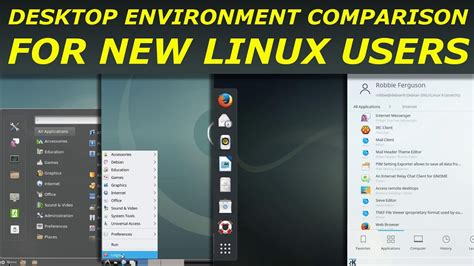
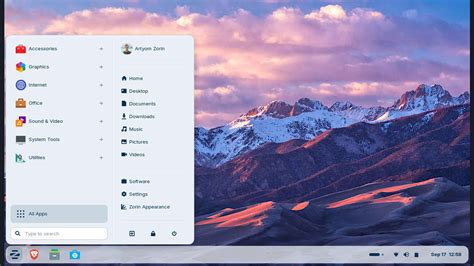
Zorin OS Core and Pro run a heavily customized GNOME Shell, switchable between Windows-like, macOS-like, and other layouts through the built-in Zorin Appearance tool. Linux Mint’s flagship is Cinnamon, an entirely separate desktop that Mint’s own developers built after GNOME 3’s April 2011 release replaced GNOME 2’s conventional layout; Cinnamon became fully independent of GNOME’s codebase with version 2.0 in October 2013. That separation matters in one practical way: Cinnamon runs its own applet system rather than GNOME Shell’s extension framework, so it isn’t exposed to the same extension-breakage risk that can follow a GNOME version upgrade on Zorin, though the scale of that risk in everyday use isn’t independently measured here.
Mint also ships MATE and Xfce as separate editions built for lighter hardware, each with its own release cycle. Zorin’s answer to old hardware is Zorin OS Lite, which swaps GNOME for Xfce, but Lite has lagged behind Core in the Zorin 17–18 generation and isn’t guaranteed to ship at the same time as the main edition.
Windows app compatibility: what actually runs
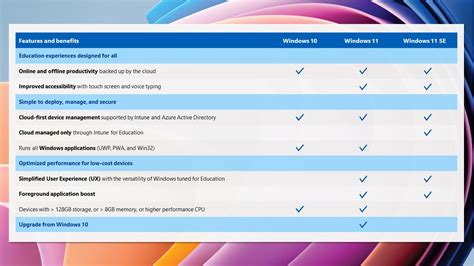
Zorin OS bundles Windows App Support, a pre-configured Wine and Bottles setup, out of the box. Linux Mint doesn’t preinstall an equivalent; Wine and Bottles work identically once installed, but the setup step is manual. Neither distribution can guarantee a specific proprietary Windows application will run. Compatibility depends on the app itself, not on which of these two distros you’re running, since both use the same underlying Wine engine.
Will Linux Mint or Zorin OS run my old Windows program? Possibly, but it depends on the specific app, not the distro. Both can run Wine and Bottles; Zorin preconfigures them, Mint requires a manual install. Check the app’s compatibility rating on WineHQ’s own AppDB before assuming either distro will handle it.
Gaming and drivers
Zorin OS’s own documentation states support for installing native Linux and Windows games from Steam and Lutris, alongside preinstalled NVIDIA, AMD, and Intel drivers and unspecified game optimizations. Linux Mint carries the same Ubuntu-derived driver stack and Steam availability through its own Driver Manager. Neither project publishes a gaming-specific benchmark against the other, and no independent one could be found for this page.
Snap, Flatpak, and what “package philosophy” costs you in practice

Linux Mint disabled Ubuntu’s Snap Store by default starting around Mint 20, a policy the project has reaffirmed as a deliberate independence decision rather than a temporary setting. Zorin OS keeps Snap available through Ubuntu’s repositories alongside its own curated additions. The practical cost on Mint isn’t that Snap-packaged software is unavailable. It’s that a handful of Ubuntu-default apps you’d get pre-wired on Zorin need a manual Flatpak or .deb install on Mint instead, a five-minute step, not a dead end.
Zorin OS Pro, priced at $48, adds eight further Zorin Appearance desktop layouts on top of Core’s four, a bundle Zorin describes as curated alternatives to over $5,000 of professional creative software, plus direct email support for setup. Free Zorin OS Core and free Linux Mint cover the same baseline productivity tasks. Pro is a convenience and creative-suite purchase, not a capability Linux Mint lacks outright.
Is Zorin OS Pro worth the $48? Only if you specifically want its extra desktop layouts, its bundled creative-software alternatives, or its paid support line. For plain productivity and browsing, free Zorin OS Core and free Linux Mint are functionally equivalent.
The Ubuntu-dependency hedge: LMDE and Zorin Lite
Both projects sit on Ubuntu, and both maintain a fallback path in case that dependency ever becomes a problem. Linux Mint’s is Linux Mint Debian Edition, now at LMDE 7 “Gigi,” built directly on Debian 13 “Trixie” instead of Ubuntu, with the Mint team stating explicitly that its purpose is to prove Mint’s tools work outside Ubuntu’s ecosystem and to measure how much rework a full Ubuntu exit would take. Zorin has no equivalent Debian-based edition; its fallback for constrained hardware is Zorin OS Lite, which still depends on the same Ubuntu base as Zorin OS Core.
Zorin OS 18 and LMDE 7 were released on the same day, October 14, 2025, though neither project coordinated around the other’s schedule.
If Ubuntu’s direction ever changes in a way that matters to you, Mint already has a working, currently-maintained answer. Zorin doesn’t.
What happens if Ubuntu ever shuts down or changes direction? Linux Mint has an active answer already: LMDE, rebuilt on Debian instead. Zorin OS has no Debian-based edition, so a serious Ubuntu disruption would affect it more directly.
Common mistakes when choosing

- Assuming the spec-sheet minimum is a usable minimum. Both projects’ 2 GB RAM floor gets a system to boot and log in, not to run a modern browser with a dozen tabs comfortably.
- Assuming “Windows-like” means “runs Windows apps.” Zorin’s visual similarity to Windows and its Wine-based app compatibility are two separate things; the desktop skin doesn’t affect what Wine can or can’t run.
- Assuming Snap-disabled means an app is unavailable on Mint. It usually just means a Flatpak or .deb install instead of a preloaded Snap.
- Assuming any idle-RAM figure you’ve read is settled fact. As the earlier callout notes, no disclosed, independent test comparing the two currently exists, so treat specific numbers as unverified until you test your own hardware.
Can I switch from one to the other later without losing my files? Yes, as long as your personal files live outside the system partition or are backed up first. Neither distro offers an automated migration path between the two, so plan it as a fresh install with a backup, not an in-place conversion.
Which one fits your situation

| Your situation | Pick | Why | Disqualifier for the other |
|---|---|---|---|
| Old laptop, 4 GB RAM or less | Linux Mint (Xfce or MATE edition) | Lighter editions with a longer track record on constrained hardware | Zorin’s GNOME-based Core/Pro is the heavier of the two Core experiences |
| Want the newest kernel and hardware support fastest after a new Ubuntu LTS | Linux Mint | Historically about three months to a new LTS base versus roughly a year and a half for Zorin | Zorin’s slower rebasing means a brand-new laptop’s hardware support may lag |
| Migrating from Windows, want built-in legacy-app support without setup | Zorin OS | Windows App Support ships preconfigured | Mint requires manually installing and configuring Wine/Bottles yourself |
| Want a hedge if Ubuntu ever becomes a problem | Linux Mint | LMDE is a live, currently maintained Debian-based fallback | Zorin has no Debian-based edition to fall back to |
| Want a paid, curated, all-in-one desktop with bundled creative software | Zorin OS Pro | $48 bundle replaces piecing together a creative suite yourself | Mint has no equivalent paid tier; you’d assemble the same tools manually for free |
| Absolute beginner who wants the desktop to visually resemble Windows immediately | Zorin OS | Zorin Appearance switches the whole layout to a Windows-like skin in one click | Mint’s Cinnamon resembles Windows loosely but isn’t built around switchable OS skins |