The two Touch ID keyboards and what they cost
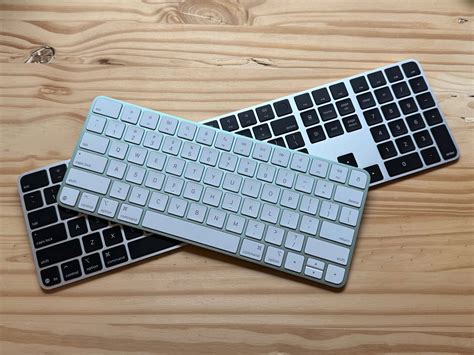
Apple currently sells three configurations built around the same Touch ID sensor.
| Model | Price | Layout | Connector | macOS requirement |
|---|---|---|---|---|
| Magic Keyboard with Touch ID | $149 | Standard, no number pad | USB-C | Apple silicon, macOS Sequoia 15.1+ |
| Magic Keyboard with Touch ID and Numeric Keypad (white) | $179 | Extended, with number pad | USB-C | Apple silicon, macOS Sequoia 15.1+ |
| Magic Keyboard with Touch ID and Numeric Keypad (black) | $199 | Extended, with number pad | USB-C | Apple silicon, macOS Sequoia 15.1+ |
| Magic Keyboard with Touch ID (earlier generation, no longer sold new) | Secondhand pricing only | Standard, no number pad | Lightning | Apple silicon, macOS Big Sur 11.4+ |
The black Numeric Keypad model costs $50 more than the standard keyboard for the same Touch ID sensor and typing mechanism; the price difference buys the number pad and the color, not extra biometric capability. That is the only place the three current models actually diverge, since Apple’s tech specifications and the individual product pages list identical system requirements across all three.
Do older Lightning-cable Magic Keyboards with Touch ID still work the same way?
For Touch ID and typing, yes, but they pair and charge over Lightning instead of USB-C, and per Apple’s Touch ID support page they need macOS Big Sur 11.4 or later rather than Sequoia 15.1. Apple no longer sells this generation new; only the USB-C keyboards remain in its current lineup.
Which Macs support Touch ID
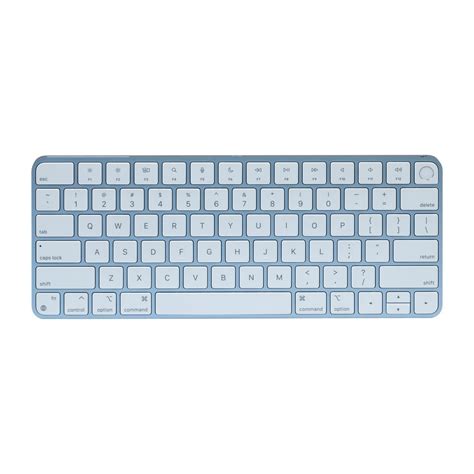
Touch ID reaches a desktop Mac only through one of the two Magic Keyboards. Every Apple silicon MacBook Air and MacBook Pro already has its own sensor built into the keyboard deck, so the external keyboard question really only applies to desktops and to anyone replacing a laptop’s keyboard entirely.
Desktops
| Mac family | Supported generations | Notes |
|---|---|---|
| iMac | M1 (2021), M3 (2023), M4 (2024) | External keyboard is the only route to Touch ID on any iMac |
| Mac mini | M1 (2020), 2023, 2024 | Same |
| Mac Studio | 2022, 2023, 2025 | Same |
| Mac Pro | 2023 | Same |
Source: Apple’s compatibility list for the current USB-C keyboard, current as of this writing. The newest desktop line to gain support is the iMac with M4, introduced in 2024.
Laptops
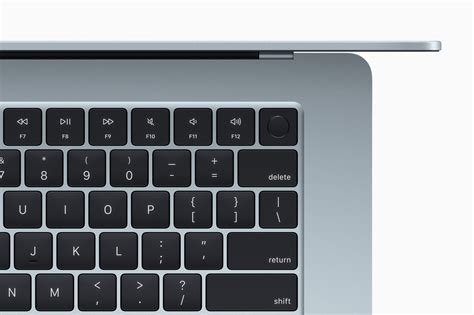
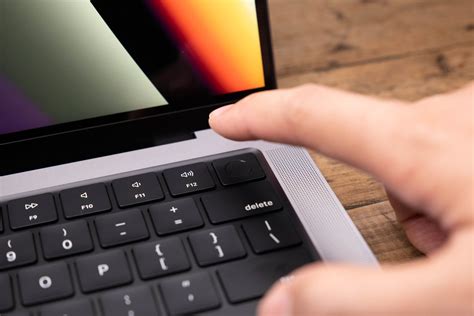
Built-in Touch ID has shipped on every Apple silicon MacBook Air and MacBook Pro since the M1 generation. An external Touch ID keyboard is optional on these machines, useful mainly for clamshell setups with an external display, not a requirement for the feature itself.
If your Mac doesn’t qualify
Intel Macs cannot use Touch ID through any Magic Keyboard, regardless of macOS version. Apple sells a nearly identical Magic Keyboard without Touch ID for these machines, at a lower price. This is a hardware limit, not a software one.
Where Apple’s compatibility rule gets fuzzy in practice
Apple’s own compatibility documentation draws a clean line: Apple silicon only. Real-world reports on Apple’s community forums complicate that line without overturning it.
Does Touch ID work with an Intel Mac?
Officially, no. Apple’s documentation is unambiguous on this point. In practice, a small number of user reports describe partial or unexpected results, but this isn’t something to plan a purchase around, since Apple treats Apple silicon as a hard requirement.
Can a third-party or mechanical keyboard get Touch ID?
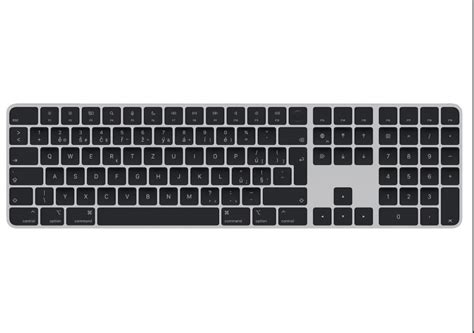
Touch ID depends on a hardware handshake between the sensor and the Secure Enclave built into that specific keyboard’s logic board. That pairing is why no mechanical or third-party board, Keychron- or Logitech-style included, can add the feature through software or a firmware update.
The one documented workaround comes from outside Apple entirely. In a project published in December 2025, hobbyist Jeff Geerling physically removed the Touch ID sensor and logic board from a Magic Keyboard and rehoused them in a 3D-printed enclosure so a separate mechanical keyboard could sit alongside it. He describes the teardown as time-consuming and destructive to the donor keyboard, requiring careful handling of adhesive and a delicate flex cable, and not something most owners would want to repeat.
Can I use a mechanical keyboard and still get Touch ID?
Not through any official means. The one documented workaround transplants real Apple hardware into a new enclosure instead of adding the feature to a keyboard that never had it, and it sacrifices a $149-plus donor keyboard to do so.
Fixing it when Touch ID doesn’t work after pairing
Apple documents a specific set of causes and fixes for Touch ID failures on Mac, most of which take under a minute.
| Symptom | Likely cause | Action |
|---|---|---|
| No Touch ID option appears in System Settings | Mac or macOS version doesn’t meet the keyboard’s requirement | Confirm Apple silicon and the correct macOS version for the connector type |
| Touch ID stops responding over Bluetooth | Wireless interference or an unstable pairing | Reconnect the keyboard with a USB cable directly, wait about 10 seconds, then retry |
| Mac asks for a password instead of a fingerprint | One of several built-in triggers: no login in over 48 hours, 5 failed fingerprint attempts, automatic login enabled, or Touch ID settings just changed | Enter the password once; Touch ID resumes normally afterward |
| Sensor reads inconsistently | Moisture, lotion, or skin condition affecting the read | Clean and dry the sensor and finger, or delete and re-add the fingerprint |
Source: Apple’s Touch ID troubleshooting guide. None of these fixes require unpairing or resetting the keyboard from scratch; each targets one specific trigger instead.
Why does Touch ID keep asking for my password instead of my fingerprint?
Apple’s support documentation lists four built-in triggers: no login in over 48 hours, five failed fingerprint attempts in a row, automatic login being enabled, or Touch ID settings having just changed. Any one of them forces a password entry regardless of sensor condition.