Check this before you pick anything
Settle four questions before comparing desktop themes.
- Software dependency. List every Windows-only program the daily routine actually needs, and check each one for a native Linux equivalent or known compatibility record before assuming it will work.
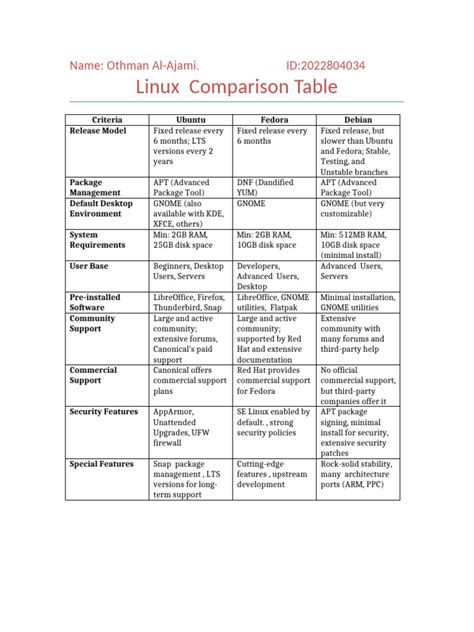
- Hardware age. Match the machine’s actual RAM and storage against the table below, not against a general “runs on anything” reputation.
- Install method. Dual-boot keeps Windows alongside Linux and is the lowest-risk way to test a distro on real hardware. A virtual machine is even safer but slower. A full replace frees the most space and commits the most.
- Backup first. Before repartitioning anything, copy anything irreplaceable off the drive. This matters most for dual-boot, where a partitioning mistake can affect the Windows side too.
Can I keep using my Windows-only apps after switching?
Often, partly. Zorin OS includes a Wine-based Windows App Support layer that lets many .exe and .msi programs install directly, though not every app is compatible (Zorin’s own documentation). Linux Mint doesn’t ship this layer by default. For anything mission-critical, test it before committing to a full replace.
The picks
| Requirement | Windows 11 | Linux Mint 22.3 | Zorin OS 18 Core | Kubuntu 26.04 LTS | Linux Lite 8.0 |
|---|---|---|---|---|---|
| Minimum CPU | 1 GHz, 2+ cores, 64-bit, on Microsoft’s approved list | 64-bit (no published clock-speed floor) | 1 GHz dual-core, 64-bit | 2 GHz dual-core, 64-bit | 1.5 GHz dual-core, 64-bit |
| Minimum RAM | 4 GB | 2 GB (4 GB recommended) | 2 GB | 4 GB (4096 MiB) | 4 GB |
| Minimum storage | 64 GB | 20 GB (100 GB recommended) | 15 GB | 25 GB | 40 GB |
| Requires TPM 2.0 | Yes | No | No | No | No |
| Minimum display | 720p, 9″+ | 1024×768 | 800×600 | 1024×768 | 1366×768 |
Sources: Microsoft Windows 11 requirements, Linux Mint FAQ, Zorin system requirements, Kubuntu Focus install guide, Linux Lite download page.
The gap that matters most isn’t RAM. It’s the TPM 2.0 line: a machine can have 4 GB of RAM and still fail Windows 11’s hardware check over a missing or disabled security chip, and most PCs from the last five years do have a TPM, just often switched off in firmware by default (Microsoft). None of the four distros above check for it at all.
Linux Mint 22.3 (Cinnamon)
Mint’s differentiator is breadth of support: it’s built on Ubuntu 24.04 LTS, and Canonical maintains that base for five years of standard security updates, into 2029 (Ubuntu). Its Cinnamon desktop mirrors a traditional taskbar-and-Start-menu layout closely enough that most Windows users navigate it without instruction. It has no built-in Windows app layer.
Zorin OS 18 Core
Zorin’s differentiator is the Wine-based Windows App Support layer, installed on demand rather than by default, which lets many .exe and .msi installers run directly (Zorin). The free Core edition covers most needs; Zorin OS Pro is a one-time $47.99 purchase that unlocks eight additional desktop layouts (12 total, including a Windows 11-styled one) plus a bundled creative app suite (How-To Geek).
Kubuntu 26.04 LTS
Kubuntu’s differentiator is the KDE Plasma desktop, which offers deeper taskbar and window-behavior customization than Cinnamon or GNOME, at the cost of a heavier default footprint (4 GB RAM minimum). Kubuntu 26.04 LTS, “Resolute Raccoon,” released April 23, 2026 (Kubuntu).
Linux Lite 8.0
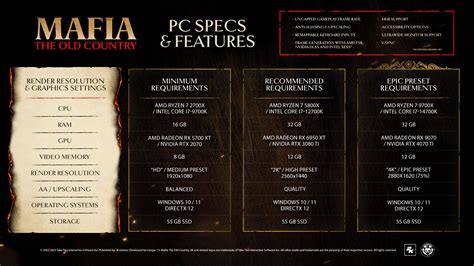
Linux Lite’s differentiator is the XFCE desktop tuned for older machines, but the floor has moved: the current release needs 4 GB of RAM and 40 GB of storage, up from earlier series that ran on far less (Linux Lite).
Do I need to use the terminal to use Linux Mint or Zorin day-to-day?
No. Mint’s Software Manager and Zorin’s Software store both handle installs and updates graphically, and neither requires a single terminal command for routine use. The terminal becomes useful for troubleshooting or advanced tweaks, not for daily tasks.
Windows habits and their Linux equivalents
| Windows habit or app | Linux equivalent | Caveat |
|---|---|---|
| Start menu and taskbar | Cinnamon/XFCE/Plasma application menu and panel | Layout is customizable, not identical out of the box |
| Control Panel | Settings app for the desktop environment | Some hardware-specific panels are split across separate tools |
| File Explorer | Nautilus, Dolphin, or Thunar (per desktop) | Can browse a Windows partition, read-only in some dual-boot setups |
| .exe / .msi installer | Native package from the software store first, Wine-based layer second | Not every installer completes cleanly through Wine |
| Task Manager | System Monitor or KSysGuard | Shows the Linux process tree, not Windows services |
| System Restore / Windows Backup | Timeshift snapshot tool | Snapshots must be scheduled manually on most distros; not automatic by default |
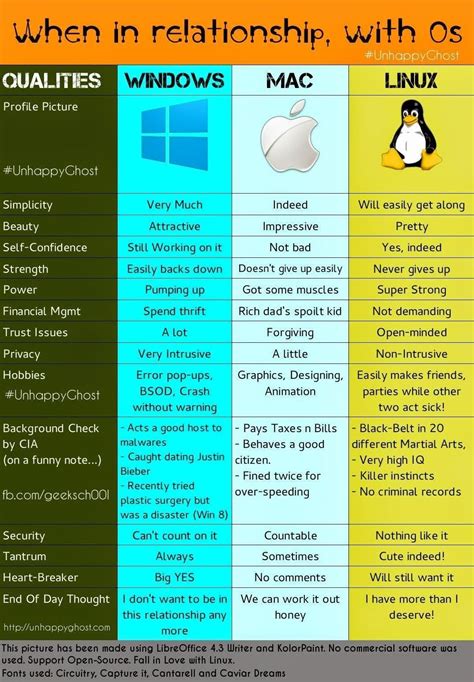
The habit with the least direct translation is System Restore: Timeshift covers the same job, restoring a prior system state, but it ships pre-configured only on some distros and needs a manual schedule on others (Linux Lite).
What happens to System Restore if I switch to Linux?
It’s replaced by Timeshift, a snapshot tool that restores the system to an earlier point. Unlike Windows System Restore, it isn’t always scheduled automatically, so setting a recurring snapshot early is worth doing before anything goes wrong.
Release schedules and what they mean for you
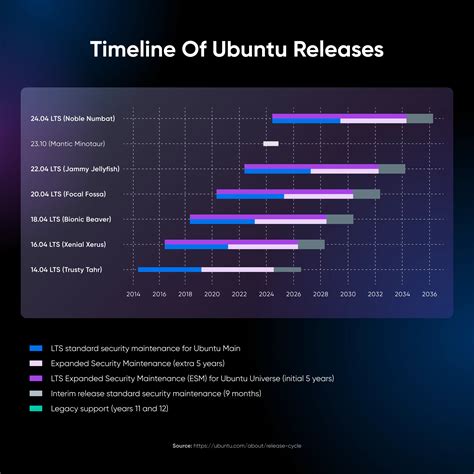
| System | Release cadence | Support window | What lapses if ignored |
|---|---|---|---|
| Windows 10 | Final version was 22H2 | Support ended October 14, 2025; ESU extends security patches to October 12, 2027 for enrolled devices | After October 12, 2027, no more security patches at all, paid or free |
| Windows 11 | Roughly annual feature updates | Each feature update has its own Microsoft-set servicing end date | Varies by version; check the specific build in use |
| Linux Mint 22.x | New Mint release roughly every 2 years, tracking Ubuntu LTS | Ubuntu 24.04 LTS base supported to 2029 | No further security patches for the base packages after that |
| Kubuntu 26.04 LTS | Matches Ubuntu’s 2-year LTS cadence | Ubuntu base packages get 5 years; the KDE-specific packages that make Kubuntu distinct get 3 years, per Canonical’s standard policy for flavors | KDE-specific fixes stop first, even while the Ubuntu base continues |
| Zorin OS 18 / Linux Lite 8.0 | Both trail their Ubuntu LTS base by months | Tied to the underlying Ubuntu LTS release | End dates follow Ubuntu’s schedule; neither publishes a separate one |
Sources: Microsoft ESU program, Ubuntu release cycle, Ubuntu releases documentation.
Kubuntu is the one pick here with a real internal deadline: the KDE-specific layer that makes it Kubuntu, not just Ubuntu, ages out three years after release even though the base system keeps receiving fixes for two more.
What happens if I don’t upgrade before Windows 10’s ESU coverage ends?
After October 12, 2027, Windows 10 stops receiving security patches entirely, ESU included (Microsoft). The machine keeps running but accumulates unpatched vulnerabilities from that point forward.
Where “Windows-like” stops being true
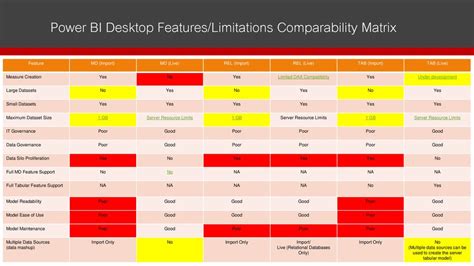
Every distro here gets the taskbar and Start menu close enough that muscle memory carries over within a day. The illusion is thinner underneath: driver panels, printer setup dialogs, and some system windows look and behave like native Linux tools, not reskinned Windows ones, because that is what they are. Games and creative software built around DirectX or a specific GPU vendor’s tools are the most common place this becomes visible.
If it doesn’t work out
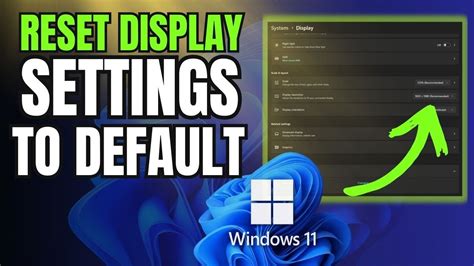
Before deleting anything, check whether the Windows Boot Manager can simply be set as the default in the UEFI boot order, since that alone stops GRUB from appearing without touching a single Linux file. If a full removal is the goal instead, delete the Linux partitions from Windows Disk Management, then extend the Windows partition into the freed space. After removing the Linux partitions, use Windows’s Recovery Environment and run bootrec /fixmbr, followed by bootrec /rebuildbcd, to restore the Windows Boot Manager as the only entry in the boot menu (OSTechnix).
Can I switch back to Windows without losing my files?
Yes, if a dual-boot setup kept a separate Windows partition intact the whole time. Anything stored only on the Linux side needs a manual backup first, since removing those partitions deletes their contents.