What changed on June 30, 2026
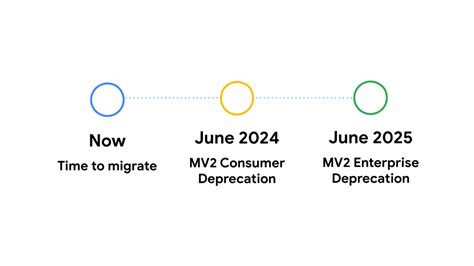
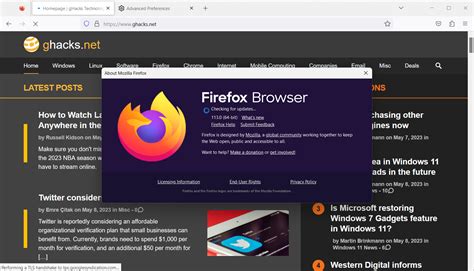
Chrome 150 shipped on June 30, 2026 and removed the last flag that let power users keep classic Manifest V2 extensions running. uBlock Origin, the ad and tracker blocker used by an estimated 40 million Chrome installs, cannot be rebuilt under Manifest V3’s rules: its developer, Raymond Hill, has stated on the project’s own wiki that there is no Manifest V3 version and there will not be one. Chrome users are left with uBlock Origin Lite, a fixed-ruleset replacement with a much smaller filter list and no dynamic filtering, as uBlock Origin’s own site confirms. Firefox kept the older webRequest API that full uBlock Origin depends on, so the extension runs there exactly as it always has.
This is the fact that most “is Firefox good” articles published before mid-2026 don’t yet reflect, and it changes the calculus for anyone who relies on a real ad blocker instead of a default-permissive one.
Who actually makes Firefox

Firefox is built by Mozilla Corporation, a taxable subsidiary of the non-profit Mozilla Foundation. It runs on Gecko, the only major browser engine that isn’t derived from Chromium or WebKit. That independence is also its biggest financial exposure, covered further down.
Where Firefox actually wins
Full ad and tracker blocking
Firefox is now one of only two mainstream browsers, alongside Brave, where the complete version of uBlock Origin still works. Because Firefox never adopted Chrome’s Manifest V3 restrictions on the webRequest API, the extension can filter an unlimited, dynamically updated rule set instead of the roughly 30,000-rule cap Chrome’s declarativeNetRequest API imposes on Manifest V3 extensions. For anyone whose browsing experience depends on a real ad blocker, the two browsers now sit on opposite sides of a hard capability line.
Does Firefox still block ads as well as Chrome?Firefox blocks ads and trackers better than Chrome as of mid-2026, because Chrome no longer supports the full version of uBlock Origin. Chrome’s replacement, uBlock Origin Lite, uses a fixed rule set with no real-time filtering, so it catches fewer ads and trackers than the version Firefox still runs.
Cookie protection that doesn’t depend on Google’s roadmap
Firefox has isolated third-party cookies into separate, per-site storage since Total Cookie Protection became the default in Firefox 103, back in mid-2022. Chrome took the opposite path: in April 2025, Google confirmed it would not deprecate third-party cookies or introduce a choice prompt, and by October 2025 it had shut down the remaining Privacy Sandbox APIs that were meant to replace them. Third-party cookies remain enabled in Chrome by default today. Firefox’s protection was never contingent on that project succeeding.
Is Firefox actually private, or is that just marketing?The tracking protection is real and independently documented: Total Cookie Protection puts every site’s cookies in a separate partition so no other site can read them, and it has been on by default since 2022. Whether that matters to you depends on how much you already limit tracking through other means, like an existing ad blocker or a VPN.
Where Firefox actually loses
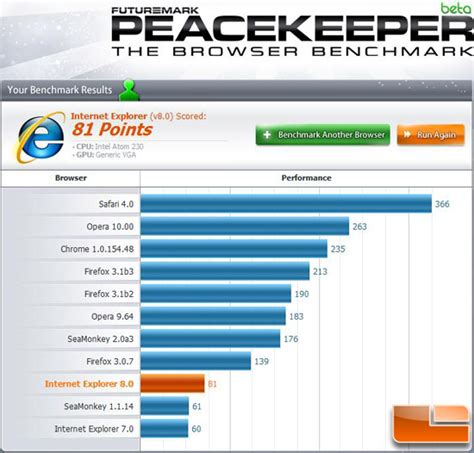
Firefox’s JavaScript performance still trails Chrome’s, and the gap shows up on any script-heavy page: document editors, browser-based design tools, chat-style AI interfaces.
| Metric | Firefox | Chrome | Source & date |
|---|---|---|---|
| Speedometer 3.1 score (macOS ARM) | 40.1 | 50.0 | BrowseRating independent testing, April 26, 2026 |
| Worldwide desktop browser share | 3.81% | 74.93% | Statcounter Global Stats, May 2026 |
| Full uBlock Origin support | Yes, Manifest V2 retained | No, Lite version only | gHacks; uBlock Origin |
| Third-party cookies blocked by default | Yes, since Firefox 103 (2022) | No, enabled by default since the April 2025 reversal | Mozilla Blog; OneTrust |
That performance gap has been shrinking: BrowseRating’s own tracked trend shows Firefox’s Speedometer 3.1 score moving up 4.9% in its most recent monthly test cycle, against a 1.9% gain for Chrome over the same period. Firefox’s disadvantage in this table is a single, narrowing performance number; its advantage is two structural product decisions Chrome does not currently match.
Don’t choose Firefox if…
- You depend on a specific Chrome-only extension. Firefox’s add-on catalog is separate from the Chrome Web Store, and not every popular extension has a maintained Firefox build.
- You do heavy browser-based rendering or AI-interface work daily. The roughly 20% Speedometer 3.1 gap is most noticeable on script-heavy tools like Figma, Google Docs, or chat-based AI assistants, not on ordinary reading and browsing.
- Your workplace validates its internal tools only against Chromium. Some enterprise web apps are built and checked against Chrome’s rendering behavior specifically, so switching can surface layout issues nobody has tested for.
Is Firefox financially at risk?
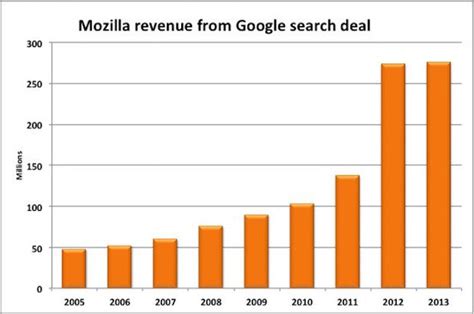
Will Firefox still exist if Google stops paying Mozilla?The immediate version of that risk was resolved in September 2025: a federal court explicitly allowed Google to keep paying Mozilla for default search placement, just not exclusively. Mozilla’s longer-term dependence on a single revenue source hasn’t gone away, but the specific antitrust threat many 2024-era articles describe is no longer open.
Good for these use cases
| User type | Cost of choosing Firefox | Cost of choosing Chrome |
|---|---|---|
| Everyday privacy-focused browsing | About 20% slower script execution on demanding pages | Third-party cookies on by default; no full-strength ad blocker available |
| Heavy JS web-app or AI-tool user | Noticeably slower on script-heavy tools | None significant; this is Chrome’s strongest use case |
| Extension power user relying on full uBlock Origin | None; the extension runs at full capability | Full uBlock Origin no longer runs at all since June 30, 2026 |
| Anyone standardizing on the browser matching their site’s test matrix | Smaller real-world usage share can mean less QA attention from some sites | Matches what most sites are built and tested against |
Firefox is the stronger pick when tracking protection and complete ad blocking matter more than the fastest script execution. Chrome remains the stronger pick when the reverse is true.
What happens to my bookmarks and passwords if I switch from Chrome?Firefox can import bookmarks, saved passwords, and browsing history directly from Chrome during setup. Extensions themselves don’t transfer, since Chrome and Firefox use separate add-on stores, so it’s worth checking Firefox’s add-on catalog for equivalents before switching.
Bottom line
Firefox is a good browser in 2026 for a specific, checkable set of people: anyone who wants full ad and tracker blocking without installing a second tool, anyone who wants tracking protection that doesn’t depend on Google’s advertising roadmap, and anyone running older or resource-limited hardware where a leaner alternative to Chrome is welcome. It is not the browser to choose if raw script performance or the broadest extension catalog matters most to your workflow.
If you’re still not sure
Install Firefox alongside Chrome, keep Chrome for the handful of sites or tools that need it, and give Firefox two weeks as your default before deciding.