How Read Status Actually Works
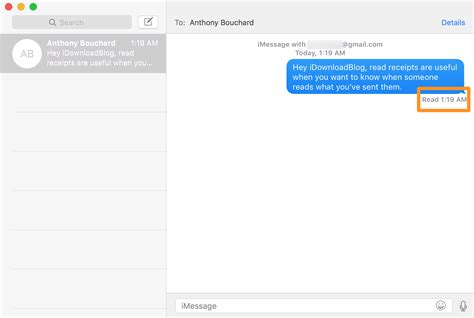
iMessage read receipts require agreement from both sides: your own setting controls only what other people can see about you. Apple’s guide to read receipts confirms you can’t turn on read receipts for anyone but yourself, and to receive someone else’s status, you have to ask them to enable it on their end.
Bubble color is the first filter. Blue means iMessage, green means SMS, MMS, or RCS. Only iMessage and RCS can carry a read status at all. Apple built the feature in from day one: iMessage launched on October 12, 2011, alongside iOS 5, and read receipts were part of its original feature set from the start.
Why You Might Not See “Read”
Assuming the sender has Send Read Receipts turned on, five separate conditions decide whether a “Read” label can appear at all.
| Condition | What you’ll see instead | Why |
|---|---|---|
| Recipient’s own Send Read Receipts is off | Delivered | Apple confirms you can’t see someone’s read status unless they enabled it for you |
| Message sent as SMS or MMS (no RCS) | Delivered only | Apple states read receipts aren’t supported with SMS |
| Message is part of an iMessage group thread | No read status, ever | The same Apple documentation states read receipts aren’t supported with group texts |
| Message sent as RCS, one-to-one or group, both sides RCS-enabled | Read | Apple confirms RCS supports delivery and read receipts, including in group RCS messages |
| RCS toggle exists but the carrier hasn’t provisioned it, or either device lacks iOS 18+ | Falls back to SMS/MMS, no read status | Apple’s own RCS requirements specify iOS 18 or later plus a carrier plan that supports RCS |
Whether a message can show “Read” at all comes down to two variables: whether the thread is one-to-one or a group, and whether it runs over iMessage, RCS, or plain SMS. Get either one wrong and no receipt setting will ever produce a “Read” label.
Group Messages Are the Biggest Exception
iMessage group threads never show read receipts, even if every participant has Send Read Receipts turned on. Apple’s own support documentation states plainly that read receipts aren’t supported with SMS messaging and with group texts. The one exception is RCS: group RCS messages, available since iOS 18 where a carrier supports it, do carry delivery and read receipts.
Can I get read receipts in a group iMessage chat?No. Apple’s documentation says read receipts aren’t supported in iMessage group texts. Group RCS chats, introduced with iOS 18, are the one exception.
Turn Read Receipts On or Off
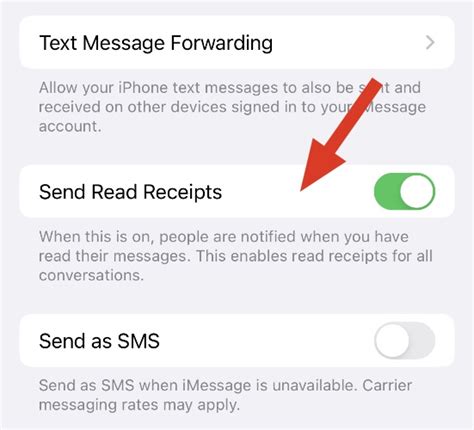
Two toggles control your own visibility.
- Global: open Settings, tap Apps, tap Messages, then turn Send Read Receipts on or off.
- Per-contact: open the conversation, tap the contact’s icon at the top, then toggle Send Read Receipts for that person alone.
A per-contact override always wins over the global setting for that specific thread.
If I turn my own read receipts off, can I still see when someone else has read my message?Yes. Your setting only controls what you send. Whether you see someone else’s read status depends solely on whether they’ve turned Send Read Receipts on for you.
Why “Read” Sometimes Appears Without You Opening the Message
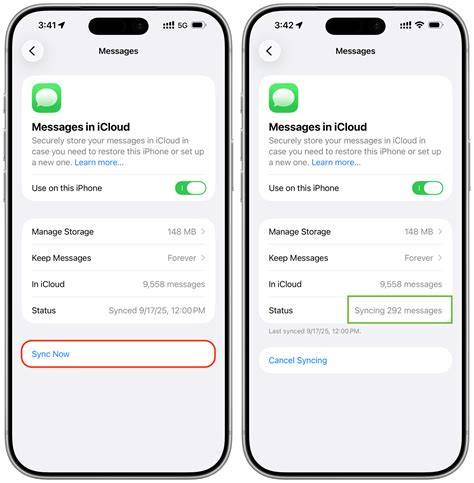
A message can show as read on the sender’s end even when nobody consciously tapped it open, and the explanation is usually Messages in iCloud, not a bug. Apple’s iCloud setup guide confirms that once Messages in iCloud is on and the same Apple Account is signed in on every device, read state, deletions, and new messages all sync in real time across each linked device. Opening a thread on a linked iPad, Mac, or Apple Watch marks it read everywhere, including on the iPhone the recipient never touched.
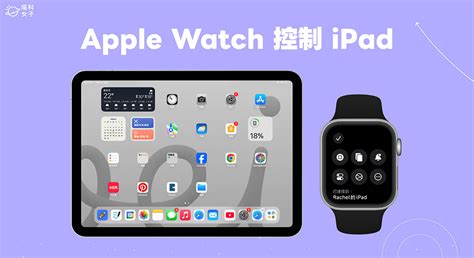
Turning off Messages in iCloud on one device stops that device from receiving the synced read state, though the iPhone itself still sends whatever status its own settings dictate.
Why does my message show as Read even though the person says they didn’t open it?Most often because Messages in iCloud synced the read state from a different device signed into the same Apple Account, an iPad, Mac, or Apple Watch, where the thread was actually opened.
Reading a Message Without Triggering a Read Receipt
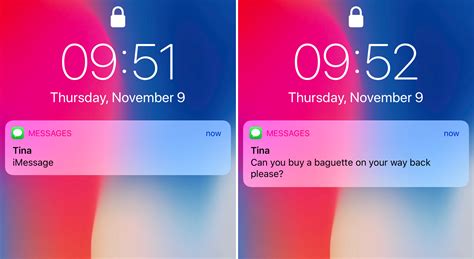
- Notification or Lock Screen preview: swipe down or view the banner to read a short preview without opening Messages. Longer previews can be enabled under Settings, Notifications, Messages, Show Previews.
- Haptic Touch preview: press and hold a conversation in the Messages list to preview a screen of text without fully opening it. Tapping the preview again opens the thread and does send the receipt.
- Turn off Send Read Receipts for that contact: the cleanest option, it removes the risk entirely, whether you read from the app or a preview.
- Disable Wi-Fi and cellular before reading: opening the thread offline delays the receipt, but it isn’t a permanent workaround. Because Messages in iCloud syncs read status once connectivity returns, “Read” typically posts retroactively as soon as the device reconnects.
Should You Turn Read Receipts On?
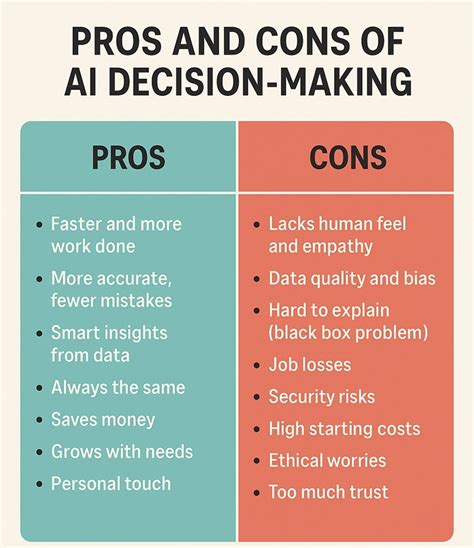
Worth turning on when you and the other person share a concrete expectation, both want confirmation for time-sensitive or logistics-heavy exchanges, or the relationship already runs on quick replies and both sides are comfortable being visible about it.
- Shared expectation: both people already reply quickly and want the read status to confirm it instead of leaving it to guesswork.
- Logistics-heavy threads: coordinating pickups, deliveries, or time-boxed plans where “did they see this yet” actually changes what you do next.
Worth leaving off when the setting would add pressure neither side asked for.
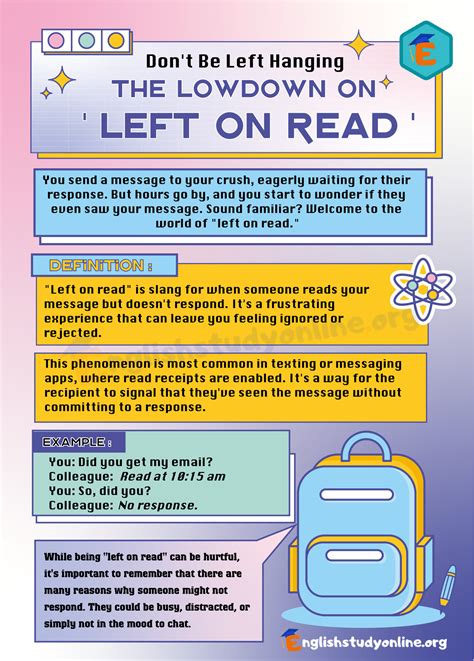
- Dating or early-relationship texting: a visible read status is exactly what people mean when they talk about being “left on read,” and turning it off removes that specific friction point before it starts.
- Work accounts or shared devices: replies there depend on when someone is available to answer, regardless of the instant a message happened to be seen.
Is it rude to leave someone on read?There’s no technical answer, only a social one: the receipt shows when a message was seen; it says nothing about why a reply hasn’t come. Turning receipts off for a specific contact removes the ambiguity if it’s causing friction.
iMessage vs. SMS vs. RCS at a Glance
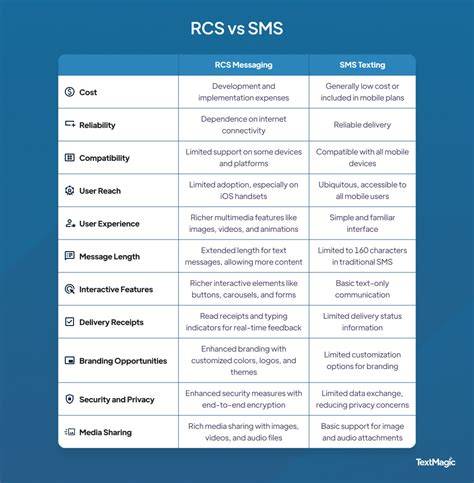
| Message type | Bubble color | Read receipts supported? | Requirements |
|---|---|---|---|
| iMessage, one-to-one | Blue | Yes, if both sides enable Send Read Receipts | Both use iMessage |
| iMessage, group | Blue | No, never | Apple states this isn’t supported regardless of settings |
| RCS, one-to-one | Green | Yes | iOS 18+, carrier support, RCS enabled on both ends |
| RCS, group | Green | Yes | iOS 18+, carrier support |
| SMS/MMS | Green | No, never | The protocol itself carries no read status |
Group threads are the detail most guides skip: a blue-bubble group never shows Read, a green-bubble RCS group can, and that difference has nothing to do with anyone’s individual settings.