Match Your Freeze to Its Likely Cause

Most guides treat every frozen Mail app as one problem. It isn’t. What the freeze looks like narrows the cause before you touch a single setting.
| Symptom | Likely cause | What to try first |
|---|---|---|
| Blank white screen, inbox never populates | Mail is stuck waiting on a sync or server response | Force close, wait 60 seconds, reopen without restarting |
| Freezes only when switching mailboxes or folders | Local index confusion, often tied to Mail Categorization | Switch to List View, then reopen the mailbox |
| Started right after installing an iOS update | Version-specific bug | Check Settings, General, Software Update for a follow-up patch |
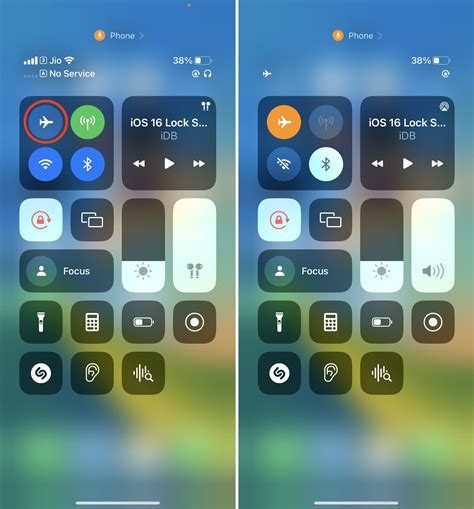
| Freezes on Wi-Fi but not cellular, or the reverse | Network-layer conflict, often a VPN profile | Toggle the VPN off, or reset network settings |
| App closes or crashes rather than freezing | Corrupted local account data | Delete and re-add that account only |
The symptom column, not the fix column, is where most people should start: a freeze tied to one network is a different repair than a freeze tied to one account, and running the wrong fix first just costs time.
Does force restarting my iPhone delete anything? No. A force restart, per Apple’s support guide, is a hard reboot; it doesn’t touch apps, files, or settings.
The Fix Order That Actually Holds
| Fix | What it resets | Time cost | Data risk |
|---|---|---|---|
| Force close and reopen | Nothing; just ends the running process | Under 1 minute | None |
| Force restart | Nothing stored; a hard reboot | 1 to 2 minutes | None |
| Delete and re-add the account | The local copy of that one account | 5 to 15 minutes | None to the mail itself; it stays on the server |
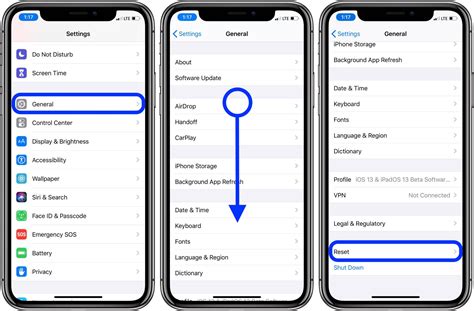
| Reset network settings | Wi-Fi passwords, VPN profiles, cellular and Bluetooth pairings | A few minutes plus re-entering Wi-Fi | Loses saved network configs only |
| Reset all settings | Every setting: network, keyboard dictionary, privacy permissions, Home Screen layout | 5 to 10 minutes | No files deleted, but every permission needs re-approving |
| Downgrade iOS via computer | The entire OS version | 30 to 60 minutes | Can wipe the device without a current backup |
The order determines the cost, not just the outcome: each step touches more of the phone than the last, so working top to bottom means you never pay for a heavier fix than the freeze actually needs.
Will deleting and re-adding my email account delete my emails? No. Per Apple’s support documentation, your mail stays with your provider; removing the account only clears the local copy on that device.
Push vs. Fetch: The Setting Most Guides Skip

One mechanic explains a large share of recurring freezes, and none of the leading guides on this topic mention it: Apple’s Mail documentation confirms that Push can only be active for one account on the device at a time. Every other account falls back to Fetch, checking on a timer instead of getting notified instantly.
| Account type | Push in Apple Mail | What that means for freezes |
|---|---|---|
| iCloud | Supported, one account only | A second account requesting Push silently falls back to Fetch instead |
| Gmail, Yahoo, most standard IMAP | Not offered by the provider’s IMAP implementation | The app must poll on your chosen interval, so a freeze during that poll looks identical to a freeze on open |
| Microsoft Exchange, Outlook.com | Supported via Exchange sync | Freezes here more often trace to a stale policy profile than to Mail itself |
If your accounts are competing for the single Push slot, or an IMAP account is set to fetch every 15 minutes on a weak connection, the fix isn’t a reset at all: it’s reassigning which single account gets Push and relaxing the fetch interval on the rest.
Is This an Apple Bug or Your Phone? The iOS 18.5 Case
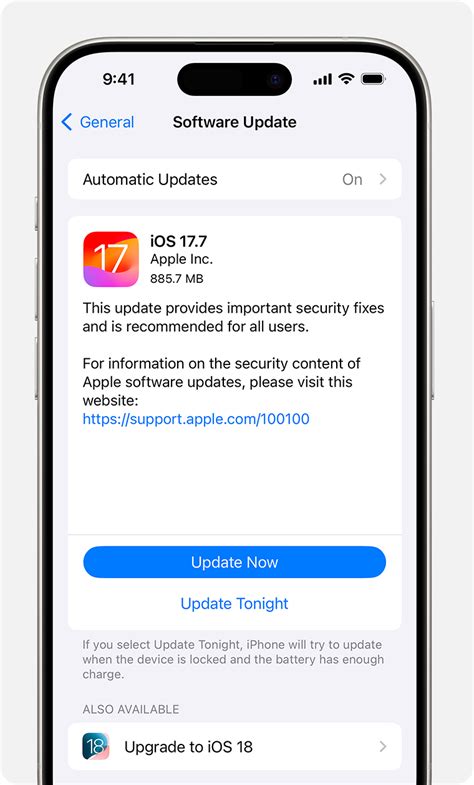
The most recent large-scale version of this problem is well documented and worth knowing as a pattern, not just a news item. iOS 18.5 shipped May 12, 2025; freeze reports surfaced starting June 4, 2025, according to MacRumors; and iOS 18.6 arrived July 29, 2025 with release notes, per Apple’s update history page, that cite a Photos fix and security updates and say nothing about Mail.
Is my frozen Mail app a known bug or something specific to my phone? If the freeze started immediately after an iOS update and affects Mail only, it’s more likely version-tied. If it’s been happening for weeks with no update in between, it’s more likely local to your account or network.
Mistakes That Make a Freeze Worse
- Jumping straight to Reset All Settings. It costs five to ten minutes of re-approving permissions that a thirty-second force restart often would have fixed.
- Deleting an account before checking webmail. Confirm the mail is actually still on the server, which it almost always is, before removing anything on the device.
- Running a VPN on the same account you rely on for Push. Some VPN configurations interfere with the persistent connection Push needs, producing the intermittent freeze covered in the Push/Fetch section above.
- Ignoring a pending iOS update. A version-tied freeze doesn’t resolve itself; installing the update is the fix, not a restart repeated daily.
If You’re Already on the Latest iOS
None of this is specific to iOS 18.5. The same symptom-to-cause logic and the same fix order apply on whatever iOS version you’re running today, since freezes on a current build are just as likely to trace to account cache, a full inbox index, or a conflicting network profile as to a system bug.
Third-Party Mail Apps as a Standing Workaround

Apps like Gmail’s own app and Outlook don’t run on Apple’s Mail framework at all; they use their own separate sync logic, which is why they weren’t affected by the iOS 18.5 episode even on the same device. If Mail keeps breaking for you specifically rather than for iOS broadly, switching to one of those apps is a legitimate permanent workaround, not just a stopgap.
Should I just switch to Gmail or Outlook instead of troubleshooting Mail? If the freeze is account-specific and recurring, yes, a dedicated app for that provider often sidesteps the issue entirely.
When to Downgrade iOS or Contact Apple Support
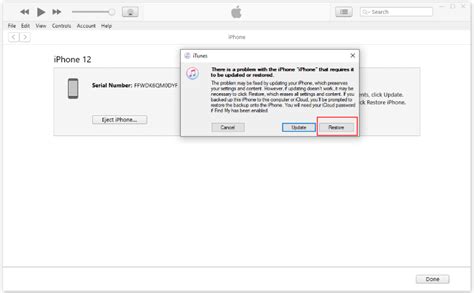
Downgrading requires a computer, the matching IPSW file for your model, and a full backup beforehand, since a failed or unbacked-up downgrade can wipe the device. It’s realistic only if you’re certain the freeze started with a specific update and you can’t wait for a patch; Macworld’s coverage of the 18.5 episode confirmed the process is available but far from casual. If none of the fixes above hold and downgrading isn’t an option, Apple Support can pull device logs that aren’t visible to you.
Can I downgrade iOS to undo the update that caused my freeze? Yes, but it requires a computer and a current backup; it’s a last resort, not a quick fix.