Why “iPhone 17” and “iOS 17” aren’t the same number
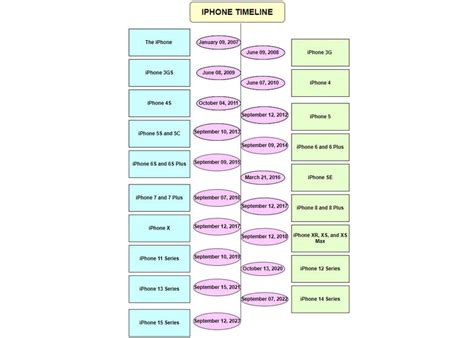
If you searched expecting the iPhone 17 to run something called “iOS 17,” that’s a reasonable assumption that happens to be wrong. iOS 17 was a real release, but it shipped in September 2023, two full annual cycles before the iPhone 17 existed. In 2025 Apple moved every one of its operating systems onto a single year-based numbering scheme: iOS jumped straight from 18 to 26, aligning with macOS 26, watchOS 26, and the rest of the lineup. iPhone 17’s model name and its software’s version number are now separate counters that simply happen to overlap in digits this year. Apple’s iPhone-models-compatible-with-iOS-26 support guide confirms the current software for the iPhone 17 family is iOS 26.
Does the iPhone 17 come with iOS 17 out of the box?
No. iPhone 17 has never run iOS 17. It launched on iOS 26 in September 2025, since Apple retired sequential iOS numbering the same year the phone came out.
What iPhone 17 actually shipped with
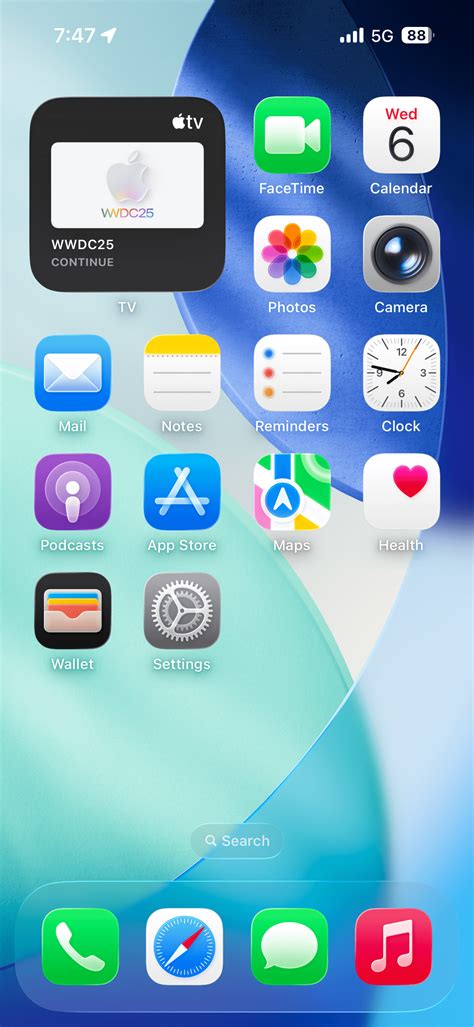
The direct-from-factory software on iPhone 17 was more specific than most buyers realize. According to MacRumors’ day-one iOS 26 build report, every iPhone 17 model left the factory preinstalled with iOS 26 build 23A330 on September 18, 2025. That wasn’t the version customers actually used, though: the iPhone 17 and iPhone Air needed an over-the-air update to build 23A341 the next day, while the iPhone 17 Pro and iPhone 17 Pro Max needed a separate update to build 23A345, a day-one patch that arrived before most units even reached customers on September 19.
Will iPhone 17 get iOS 27, and how long will support last?
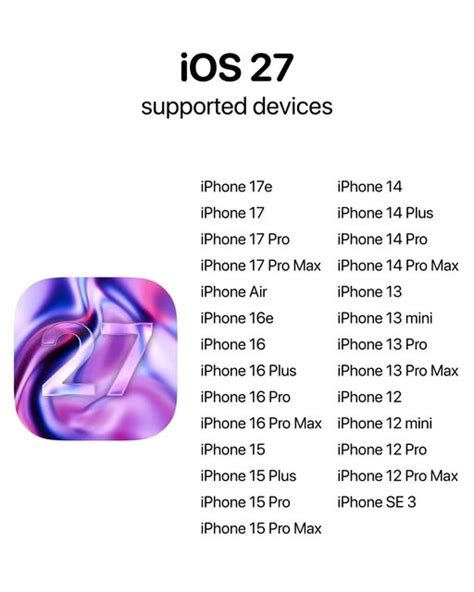
Yes, without qualification. Apple confirmed at WWDC 2026 that iOS 27 arrives this fall, and 9to5Mac’s coverage of the announcement confirms the update supports the exact same device list as iOS 26, stretching all the way back to the iPhone 11. The iPhone 17 family, released in 2025, sits comfortably inside that window with no ambiguity.
How long will support actually last?
Here’s where a gap opens between what Apple documents and what gets repeated as fact. Apple does publish one lifecycle policy: a product becomes “vintage” once it hasn’t been sold for 5 to 7 years, and “obsolete” once it hasn’t been sold for more than 7 years, under Apple’s own vintage and obsolete products policy. That policy governs hardware repairs and spare parts, not major iOS eligibility.
Will my iPhone 17 still get security updates years from now?
Apple doesn’t publish that timeline in advance. What is documented is the separate hardware-service policy: iPhone 17 won’t reach “vintage” status, which affects repairs and parts rather than software, until at least 2030 under Apple’s 5-year floor.
iPhone 17 vs. 17 Pro vs. Pro Max: does the software differ?
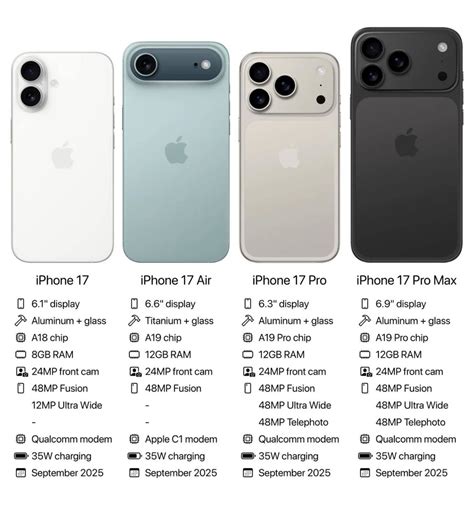
Yes, and the split runs deeper than camera hardware. All three run the same iOS 26 today and will all get iOS 27, but the top tier of on-device AI is not evenly distributed.
| Capability | iPhone 17 | iPhone 17 Pro | iPhone 17 Pro Max |
|---|---|---|---|
| Chip | A19 | A19 Pro | A19 Pro |
| Standard Apple Intelligence features | Yes | Yes | Yes |
| iOS 27’s most advanced on-device Siri AI model | No | Yes | Not confirmed in current reporting |
Sources: chip data from Apple’s iPhone 17 page and Apple’s iPhone 17 Pro page; Apple Intelligence tiering from iClarified’s iOS 27 device breakdown; the most-advanced-model split from Cult of Mac’s iOS 27 compatibility report, corroborated by Tom’s Guide and iDownloadBlog.
The base iPhone 17 is explicitly named across three independent reports as excluded from the top AI tier despite running the identical iOS 27 build as its Pro siblings. None of those reports independently confirms whether iPhone 17 Pro Max gets the same top-tier model as iPhone 17 Pro; they name Pro and Air specifically. If that distinction matters to your decision, don’t assume Pro Max inherits it just because it shares a chip with the Pro.
Is the software different between iPhone 17 and iPhone 17 Pro, or just the camera?
Both. The camera hardware differs, and separately, iOS 27’s most capable on-device Siri AI model is limited to iPhone 17 Pro and iPhone Air, not the base iPhone 17.
What happens when an iPhone ages out of updates
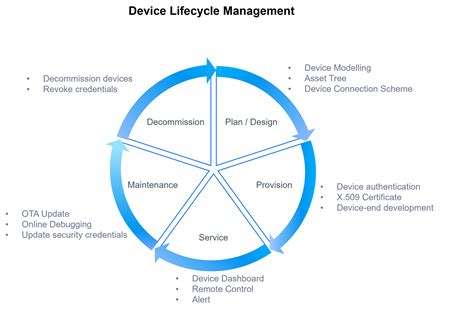
This is the part most guides skip, because Apple doesn’t spell it out cleanly, so the honest answer has real limits. What Apple does document is the hardware side: once a model passes the vintage threshold, Apple Stores and authorized providers may still repair it, subject to parts availability, per the same vintage and obsolete policy above; past the obsolete threshold, hardware service stops outright and parts can no longer be ordered through Apple’s own channels. What Apple does not document is a parallel timeline for software: there’s no published date at which a given model’s security patches stop, only the observable pattern that older iPhones eventually stop appearing on each year’s supported-device list, as happened this year for iPhone XS, XS Max, XR, X, and the 8 series when iOS 27 kept iPhone 11 and newer but left those behind.
For iPhone 17 specifically, none of this is close to relevant yet. It’s on the current side of every published cutoff Apple has drawn.
What happens when an iPhone finally stops getting software updates?
Apple stops issuing new major iOS versions and, eventually, security patches for that model. Separately, once the device passes Apple’s 7-year obsolete threshold, hardware repairs and parts also stop being available through Apple’s own channels.
Regional and feature differences

Software parity across regions isn’t complete either. Apple has stated that the new Siri AI in iOS 27 will not launch in the European Union, citing the EU’s Digital Markets Act, according to Cult of Mac’s compatibility report, regardless of which iPhone 17 model an EU customer owns. That’s a restriction tied to region, and it applies on top of whatever AI tier a given iPhone 17 model would otherwise qualify for.
Checking exactly what your iPhone 17 is running
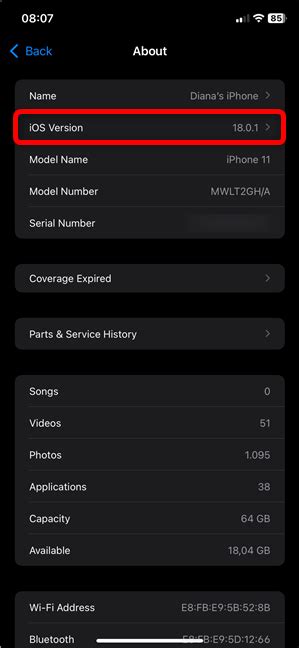
Open Settings, tap General, then tap About, and the iOS version is listed directly on that screen. If it doesn’t say iOS 26 or later, an update is available under Settings, General, Software Update.
Three paths depending on your situation
- You already own an iPhone 17. You’re current on iOS 26 and confirmed for iOS 27 this fall. No action is needed beyond installing updates as they arrive; the naming confusion with “iOS 17” doesn’t apply to your device at all.
- You’re deciding whether to buy one now. Every iPhone 17 model will run iOS 27 at launch this fall, so buying today doesn’t cost you anything in software longevity. If the most advanced on-device Siri AI model matters to your decision, that rules out the base iPhone 17 specifically.
- You’re upgrading from an older iPhone. Check your current model against Apple’s compatibility guide before assuming your data and settings will transfer cleanly. If your current iPhone already dropped off the iOS 27 list, an iPhone 17 resets that clock entirely, since it’s running the newest software Apple ships.
Should I wait for iOS 27 before buying an iPhone 17?
No. iPhone 17 already runs iOS 26 and is confirmed for iOS 27 this fall as a free update, so buying now doesn’t lock you out of anything.