Which CPUs are on the affected list
Intel’s spokesperson told the press in July 2024 that any 13th or 14th Gen desktop chip at 65 W base power or above could exhibit Vmin shift, a wider group than the formal warranty list below. The gap matters: a chip can sit outside the 24-SKU warranty list and still be inside the risk group Intel itself named.
| Model | Generation | Series | Extended warranty (Intel’s official list) | Vmin-shift risk group (65W+) |
|---|---|---|---|---|
| i9-13900KS / i9-14900KS | 13th / 14th | K-series | Yes | Yes |
| i7-13700K / i7-14700K | 13th / 14th | K-series | Yes | Yes |
| i5-13600K / i5-14600K | 13th / 14th | K-series | Yes | Yes |
| i9-13900 / i9-14900 | 13th / 14th | Non-K, 65W+ | Yes | Yes |
| i5-13400 / i5-14400 | 13th / 14th | Non-K, under 65W | No | No |
The full list of covered SKUs is published on Intel’s warranty policy page, last reviewed in February 2025.
Does this bug affect 13th or 14th Gen laptop chips?
No. Intel has confirmed mobile Raptor Lake processors, and every architecture launched after it including Arrow Lake and Lunar Lake, are not affected by Vmin Shift Instability.
What causes Vmin Shift Instability
Intel has localized the fault to a clock-tree circuit inside the processor’s core that is vulnerable to reliability aging when exposed to elevated voltage and temperature over time. The company identified four operating scenarios that can trigger it, tied to motherboard power settings, turbo behavior, and voltage-request algorithms; each has a specific microcode mitigation, detailed in the table below.
A second, separate defect also touched some early 13th Gen chips: a manufacturing issue involving oxidation in interconnect layers. Intel has said this is a distinct manufacturing flaw, not the same fault as the voltage-related Vmin shift, and that it was root-caused and corrected through manufacturing screens in 2023, with only a small number of instability reports traced back to it.
Will the microcode update fix a chip that’s already crashing?
No. Intel has stated the update prevents further exposure to elevated voltage going forward but does not reverse damage already done to the clock-tree circuit. Chips already showing symptoms need replacement, not a BIOS flash.
What Intel has done, and what’s still rolling out
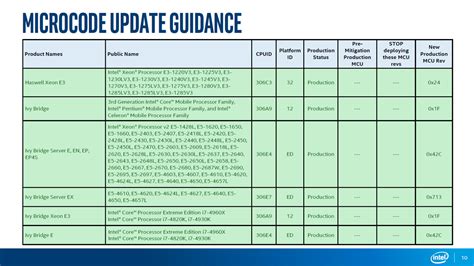
| Microcode version | Released | Addresses |
|---|---|---|
| 0x125 | June 2024 | Overly aggressive turbo behavior (eTVB) on i9 chips at high temperature |
| 0x129 | August 2024 | Excess voltage requested by the SVID algorithm |
| 0x12B | Late September 2024 | Elevated voltage requests during idle and light-load periods, superseding both prior updates |
The 0x12B update reaches end users only after motherboard vendors package it into a BIOS release, so two systems with the same CPU can be on different protection levels depending on how current their BIOS is.
Warranty, RMA, and who to contact
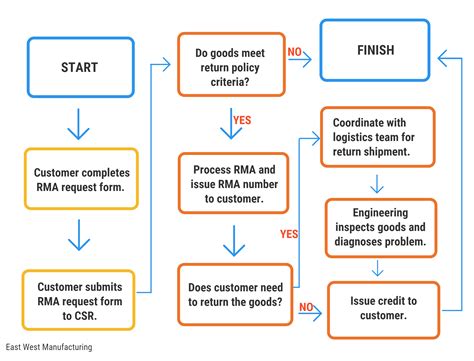
Only the 24 SKUs in Intel’s official warranty table get the automatic extension from three years to five for boxed processors; the broader 65W+ risk group named above is wider than that list, so a model missing from the table isn’t automatically ruled out if it’s showing symptoms.
| Purchase type | Who to contact | Proof typically needed |
|---|---|---|
| Boxed (retail) processor | Intel Customer Support directly | Original box or purchase receipt |
| Tray processor (bulk/OEM channel) | The reseller or system builder you bought from | Purchase record from that reseller |
| Pre-built system from an OEM | The system manufacturer (Dell, HP, and similar) | System service tag or model number |
Details on contact paths are published in Intel’s additional warranty-update guidance.
What if my exact CPU model isn’t on Intel’s warranty list but it’s still crashing?
Intel has asked customers whose earlier RMA attempts were unsuccessful to contact Customer Support directly for further assistance, regardless of the specific model.
If your chip has never crashed
Intel has not published a tool that detects existing Vmin-shift degradation before symptoms appear. The company has said only that it is investigating options to help customers identify affected systems. A chip that has never crashed cannot be confirmed damage-free through any official method right now.
Is it safe to stress-test my CPU to check for problems?
Intel’s guidance doesn’t address this directly, and running a chip at sustained high voltage to “test” it works against the same conditions that cause Vmin shift in the first place, so it isn’t a recommended diagnostic step.
Where things stand now
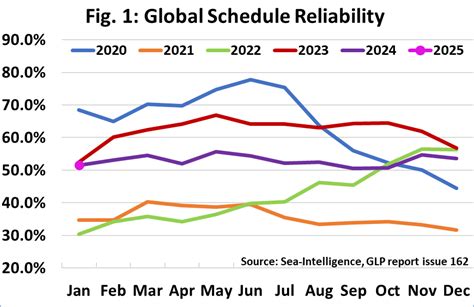
Independent field data from Puget Systems’ 2025 hardware reliability report puts Intel’s current desktop generation, Core Ultra 200S, at a 2.49% failure rate across the systems it built that year, on par with AMD’s Ryzen 9000 line at 2.52%. One specific model, the Core Ultra 7 265K, posted the lowest individual failure rate of any consumer processor in that report: 0.77%.
On the legal side, a federal class-action lawsuit was filed in November 2024, alleging fraud by omission and breach of implied warranty tied to the instability issue. No publicly confirmed resolution of that case was found for this page.
Is the 2025 Intel security bug the same issue as the Raptor Lake crashes?
No. The 2025 disclosures involve information-disclosure and privilege-escalation risks in Core Ultra hardware components, an unrelated security matter from the 2024 voltage-related instability bug covered here.
Should you still buy or keep one
- Buying new or open-box 13th/14th Gen stock today: confirm the specific SKU against the warranty table above, and check that the seller’s return window covers enough time to test for early instability.
- Already own an affected model with no symptoms: update to the latest BIOS with 0x12B included, apply Intel’s recommended default power settings instead of a motherboard vendor’s more aggressive out-of-box profile, and monitor for symptoms since no degradation-detection tool exists yet.
- Already experiencing crashes: start the RMA process through the correct contact path in the table above instead of relying on BIOS tweaks alone, since the fix does not repair existing damage.
- Choosing between a 13th/14th Gen chip and a current Core Ultra part: the reliability data above shows the current generation performing at least as well as AMD’s latest consumer line, with no equivalent Vmin-shift mechanism reported.