Which editor fits your task
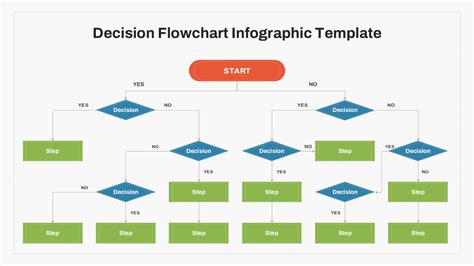
Two questions decide most of this table: does the image start as a RAW camera file, and does the final result need to scale without pixelation. Answer those first and the rest narrows on its own.
| Task | Tool | Why | Learning curve |
|---|---|---|---|
| Photo retouching, compositing, general editing | GIMP 3.2 | Closest Linux equivalent to Photoshop’s raster toolset | Moderate |
| Developing RAW camera files, professional workflow | Darktable 5.6 | Full non-destructive pipeline, module-based editing | Steep |
| Developing RAW camera files, simpler workflow | RawTherapee 5.12 | Comparable output quality with a shallower interface | Moderate |
| Digital painting, illustration, comics | Krita 5.3 | Purpose-built brush engine and canvas tools | Moderate |
| Logos, icons, scalable vector art | Inkscape 1.4.4 | The dominant open-source vector editor | Moderate |
| Quick crop, screenshot markup, simple annotation | Pinta | Minimal interface, fast startup | Low |
GIMP: full-featured raster editing
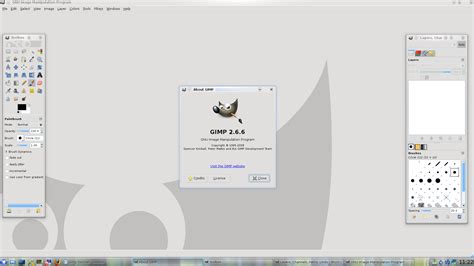
GIMP 3.2.4, the current stable release as of April 2026, is the tool most Linux distributions ship as their default answer to “what’s the Photoshop of Linux.” It handles layered compositing, selection-based retouching, and scripted batch work through its Script-Fu and Python interfaces.
Where GIMP still falls short of Photoshop
Two gaps matter in practice. GIMP’s own 3.0 release notes describe CMYK and LAB color modes as groundwork for a future release, not a shipped feature: as of 3.2.4, GIMP still edits and exports RGB-based workflows only, which matters if your output is headed to a commercial print process that expects native CMYK. GIMP also has no built-in equivalent to Photoshop’s content-aware fill. The closest option, a plugin called Resynthesizer, is not bundled with GIMP: an open request on GIMP’s own issue tracker to integrate it directly is still unresolved. Content-aware-style object removal is possible in GIMP, but only after installing and configuring a third-party plugin.
Can GIMP open and edit CMYK files for print?Not natively. GIMP 3.2 works in RGB; CMYK and LAB support is documented by the GIMP project itself as groundwork for a future version, not a current feature. For prepress CMYK work on Linux, Scribus handles that step instead.
RAW development: Darktable vs. RawTherapee
Darktable 5.6.0, released in June 2026, and RawTherapee 5.12, released in May 2025, are the two dominant open-source RAW developers on Linux, and the difference that actually matters is not “powerful versus approachable.” It’s how each project keeps up with new camera sensors. Darktable 5.6 adds an optional AI-assisted subsystem, disabled by default, that requires a specific build flag to enable. RawTherapee stays closer to a traditional, manually tuned demosaicing pipeline.
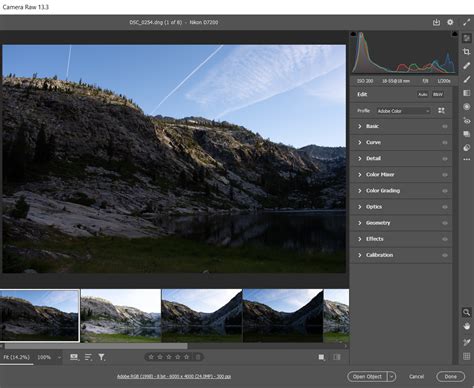
When your camera’s RAW files won’t open yet
For years, RawTherapee read RAW files through a patched version of dcraw, a decoder that had gone seven years without an update, so support for brand-new camera models lagged behind each camera’s release date. Starting with version 5.11, RawTherapee switched to LibRaw as its primary decoder specifically to shorten that lag. The 5.12 release notes list the Canon EOS R8’s electronic-shutter DCP and black-level handling and the Fujifilm X-E4’s raw-crop support as additions made under this new decoder, both cameras that had already shipped before their RAW files were fully supported. If your camera is new enough that its RAW files open as black, white, or magenta-tinted previews, that gap, not a broken install, is almost always the cause.
Darktable’s Linux AppImage carries its own version-dependent floor: the x86_64 build needs glibc 2.35 or newer, ruling out anything older than Ubuntu 22.04, Debian 12, or Fedora 36; the aarch64 build needs glibc 2.39, pushing the floor to Ubuntu 24.04, Debian 13, or Fedora 40. On an older LTS install, the AppImage won’t run, regardless of how new your camera is.
Why did my brand-new camera’s RAW files fail to open in RawTherapee or Darktable?Most often because the underlying RAW decoder hasn’t added your sensor yet. RawTherapee’s own 5.12 notes show specific cameras, including the Canon EOS R8, gaining support only after a dedicated decoder update, so check the current release notes for your model before assuming the software is broken.
Krita: digital painting and illustration
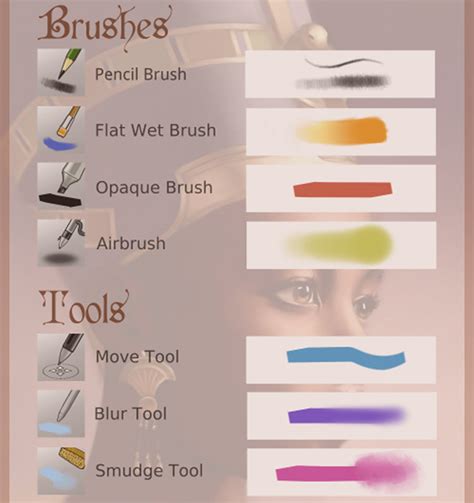
Krita’s current releases are 5.3.2.1, the production branch, and 6.0.2.1, an early-access Qt6 branch that Krita’s own team still calls experimental. For daily paid or client work, the project recommends staying on 5.3 until the Qt6 branch reaches a stable designation. Minimum system requirements are 4GB of RAM, with 16GB recommended, and an OpenGL 3.0-capable GPU.
Krita 6.0’s headline Linux feature, native Wayland HDR through the Wayland color-management protocol, only works if your compositor supports the same protocol. KDE Plasma’s KWin is currently the most complete implementation; GNOME’s Mutter is still working toward parity, according to a detailed writeup of the release. On a GNOME-based distribution, upgrading to Krita 6.0 for the HDR feature specifically will not deliver that feature yet.
Is Krita 6.0 ready to replace Krita 5.3 for daily work?Not yet, by the project’s own description: 6.0 is labeled early access because of the scale of the Qt5-to-Qt6 rewrite, and 5.3 remains the version recommended for production or client work.
Inkscape: vector graphics
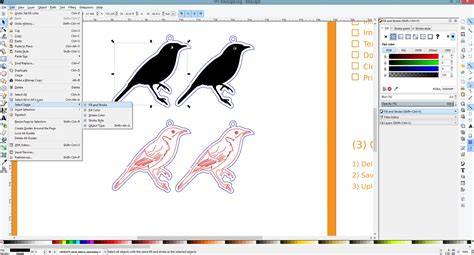
Inkscape 1.4.4, released in May 2026, is a maintenance release focused on stability: more than 20 crash fixes and over 25 bug fixes, by its own release notes. One open issue is worth knowing before relying on it for unattended work: on Wayland, depending on your system’s Gtk version, moving a docked tab or closing a floating dialog can crash the application. Running Inkscape under X11 sidesteps this specific bug until it’s resolved upstream. Linux users can get it through their distribution’s official repositories or through Flathub, alongside the Windows and macOS builds Inkscape also ships.
Batch editing without opening a GUI
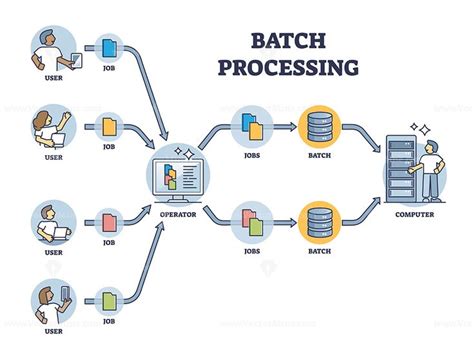
For resizing, converting, or renaming a folder full of images at once, a graphical editor is the slow path. ImageMagick’s command-line tool handles this directly:
magick *.png -resize 1200x800 -quality 85 output_gallery.jpg
GIMP’s own Script-Fu console can run the same kind of batch job from inside GIMP, using a recorded or written script rather than clicking through each file by hand. Neither approach requires opening a single image window.
Installing the right package for your distribution
Pinta is the clearest example of a tool whose install path has genuinely changed. It’s no longer carried in Ubuntu’s own archives past the 22.04 LTS line, and its current official builds point to the Snap Store and Flathub instead of a distro-maintained .deb. If a guide tells you to run apt install pinta on Ubuntu 24.04 or newer, that command will fail with no installation candidate.
| Tool | Ubuntu/Debian (apt) | Fedora (dnf) | Arch (pacman) | Flatpak | Snap |
|---|---|---|---|---|---|
| GIMP | Yes, official repos | Yes, official repos | Yes, official repos | Yes | Yes |
| Krita | Yes, official repos | Yes, official repos | Yes, official repos | Yes, community-maintained | Yes, community-maintained |
| Darktable | Yes, official repos | Yes, official repos | Yes, official repos | Yes | AppImage preferred by project |
| RawTherapee | Yes, official repos | Yes, official repos | Yes, official repos | Yes | AppImage preferred by project |
| Inkscape | Yes, official repos | Yes, official repos | Yes, official repos | Yes | Yes |
| Pinta | No, removed past 22.04 LTS | Availability varies by release | Varies by release | Yes | Yes, official channel |
Pinta is the exception that breaks the pattern the other five tools follow: everywhere else, apt, dnf, and pacman are safe defaults, and Snap or Flatpak are fallbacks. For Pinta on a current Ubuntu release, they’re the only options.
Why can’t I just apt install Pinta anymore?Because it isn’t there. Ubuntu stopped carrying a Pinta package in its own archives after the 22.04 LTS line, and the project’s current builds point to the Snap Store and Flathub instead of a distro-maintained .deb.
Other tools worth knowing about
| Tool | Best for | Caveat |
|---|---|---|
| ShowFOTO | Fast raster editing tied to the digiKam photo manager | Best used alongside digiKam, not standalone |
| Fotoxx | Lightweight photo correction | Smaller community, slower release cadence |
| UFRaw | Simple RAW conversion, GIMP plugin mode | Development has slowed relative to Darktable and RawTherapee |
| Karbon | Basic vector editing inside Calligra | Far fewer features than Inkscape |
| KolourPaint | Windows-Paint-style simplicity on KDE | No layers, no advanced tools |
| Drawpile | Real-time collaborative drawing | Built for multi-user sessions, not solo editing |
| Tux Paint | Simple drawing for young children | Not intended for adult or professional use |
Whether to abandon your existing workflow entirely
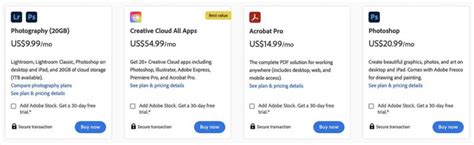
Adobe’s Creative Cloud Photography Plan, the bundle that includes Photoshop and Lightroom, currently costs $19.99 to $29.99 a month depending on whether you commit annually or pay month to month. Whether switching entirely to GIMP, Darktable, or Krita makes sense depends less on that number and more on whether your camera’s RAW support and specific plugin needs are already covered by the tools above.
Do I need Photoshop at all if I switch to these tools?For most retouching and RAW development, no. The clearest exception is native CMYK output for commercial printing, which GIMP doesn’t yet handle and which Photoshop does.