Why Samsung Messages never had a “Leave Group” button
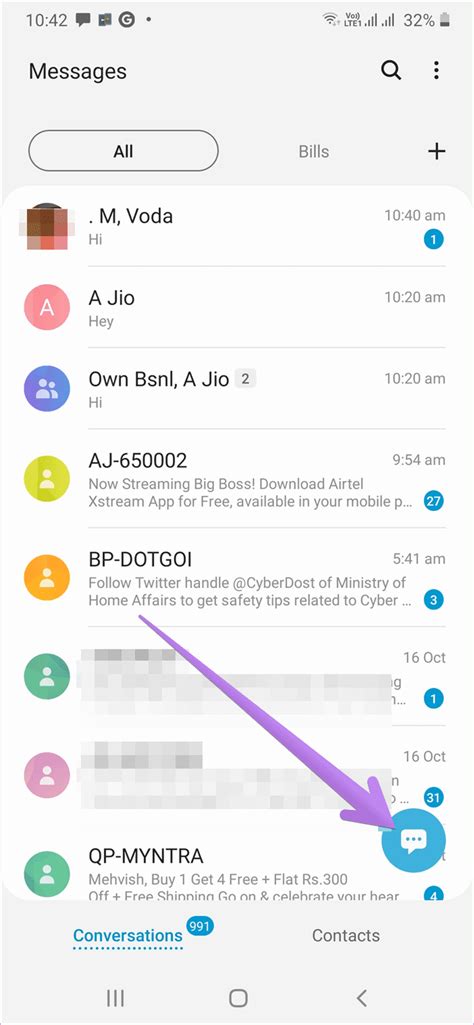
Samsung’s own support page for group texting confirms that the Samsung Messages app automatically sends group conversations as MMS. MMS is a carrier-level protocol from the SMS era, and it was never built with a concept of leaving a group: there’s no server-side roster to remove yourself from, only a shared thread that every recipient’s phone reconstructs locally. Google’s own documentation for its Messages app confirms the same limitation applies universally: you can’t remove a user from SMS or MMS groups, regardless of which app sent the message. Guides that describe tapping a three-dot menu and choosing Leave Group inside Samsung Messages are describing a control that doesn’t exist for MMS threads, the format Samsung Messages defaults to for group texts.
Samsung Messages is being shut down on July 6, 2026
Samsung’s support pages confirm the app is discontinued for phones on Android 12 or newer starting July 6, 2026, while phones on Android 11 or older keep working as before. After the cutoff, the app can no longer send regular texts, and it can no longer be downloaded from the Galaxy Store at all, even on devices that could previously run it. Owners of the Galaxy S26 and newer already can’t get the app from the Store; they were never given that option. Independent coverage from Forbes and Techlicious confirms the same cutoff date and adds that message history transfers automatically when switching, though large histories can take up to a day to fully move over.
The underlying reason ties directly back to the leave-group problem. Samsung Messages’ RCS features depended on each carrier’s own backend, while Google’s Jibe platform now runs RCS consistently across AT&T, T-Mobile, and Verizon after those carriers ended their own joint RCS project. Switching isn’t just about keeping texting working. It also means your group threads finally have a shot at running on RCS instead of MMS, which is the only condition under which leave group becomes a real option.
Can you actually leave? A four-way diagnostic
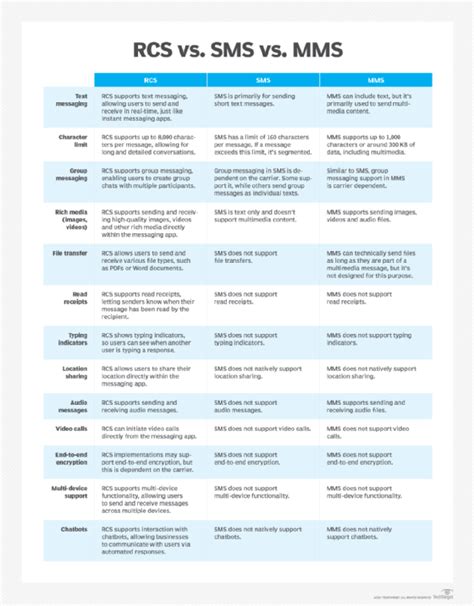
Whether a leave control exists depends on three things at once: which app you use, which protocol that specific conversation runs on, and whether everyone else in it also has RCS turned on.
| Your app | This conversation’s protocol | All participants on RCS? | Can you leave? |
|---|---|---|---|
| Samsung Messages | MMS (the app’s default for groups) | No RCS group support in this app | No leave control exists |
| Google Messages | SMS/MMS fallback (e.g. one member lacks RCS) | No | No leave control exists |
| Google Messages | RCS | Yes, everyone | Yes, via Group details |
| Google Messages | RCS-capable device, RCS toggled off | Would be yes, but yours is off | No, until RCS chats is turned back on |
To check your own status: open Google Messages, tap your profile icon, then Messages settings, then RCS chats, sometimes labeled Chat features, as Google documents here. If the group still shows as MMS after that, at least one participant isn’t on RCS, and the thread will keep falling back regardless of your own settings.
Why do I see “Leave group” in some chats but not others?It only appears for conversations currently running on RCS. The moment any participant lacks RCS, or you toggle RCS off, that specific thread reverts to MMS, and the control disappears with it.
How to leave a group chat once RCS is confirmed
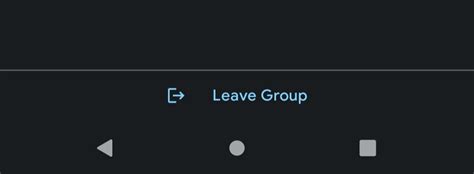
Once the diagnostic above confirms an active RCS group, open the conversation in Google Messages, tap the three-dot menu, select Group details, and scroll to the bottom for the leave control.
Can I rejoin after I leave?Only if a current member adds you back. Google’s group management documentation confirms that adding someone into an RCS conversation is something any existing member, not only the original creator, can do from that same Group details screen.
What to do if there’s no Leave option
If the diagnostic table put you in one of the no rows, here’s what each remaining option actually accomplishes.
| Option | What it actually does | What it doesn’t do | Best used when |
|---|---|---|---|
| Mute the conversation | Silences notifications from that thread | Leaves your number on the group roster; you can still be messaged directly | You don’t mind staying listed, just want quiet |
| Ask a member to remove you | Fully removes you, but only on RCS groups, where any participant can remove another | Nothing, on plain MMS groups, since no one has a remove control there | The group is RCS-based and someone in it is reachable |
| Delete the conversation | Clears the thread from your inbox | Doesn’t remove you from the group; new replies recreate the thread | You want the clutter gone, not a guarantee of silence |
| Block the sender number | Stops messages from that specific number | Only blocks per contact, so a many-person MMS thread can keep reaching you through other senders | The thread is spam or harassment, not a group you legitimately belong to |
Mute
Open the conversation, tap the three-dot menu, and choose Mute or Notifications, then set it to Silent.
Ask to be removed
Works only inside RCS conversations. Message a current participant directly, not the group thread, and ask them to remove you from Group details.
Delete the conversation
Swipe the thread away or open it and choose Delete. Expect it to reappear if the group keeps texting.
Block
Open the sender’s contact card from within the thread and choose Block. In a large MMS group, repeat this for each number that keeps reaching you, since blocking doesn’t apply group-wide.
Mistakes that make this worse
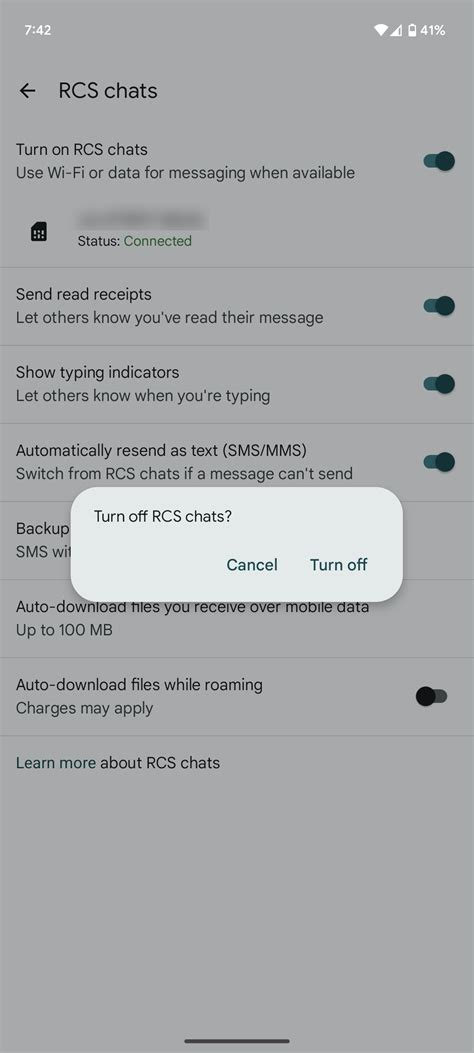
Two moves that look like fixes can quietly cause new problems. Toggling RCS chats off and back on is one of them: Google’s own settings documentation warns this removes you from your existing group chats, all of them, not just the one you were trying to leave. Google’s RCS deactivation portal adds a more precise number: if RCS chats stay off for 30 days, you’re automatically dropped from every RCS group you were in.
Does deleting the conversation remove me from the group?No. Deleting only clears the thread from your own inbox. Your number stays on the group’s participant list, and the next message sent to that group rebuilds the thread on your phone.
Limitations and exceptions
Mixed iPhone-and-Android groups used to be a hard wall against leaving, and largely still are on plain MMS threads. That’s shifting: as of iOS 26.5, Apple added end-to-end encrypted RCS between iPhone and Android, and AT&T, T-Mobile, and Verizon all support it. A mixed group can now run on RCS instead of falling back to MMS, but only when every device and carrier in that specific thread meets the requirement.