What camera and internet permissions do
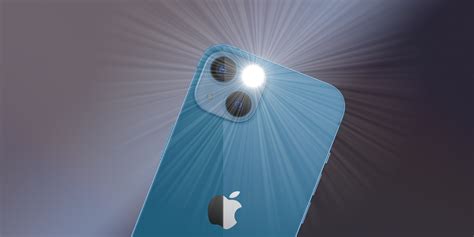
Turning a phone’s LED into a steady light runs through a single method call. On Android, that’s CameraManager.setTorchMode(), which Google introduced at API level 23, the release known as Android 6.0 Marshmallow, in 2015; older guides that credit this to “Lollipop” are citing the wrong release, according to Android’s own developer reference for the API. Apps offering adjustable torch brightness use a newer method, turnOnTorchWithStrengthLevel(), added at API level 33, or Android 13, in 2022.
The camera’s flash unit is the only hardware involved in either call, which is why every legitimate flashlight app requests camera access and nothing else about the device changes. Internet access is the one other request worth granting, and only because free, ad-supported apps need network access so their ad SDK can fetch and report on the ads paying for the app.
The permission-by-permission legitimacy check
| Permission | Legitimate flashlight use | What an unmatched request signals |
|---|---|---|
| Camera | Required; accesses the torch hardware | Always expected |
| Internet | Ad-supported apps, to serve and report on ads | Unusual if the app has no ads and no stated network feature |
| Location (fine or coarse) | None | Ad SDK targeting, unrelated to lighting |
| Contacts (read or write) | None | Data harvesting; a 2019 Avast/Gen Digital audit of 937 flashlight apps found up to 180 requesting read access and 21 requesting write access, with no lighting feature to justify either |
| Microphone (RECORD_AUDIO) | None | The hardest one to explain; 77 of the 937 audited apps requested it |
| Draw over other apps (SYSTEM_ALERT_WINDOW) | None | A special, platform-controlled permission Android reserves for overlaying other apps’ screens, a known adware and clickjacking technique |
| Kill background processes | None | Can be used to disable a security app running in the background |
Camera and internet cover every legitimate flashlight feature. A request for location, contacts, microphone, overlay access, or the right to kill other processes points to ad monetization, or worse.
Why would a flashlight app need my location at all?
It wouldn’t, for the flashlight function itself. Some free apps request location so their ad SDK can serve geographically targeted ads, a monetization choice rather than a device requirement. You can decline it and the torch still works.
Uninstall now, or fine to keep
Why some flashlight apps ask for more anyway

The extra permissions come from monetization mechanics. Free apps often bundle several ad SDKs from different networks to raise fill rates, and each SDK can request its own permissions independently of what the app itself declares as its purpose. Avast’s 2019 investigation of 937 flashlight apps on Google Play found an average of 25 requested permissions per app, with 262 apps requesting 50 to 77 permissions; one analyzed app requested 61 permissions and was one of 208 near-identical APKs traced back to roughly five developer groups.
What happens when this goes wrong
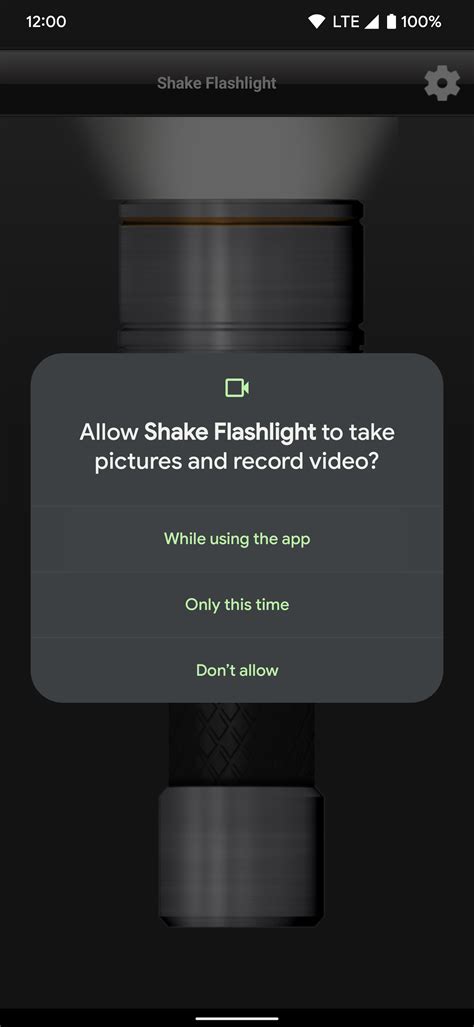
In December 2013, the FTC settled charges against Goldenshores Technologies over its “Brightest Flashlight Free” app, then downloaded tens of millions of times, for transmitting users’ precise geolocation and a persistent device identifier to advertising networks while presenting an “accept or refuse” screen that collected the data regardless of which button a user tapped. The final order, approved in April 2014, required just-in-time disclosure and affirmative consent before any future geolocation collection and forced deletion of data already gathered, with no financial penalty, since the app was free.
Could a flashlight app secretly use my microphone?
If it holds the RECORD_AUDIO permission, yes, technically. Android’s own documentation classifies microphone access as a “dangerous” permission precisely because it’s among the most sensitive a phone can grant, which is also why it triggers its own runtime prompt separate from camera access on any Android version from Marshmallow onward.
Two-stage check: before you install, and for apps you already have
Before you install
- Read the store listing’s privacy summary. Google’s Play Store has required a Data safety section, self-declared by the developer, since May 2021; Apple’s App Store has required a similarly self-declared Privacy Nutrition Label since December 2020, and Apple states plainly that it does not independently verify these declarations.
- Treat any permission beyond camera and internet as your answer. If the listing already shows contacts, location, or microphone access for a flashlight app, there’s no need to install it to find out why.
Apps you already have
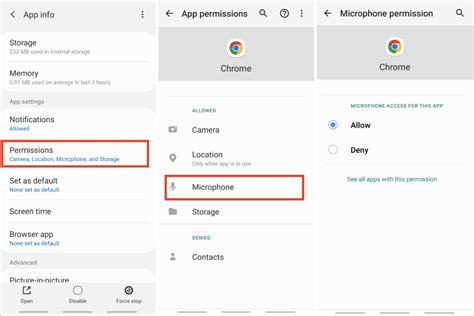
- On Android: open Settings, then Apps, then the app’s Permissions screen, and revoke anything beyond camera and internet. For camera specifically, choose “Only while using the app” instead of “Allow all the time.”
- On iPhone: open Settings, then the app’s entry, and toggle off anything not required. Since April 2021, apps must also request separate App Tracking Transparency permission before accessing your device’s advertising identifier, and declining it will not break the flashlight.
What should I do if an app I already installed asks for too much?
Revoke the extra permission first; most flashlight apps keep working with camera access alone. If the app then breaks or repeatedly nags you to re-grant what you revoked, that’s a stronger signal to delete it and use the built-in toggle instead.
Android vs. iPhone: how the two platforms handle this differently
| Aspect | Android | iPhone |
|---|---|---|
| Pre-install visibility | Data safety section on the store listing, self-declared, required since May 2021 | Privacy Nutrition Label on the App Store listing, self-declared, required since December 2020 |
| Runtime permission prompts | Per-permission, at first use, since Android 6.0 | Per-permission, at first use |
| Cross-app tracking consent | Folded into the general data-sharing disclosure; no separate prompt | Separate App Tracking Transparency prompt required since iOS 14.5, April 2021, before advertising-ID access |
| Post-install review | Settings, Apps, Permissions, with an “only while in use” option for camera and location | Settings, then the app’s entry, with a per-permission toggle |
Both platforms now surface this information before you install, but iOS forces a distinct consent step for cross-app tracking that Android folds into its broader data-sharing disclosure instead.
Do I still need a separate flashlight app in 2026?
For a plain torch toggle, no. Android has offered one from Quick Settings since the 2015 camera API that made it possible, and iPhones have had one in Control Center and on the Lock Screen for years. A separate app only earns its place if it adds a feature the built-in toggle lacks, such as strobe patterns or a compass.
Extra features that need no extra permissions
- Shake-to-toggle uses the accelerometer, which both Android and iOS treat as a low-risk sensor granted automatically, with no runtime prompt.
- Compass mode uses the magnetometer, also granted automatically rather than through a dangerous-permission prompt.
- Strobe or color patterns on screen use the display itself and need no additional permission at all.
- Ads, on a free app, are the one legitimate reason for internet access beyond the torch function.
None of the common “extra” features people assume justify broader access actually require location, contacts, microphone, or overlay permission. That’s the real reason the permission-by-permission check above has no middle ground between camera-plus-internet and everything else.