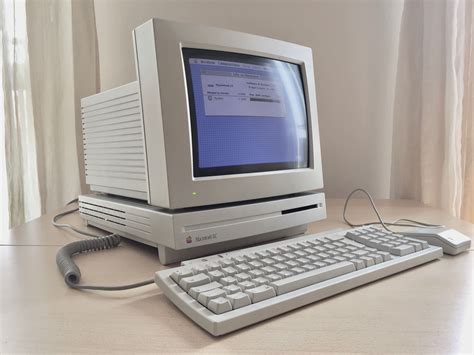
What shipped inside a typical 2010 desktop
The mainstream PC of that year usually carried an Intel Core i5-760 quad-core or AMD’s newly launched six-core Phenom II X6 1090T, first covered in bit-tech’s May 2010 buyer’s guide. Apple’s Mid-2010 iMac shipped dual-core i3 chips at 3.06GHz or quad-core i5/i7 options at 2.8GHz, paired with Radeon HD 4670, 5670, or 5750 graphics depending on configuration.
| Build | CPU | GPU | RAM (standard/max) |
|---|---|---|---|
| Mainstream Intel PC | Core i5-760 (quad-core) | Varies by build | Typically 4 to 8GB |
| Enthusiast AMD PC | Phenom II X6 1090T (six-core) | Varies by build | Typically 8GB |
| iMac 21.5″/27″ Mid-2010 | Core i3 3.06GHz or i5/i7 2.8GHz | Radeon HD 4670/5670/5750 | 4GB standard, 16GB max |
None of these chips include a hardware TPM 2.0 module or the instruction sets Windows 11 checks for, so the CPU alone rules out the current version of Windows no matter what else gets swapped in.
Windows on 2010 hardware: patched, then unsupported, then blocked
Windows 7 support ended January 14, 2020, and the paid Extended Security Updates program that followed ended entirely on January 10, 2023. A 2010 PC still running its factory Windows 7 install has had no security patches of any kind for over three years. If it was later upgraded to Windows 10, that operating system’s support ended October 14, 2025, though a consumer Extended Security Updates program keeps patches flowing through October 12, 2027. Windows 11 is not an option on this hardware: it requires TPM 2.0 and an 8th-generation Intel Core or AMD Ryzen 2000 processor or newer, a floor that sits eight processor generations above anything sold in 2010.
Can I install Windows 11 on a 2010 desktop?No. The CPU generation requirement alone disqualifies every chip sold in 2010, independent of any TPM workaround. Unofficial bypass tools exist but leave the machine outside Microsoft’s supported update channel.
macOS on a Mid-2010 iMac or Mac mini: the official ceiling and the unofficial workaround
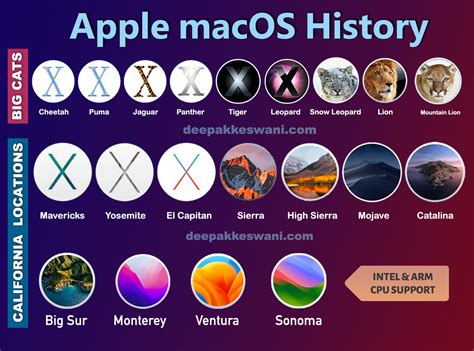
Apple’s compatibility documentation puts High Sierra, macOS 10.13, as the last officially supported release for the Mid-2010 iMac. Community forum reports describe getting further, into Monterey territory, using the third-party OpenCore Legacy Patcher after installing an SSD, but this runs outside Apple’s supported list and carries no vendor guarantee.
Does OpenCore Legacy Patcher really get a 2010 Mac to Monterey safely?It can run, according to user reports, but it’s a community workaround, not an Apple-supported path. Expect some driver quirks and no official troubleshooting support if something breaks.
The real security picture if you keep the factory OS

Neither Windows 7 nor an unpatched pre-High-Sierra macOS install has received a security fix in years. If it still touches the internet on its original software, it is running without patches for whatever vulnerabilities have surfaced since support ended.
What it’s still genuinely useful for, and where it stops
Moved onto a lightweight Linux distribution or brought up to High Sierra, this hardware handles web browsing, word processing, spreadsheets, and offline media playback without much strain. It also works well as a dedicated retro-gaming or emulation box, since period software has no interest in modern CPU features. It stops being useful for anything CPU- or GPU-intensive by current standards: modern AAA gaming, 4K video editing, or any workload assuming a TPM-backed security stack.
Is it safe to use a 2010 PC for online banking?Not on an unpatched factory OS. Move it to a currently supported Linux distribution first, and keep the browser itself updated. The CPU is not the limiting factor here; the missing patches are.
Upgrades that are worth doing, and ones that aren’t
| Upgrade | Realistic cost | Verdict |
|---|---|---|
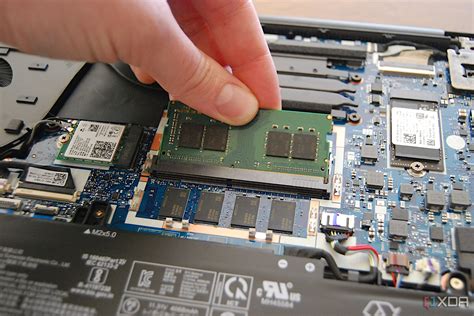
| RAM to 16GB (iMac Mid-2010 max) | Low | Worth it; noticeable for multitasking |
| SATA SSD swap for the original hard drive | Low to moderate | Worth it; biggest single speed gain available |
| Discrete GPU swap (tower PCs only) | Moderate | Only worth it for retro gaming, not modern titles |
| Motherboard and CPU socket upgrade | High | Not worth it; at that cost, buy newer hardware instead |
The RAM and SSD rows carry almost all of the realistic performance gain available on this hardware.
Can I upgrade the RAM in a 2010 iMac?Yes, up to 16GB total across four slots, and it’s one of the few upgrades on this hardware that pays for itself immediately.
What 2010-era desktops sell for now

| Model | Current price range |
|---|---|
| iMac 21.5″ Mid-2010 | $154 to $430 |
| iMac 27″ Mid-2010 (display) | Around $500 |
| Mac mini Mid-2010 | $125 to $280 |
| Windows-based towers (various Dell Optiplex, HP, Acer models) | $80 to $450 |
These figures come from active Mercari listings as of July 2026. One 21.5-inch iMac Mid-2010 listing there priced at $154 with a mechanical hard drive still installed.
A low asking price alone doesn’t make one of these a bargain. Factor in the SSD, the RAM upgrade, and the OS reinstall before comparing it to a current low-end machine.
Common mistakes people make with an old 2010 desktop
- Assuming a registry hack makes Windows 11 safe. Bypassing the TPM and CPU checks gets the installer to run, but the machine stays outside Microsoft’s supported update path indefinitely.
- Treating a low resale price as a bargain without checking the OS situation first. A $150 iMac that still needs an SSD, a RAM upgrade, and a fresh OS install is not necessarily cheaper than a current low-end machine once those costs are added.
- Leaving the factory OS connected to the internet unpatched. This is the single highest-risk habit with this hardware generation, well ahead of the CPU’s age as a practical concern.
- Treating the OpenCore Legacy Patcher path as equivalent to an official release. It’s a community-maintained workaround with no vendor support line if it breaks.
Should I buy a 2010 desktop today thinking it’s a bargain?Only after pricing in the SSD, RAM, and OS work it needs; add those costs before comparing it to a new low-end machine.