Specs at a glance
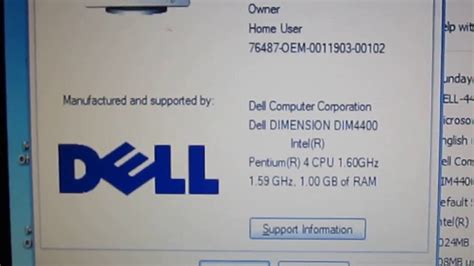
The hardware ceiling comes down to three numbers baked in at the factory: a 400 MHz processor bus, two memory slots, and a 250 W supply, and no BIOS update moves any of them.
| Component | Specification |
|---|---|
| Processor | Intel Pentium 4, Socket 478, 1.5 to 2.4 GHz stock options, 400 MHz bus, 256 or 512 KB L2 cache |
| Chipset | Intel 845D (adds DDR memory support over the base 845) |
| Memory | 2 slots, non-ECC DDR SDRAM, 128/256/512 MB modules, 1 GB maximum |
| Storage | ATA-66 or ATA-100 Ultra DMA, 2 internal drive bays, 2 external 5.25-inch and 2 external 3.5-inch bays |
| Expansion | 1 AGP slot (4x/2x), 4 PCI slots |
| Power supply | 250 W, switch-selectable 115 V or 230 V |
| Weight | 12.7 kg (28 lb) |
Source: Dell Dimension 4400 Owner’s Manual.
What’s the maximum RAM the Dimension 4400 supports?1 GB total, across two slots, using 128, 256, or 512 MB non-ECC DDR modules. There’s no way to exceed this without replacing the motherboard.
What’s worth upgrading, and what the chipset won’t allow
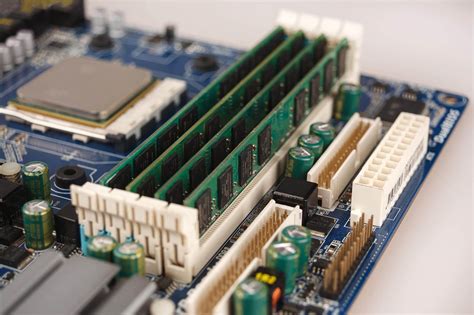
The manual lists the memory type simply as “DDR (non-ECC)” with no bandwidth rating attached. The practical answer comes from the 400 MHz bus itself: PC2700 or PC3200 modules install and run fine, but the board runs all of them at PC2100 (266 MHz effective) speed, because the bus is the bottleneck, not the module. The manual never resolves this directly; cross-referencing the board’s fixed bus speed against independent Dell Dimension memory documentation answers it. A real owner’s posted system list, built around this exact board, shows a 2.6 GHz chip paired with PC2100-rated 1 GB of RAM running on the stock 400 MHz bus, matching what that memory math predicts.
The CPU ceiling works the same way. Stock configurations topped out at 2.4 GHz, and independent Intel 845/845D motherboard documentation confirms the entire chipset generation, across every vendor’s board, is built around a 400 MHz front-side bus. That limit sits at the chipset level, shared across every vendor’s 845/845D board: a 533 MHz-bus Pentium 4, a Prescott-core chip, or a Celeron D processor needs a newer memory controller hub and won’t initialize here regardless of socket compatibility. In practice, owners have pushed the stock ceiling to around 2.6 GHz on 400 MHz-bus Northwood-core chips, close to the last processor generation this chipset family was ever paired with.
Is it worth upgrading the CPU on a Dimension 4400?Only within the same generation. A 2.6 GHz Northwood-core, 400 MHz-bus chip is a real, working upgrade from the stock 1.5 to 2.4 GHz range. A faster-bus or newer-core chip is not a supported upgrade path on this chipset at any price.
Diagnosing a Dimension 4400 that won’t start
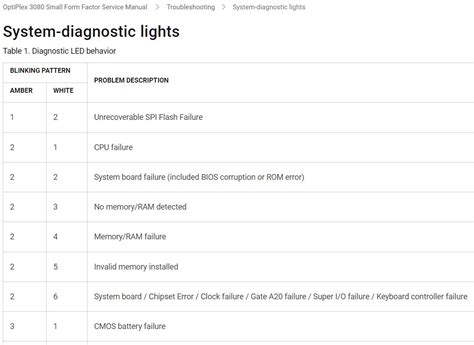
Check the four bicolor lights labeled A through D on the back panel first; Dell’s manual maps each active fault directly to a likely cause. The beep codes further down only come into play when the monitor shows nothing at all.
| Fault | What it means | First step |
|---|---|---|
| Power-up default | Normal power-on state | No action; if the front power light is off, check the outlet and power supply |
| System board powered, BIOS not executing | Board has power but isn’t booting | Remove all cards and restart to rule out a resource conflict |
| Microprocessor failed a BIOS test | CPU didn’t pass self-test | If it persists, the CPU or socket needs professional diagnosis |
| Memory failed to size or enable | RAM not recognized | Reseat the memory modules |
| PCI bus failure | A PCI card or slot conflict | Remove all cards and restart to isolate the conflicting device |
| Video controller failed to initialize | Graphics card or integrated video fault | Reseat the video card if one is installed |
| IDE bus failure | Drive controller or cable fault | Reseat the drive cables |
| USB port or device failure | A connected USB device faulted at POST | Disconnect the device and restart |
Source: Dell Dimension 4400 User’s Guide.
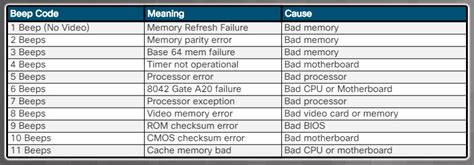
If the monitor shows nothing at all, the computer falls back to audible beep codes instead of the lights.
| Beeps | Cause | First step |
|---|---|---|
| 1 | Memory refresh failure | Reseat the memory modules |
| 2 | Memory parity cannot be reset | Reseat the memory modules |
| 3 | Failure in the first 64 KB of memory | Reseat the memory modules |
| 4 | System timer not operational | Needs professional diagnosis |
| 7 | Exception interrupt error | Needs professional diagnosis |
| 10 | CMOS shutdown register test error | Needs professional diagnosis |
Five of the eight most common faults across these two tables resolve with a reseat, not a replacement. Dell’s escalation order backs this up: the manual has you remove cards and reseat modules before it ever mentions contacting support.
- Check the lights before opening the parts bin. A code on the back panel points to a specific subsystem before you spend money on a new PSU or video card.
- A solid amber power light means the supply is live but something downstream is wrong, per the manual’s own definition, a different problem than no light at all.
What does a solid amber light on the power button mean?The computer is receiving power, but an internal power problem may exist. That’s different from the light being off entirely, which means no power is reaching the unit at all.
What it’s still realistically good for
One owner’s account of a 4400 bought new in 2002 has it running as a primary machine until 2011, at which point it was retired to Ubuntu duty as a small home server rather than scrapped. That’s a plausible ceiling for what this hardware can still contribute today: retro Windows XP-era gaming, a lightweight Linux or BSD box, or a parts donor for other Socket 478 systems. It never had enough horsepower to run Windows 7 well even at end of life, so a period-correct OS or a lightweight Linux distribution is the realistic ceiling now.
Current used value
Bare, no-hard-drive Dimension 4400 units, the most common condition sold today, were listing on eBay in July 2026 anywhere from roughly $20 to $70 depending on included RAM and CPU speed, with several recent sales going through the Best Offer process rather than a fixed price. This is a live marketplace snapshot, not a stable figure, and it will drift. Check current listings directly rather than treating any number here as fixed.
Is it worth buying a used Dimension 4400 today?Only for a specific purpose: retro gaming, a light Linux server, or parts, and only at parts-bin prices. It has no general-purpose value as a daily computer in 2026.