Delete one message, a whole conversation, or several at once
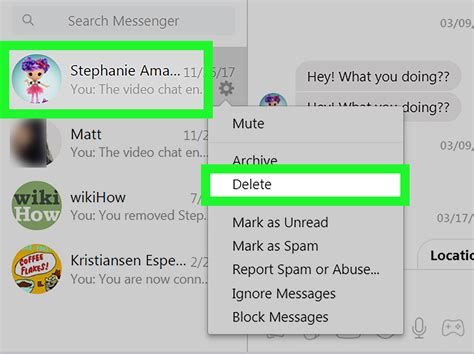
The steps below match Google Messages, now the default texting app on most Android phones and the only option for many Samsung users after this year’s app change. Scope decides what happens next, so the table below maps each option to what you can actually undo.
| What you want to delete | Steps | Recoverable? |
|---|---|---|
| One message inside a conversation | Touch and hold the message bubble, tap the delete icon, confirm | No. Erased immediately |
| One whole conversation | Touch and hold the conversation in your inbox list, tap the trash icon, confirm “Move to trash” | Yes. Sits in Trash for 30 days (7 on Android Go) |
| Several conversations at once | Touch and hold the first thread, tap each additional thread to select it, tap the trash icon, confirm | Yes. Each moves to Trash individually |
| Everything currently in Trash | Open Trash from the profile menu, tap “Delete all” | No. Permanent immediately |
Deleting three whole conversations leaves all three sitting in Trash. Deleting three individual messages from inside those same conversations leaves nothing to recover.
Does deleting a text also delete it from the other person’s phone? No. Deletion only affects the copy stored on your device (and, for a whole conversation, your Trash folder). The recipient’s copy is untouched, and there is no remote-delete function for standard SMS, MMS, or RCS messages once they’ve been delivered.
What happens after you delete
The most common assumption about the “Move to Trash” wording is that everything you delete gets a grace period. It doesn’t. Google’s own Messages documentation covers whole-conversation deletion moving to Trash for 30 days on most devices, shortened to 7 days on Android Go phones. Deleting a single message from inside a conversation isn’t covered by that grace period at all: Android Police reported that individual in-chat message deletions still erase instantly, with no Trash entry created. That’s the trap in the interface: the word “Trash” now appears throughout the app, but it only protects one type of deletion.
| Where a deletion lands | Retention window | How to undo it |
|---|---|---|
| Google Messages Trash (whole conversation) | 30 days; 7 days on Android Go | Profile icon, Trash, restore |
| Samsung Messages Recycle Bin (whole conversation, while the app still exists) | Commonly reported as 30 days; not stated on Samsung’s own support pages | Menu, Recycle bin, restore |
| A single deleted message, an emptied Trash folder, or a factory reset | None | Not recoverable through the app; only a prior backup helps |
The Samsung Recycle Bin’s 30-day figure is worth flagging on its own terms: it’s widely repeated in community threads and independent guides, but Samsung’s own auto-delete support page doesn’t state it. Treat it as commonly observed behavior, not a documented guarantee, especially this close to the app’s discontinuation.
Samsung Messages is shutting down: what it means for your message history
If your phone still runs Samsung Messages, the recoverability question above is about to become moot. Samsung’s own end-of-service notice confirms the app is being discontinued for US users on Android 12 or later. Once that happens, Samsung Messages can no longer send anything except messages to emergency numbers or pre-set emergency contacts. Devices on Android 11 or lower aren’t affected, and owners of the Galaxy S26 and newer couldn’t install Samsung Messages from the Galaxy Store to begin with.
Will my messages transfer automatically when Samsung Messages shuts down? Yes. Switching your default app to Google Messages carries your existing SMS and MMS history over automatically, and RCS conversations resume once both sides of a chat are on Google Messages.
Techlicious reported the cutoff lands on July 6, 2026, for US Galaxy phones on Android 12 or higher. Samsung says a large message history can take up to 24 hours to finish transferring.
Turn on automatic cleanup for old messages
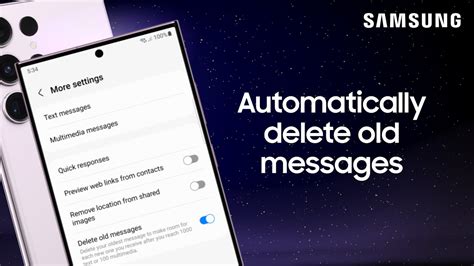
Instead of manually deleting month after month, Google Messages can clear old messages on its own: open the app, tap the three-dot menu, go to Settings, then More settings, and turn on “Delete old messages.”
What happens when I hit the auto-delete limit? Your oldest messages are removed automatically to make room, with no confirmation prompt and no Trash entry, so anything past the threshold is gone the moment the limit triggers.
What deleting does not do
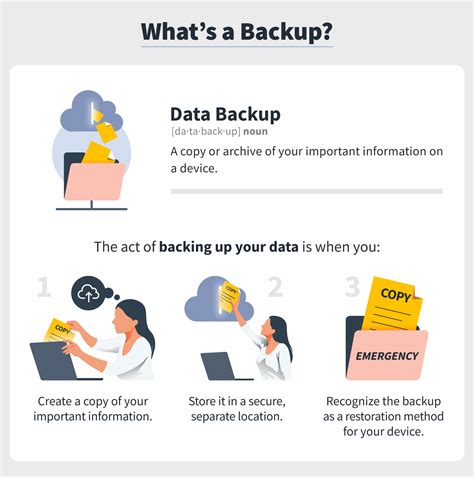
Two gaps matter most if you’re deleting for privacy rather than tidiness. If your phone’s device backup or Google One backup is turned on, Google’s own backup guide confirms SMS messages are included in the standard, no-cost Android device backup, and Google One additionally backs up MMS. Deleting a message on your phone does not remove it from that backup; a deleted conversation can come back the next time you restore from it. And as covered above, deletion never reaches the other person’s device.
If I delete a message, does it disappear from my Google backup too? Not automatically. You’d need to trigger a new backup after deleting, or wait for the next automatic one, for the deletion to carry over. Until then, the message still exists in your most recent backup snapshot.
If you want messages gone for good

For anything covered above (single messages, emptied Trash, factory resets), gone is gone: there’s no in-app recovery path. A factory reset is the last resort for wiping everything at once, not a routine cleanup step, and it takes the whole phone with it, not just messages. Back up anything you want to keep before you use it.