What Hosting Can Move in Search Rankings
Three hosting-controlled factors feed into how Google evaluates a page: server response time, uptime, and HTTPS. None of them work the way most “SEO hosting” marketing implies.
Speed shows up as a behavioral signal before it shows up as a ranking one. Google’s own AdSense documentation states that 53% of mobile visits are abandoned when a page takes longer than three seconds to load, a bounce pattern search engines can infer from click and dwell data even without scoring hosting directly.
Distance to the visitor still matters for that response time. Cloudflare’s latency documentation measured round trips of roughly 5 to 10 milliseconds between US cities about 100 miles apart, growing to 40 to 50 milliseconds at roughly 2,200 miles apart. A nearby data center or a CDN closes most of that gap without touching your code.
Does cheap hosting actually hurt my Google rankings?Not by itself. Cheap hosting only hurts rankings when it degrades the specific signals above: slow response times, downtime, or a blacklisted shared IP. The price tag is not the mechanism.
The Real Cost of Cheap: Hostinger’s Three Published Tiers
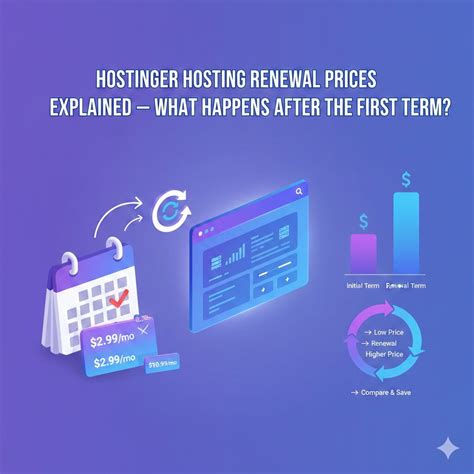
Hostinger’s shared and cloud tiers illustrate a structure common to budget hosting: a 48-month upfront commitment secures the lowest advertised rate, and the renewal rate more than triples.
| Plan | Intro price/mo | Renewal price/mo | Increase |
|---|---|---|---|
| Premium | $2.99 | $10.99 | +268% |
| Business | $3.99 | $16.99 | +326% |
| Cloud Startup | $7.99 | $25.99 | +225% |
None of the three tiers keeps its introductory price past the first term: even Cloud Startup’s smaller percentage jump adds $18 a month, more than double the entry tier’s renewal in dollar terms.
How much does hosting typically increase at renewal?On these three published tiers the increase runs 225% to 326%, moving the real annual cost from roughly $36 to $96 in year one to $132 to $312 a year after renewal. Budget for the renewal number, not the signup number, when comparing hosts.
Where the Limits Bite: Resource Caps and Shared IPs
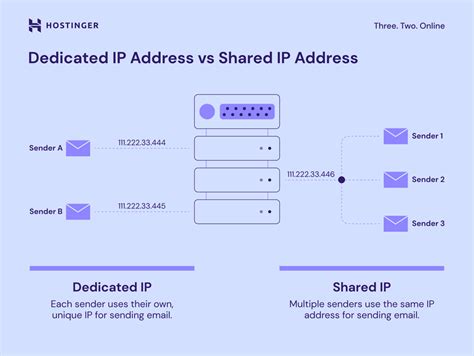
The cheapest tier’s real constraint is not disk space: it is how many visitors the server can process at once, and whether that traffic sits on a shared IP address.
| Plan | PHP workers | Inodes | RAM | Dedicated IP | Free CDN |
|---|---|---|---|---|---|
| Premium | 40 | 400,000 | 2 GB | No | No |
| Business | 60 | 600,000 | 3 GB | No | Yes |
| Cloud Startup | 100 | 2,000,000 | 4 GB | Yes | Yes |
Only the cloud tier bundles a dedicated IP address with a CDN; the two cheapest tiers share both an IP and whatever reputation problems that IP accumulates.
As hosting provider Kinsta documents, sites on a shared IP inherit the reputation of every other site using that address. A single compromised neighbor can get the whole IP blocklisted, which reads to search engines and mail providers as reduced trust for every domain on it, including sites that did nothing wrong.
Is shared hosting always bad for SEO?No. A low-traffic site well within the PHP-worker ceiling rarely sees a visible ranking problem on a shared IP. The risk concentrates on sites that depend on email deliverability or share a server with higher-risk neighbors, such as bulk mailers or thin affiliate sites: exactly the profile a $2 to $3 entry tier tends to attract.
What Bundled “SEO Tools” Can’t Do
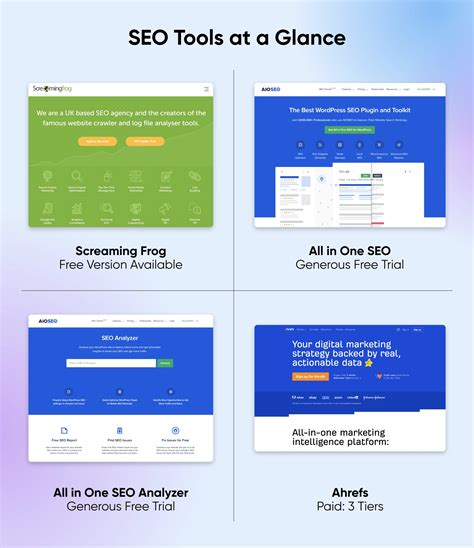
Several budget hosts bundle an AI SEO assistant, a rankingCoach-style dashboard, or a one-click SEO Panel installer with their cheapest plans. These tools generate meta tags, suggest keywords, and audit on-page content, work that has nothing to do with the server-side signals covered above. None of them substitutes for the response-time, uptime, and IP-reputation factors that actually sit inside the hosting layer.
Are host-bundled SEO tools worth paying for?They can save time on keyword and meta-tag busywork, but they’re content tools, not hosting-performance tools. Paying extra for them only makes sense once the hosting-layer basics, PHP workers, CDN, dedicated IP, already fit your traffic.
A Before-You-Buy Checklist

The fastest way to avoid a bad cheap-hosting purchase is to ask four questions during checkout.
| Symptom | Likely cause | What to check before buying |
|---|---|---|
| Pages queue or time out during traffic spikes | PHP worker ceiling too low for concurrent visitors | Ask for the plan’s specific PHP worker count instead of relying on “unlimited” storage language |
| Emails from your site land in spam | Shared IP inherited a blacklisting from another site | Ask whether the plan includes a dedicated IP, and check the IP’s current blacklist status before signing up |
| Slow loads for visitors far from the data center | No CDN on the entry tier | Confirm the CDN is included at your tier, not an upsell |
| Site becomes unreachable during backup or update windows | Entry plan lacks daily backups | Confirm backup frequency, daily versus weekly, before relying on the plan for anything revenue-generating |
None of this requires trusting marketing copy: Hostinger publishes its PHP worker and inode limits directly on its pricing page, and dedicated-IP and CDN inclusion are stated the same way, tier by tier, at checkout.