Match Your Situation to a Tier, Not a Single Distro
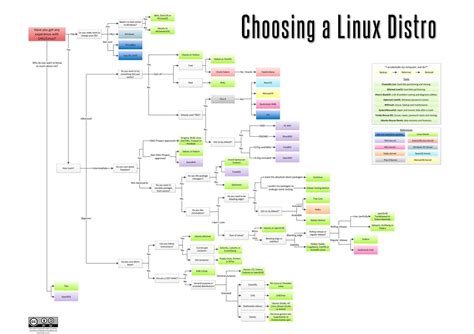
There is no single best distribution, but there is a fast way to narrow it down: figure out which of three tiers you’re actually in before you look at names. Tier one is desktop use where familiarity and driver support matter more than customization. Tier two is development or power-user work where current software and scriptability matter more than politeness. Tier three is anything running unattended for years, where the support-lifecycle date matters more than the desktop at all. Most “which distro” confusion comes from comparing a tier-one need against a tier-two recommendation.
For Desktop Beginners and Windows Switchers

Linux Mint and Zorin OS both start from Ubuntu’s base and add a Windows-like layout out of the box, which is why they show up on nearly every beginner list. The real difference between them is maintenance philosophy: Mint avoids Snap packages by default and keeps its own update tool, while Zorin leans on Ubuntu’s defaults more directly and adds its own theming layer on top. Neither requires the command line for daily use, though both expose a terminal for anyone who wants one. The downside worth stating plainly: because both are downstream of Ubuntu, a bug in Ubuntu’s base usually reaches them too, just slightly delayed.
For Developers and Power Users Who Want Current Software
Fedora Workstation ships a clean upstream GNOME desktop and current compiler and container toolchains, and because it feeds directly into Red Hat Enterprise Linux, skills transfer cleanly toward enterprise work. Arch Linux and openSUSE Tumbleweed both take the rolling-release route instead: no separate version numbers, continuous updates, and in Arch’s case, a from-scratch install that forces you to understand your own system. openSUSE Tumbleweed adds automated pre-release testing and Btrfs snapshots, so a bad update can usually be rolled back from the boot menu, something Arch doesn’t do by default. The tradeoff for all three is that “current” also means less battle-tested: breakage is rare on Fedora and Tumbleweed, more common on Arch, and on Arch it’s frequently traced to a community package instead of the base system.

That community-package surface is not a hypothetical risk. In June 2026, security researchers found that attackers had taken over more than 400 abandoned Arch User Repository packages and modified their build scripts to install a Rust-based credential stealer and an eBPF rootkit on any system that built them, a compromise documented by Threat-Modeling.com and independently reported by SecurityToday.
Is it safe to install packages from the Arch User Repository?Review the PKGBUILD before building an AUR package and avoid running the build as root; the AUR is unaudited by design, and the incident above specifically targeted abandoned, unmaintained packages.
For Servers and Anything You Don’t Want to Reinstall for a Decade
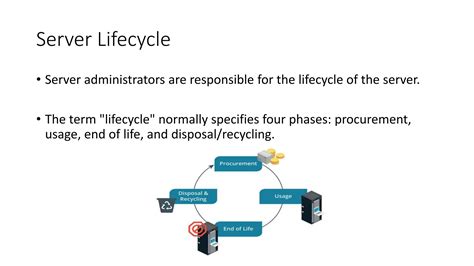
The single most under-covered fact on this topic is how differently “supported” behaves across distributions. The table below states the actual dates.
| Distribution / version | Standard or full support ends | Extended support ends |
|---|---|---|
| Ubuntu 24.04 LTS | April 2029 | April 2034 with Ubuntu Pro (ESM); April 2039 with the Legacy add-on, per Canonical’s release-cycle policy |
| Fedora Linux (any release) | About 13 months after release | Not offered; upgrading is the only path |
| RHEL 8 | May 2024 (full support), per TuxCare’s lifecycle summary | May 2029 (maintenance support); May 2032 with the Extended Life Cycle add-on |
| Rocky Linux 8 | May 2029 | |
| Rocky Linux 9 | May 2032 | |
| Rocky Linux 10 | May 2035 | |
| AlmaLinux 10 | May 2035 | |
If a workload has to stay in production past 2032 without a major-version upgrade, only Ubuntu 24.04 LTS with Ubuntu Pro, RHEL with a paid extension, or Rocky Linux 10 and AlmaLinux 10 actually qualify; a fresh Fedora install would need an upgrade roughly every year regardless of configuration.
Ubuntu Pro is the piece most guides gesture at without pricing.
| Tier | Price | Coverage |
|---|---|---|
| Personal, up to 5 machines | Free | Up to 10 years of Expanded Security Maintenance on Main and Universe repositories |
| Business workstation | $25 per year | Same ESM coverage |
| Business server | $500 per year | Same ESM coverage, optional 24/7 support add-on |
| Public cloud (AWS, Azure, GCP) | About 3.5% of the underlying compute cost | Same ESM coverage on cloud instances |
For a single home server, the free personal tier already covers it. For a small business running one or two Ubuntu servers, $500 a year for ten years of patches is usually cheaper than an eventual emergency migration off an unsupported release.
Do I have to pay for Ubuntu Pro to keep an Ubuntu server secure?No, for personal use. Ubuntu Pro is free for up to five machines and only becomes a paid product once you need it on more machines or want vendor support; standard security updates for Ubuntu’s main packages already run five years without it.
For Security and Privacy Work
Kali Linux remains the default pentesting distribution because its tooling is curated and its documentation is extensive, but it is not meant to be a daily desktop: the default configuration favors aggressive network tools over the quiet defaults a general-purpose system needs. Parrot Security offers a lighter alternative built for the same workflows with a less resource-hungry default install. Tails, by contrast, solves a different problem entirely: it boots from removable media, forgets everything on shutdown, and routes traffic through Tor, which matters for someone protecting a single session rather than running repeated audits.
One number circulates constantly on this topic and doesn’t hold up to a source check.
| Source | Claimed tool count | Source type |
|---|---|---|
| Kali’s own tools documentation | No single published total | Vendor primary source |
| A hosting-vendor knowledge base | “Over 600 tools” | Commercial trade content |
| A tutorial aggregator site | “Over 350 tools” | SEO/tutorial site |
| A trade-press how-to guide | “Hundreds of additional utilities,” no fixed number | Reputable trade press |
Can Kali Linux be used as an everyday desktop?It can be installed that way, but its defaults assume active testing work, not daily browsing and email, so most people who try it as a daily driver end up disabling or removing tools they don’t use.
The Secure Boot Certificate Deadline That Affects Every Distro
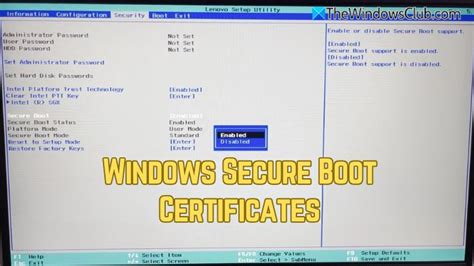
Microsoft’s 2011 UEFI Secure Boot signing certificate stops being used to sign new bootloaders after June 27, 2026. This is a genuine, dated deadline that none of the standard “best distro” guides mention, and it touches every major distribution, not just one.
Machines that already boot successfully today keep booting after the deadline; the expiration only stops new binaries from being signed with the old key going forward, and doesn’t revoke anything already trusted, per reporting on the certificate transition.
Will my computer stop booting Linux after June 27, 2026?Not on its own. Existing installations continue to boot as long as the certificate already enrolled in your firmware isn’t removed; the deadline only affects the ability to sign brand-new bootloader updates with the older key.
Test Before You Commit
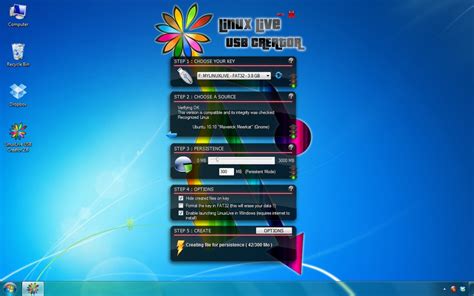
A live USB lets you boot the actual candidate distribution on your actual hardware, without installing anything, so you can check whether your Wi-Fi card, graphics driver, and display resolution behave correctly before you commit disk space to it. Give it 20 to 30 minutes rather than a glance at the desktop background.
Mistakes That Cost People a Weekend
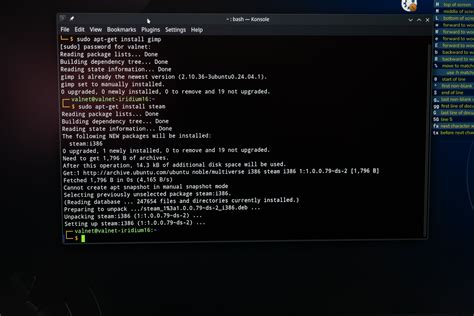
- Starting with Arch or Gentoo as a first distro. Both assume you already know what a bootloader, init system, and file system layout are; a broken first install with no prior Linux experience often ends in a full reinstall instead of a fix.
- Running routine tasks as root. Nearly every distro covered here defaults to a regular user account with sudo access for a reason; disabling that protection removes the one safety net that stops a single mistyped command from taking down the whole system.
- Disabling Secure Boot out of habit before even testing whether it causes a problem. Some guides recommend switching it off to avoid installation friction, but most modern distributions now support it natively, so this trades away a real protection layer for nothing.
- Installing unreviewed AUR or third-party packages without checking who maintains them. The June 2026 compromise described earlier specifically targeted packages nobody was actively maintaining.
Every one of these is a shortcut that would cause the same kind of trouble on any operating system; Linux just makes the safety rails easier to remove.
Can I switch distros later without losing my files?Yes, as long as personal files live on a separate partition or an external backup before reinstalling, since switching the base system replaces the operating system files, not anything already backed up outside it.