evolution-ews plugin has synced mail, calendar, and contacts with OAuth2 since version 3.27.91, years before Thunderbird’s mail-only Exchange support existed. KMail supports Exchange as a built-in transport on KDE Plasma but needs extra Akonadi or DAV configuration for full calendar sync. Geary and Claws Mail cover a light single inbox; NeoMutt covers a terminal-first workflow. One detail changes what you actually get on install day: a Thunderbird build installed through Flatpak sits on the slower ESR channel, so it won’t carry new features like Exchange support until roughly the next ESR cycle, expected around mid-2026.
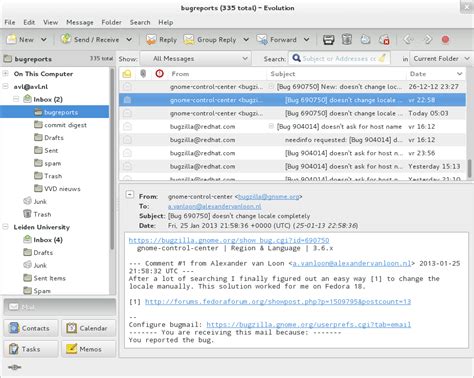
The decision that changes your pick more than any popularity ranking

Most Linux email guides rank clients by general reputation, which buries the two variables that actually decide whether a client will work for you: what your account is (Gmail/IMAP, personal Exchange, or work Microsoft 365) and what desktop you run. The table below sorts by those variables instead.
| Your situation | Best pick | Why |
|---|---|---|
| Personal Gmail/IMAP account, any desktop | Thunderbird | Cross-desktop, multi-account, built-in OpenPGP since version 78, largest extension catalog of any option here |
| Work Microsoft 365/Exchange mailbox, GNOME desktop | Evolution | Only client of the three with native Exchange calendar and contacts sync, not just mail, via evolution-ews |
| Work Exchange mailbox, KDE Plasma desktop | KMail | Exchange (EWS) is a built-in account type per KDE’s own KMail documentation, with tight KOrganizer/KAddressBook pairing once configured |
| One or two personal inboxes, want minimal configuration | Geary or Claws Mail | Both skip the account-wizard depth of Thunderbird/Evolution; neither does Exchange or built-in PGP |
| Remote server access, keyboard-only workflow | NeoMutt | Runs over SSH in a terminal; requires assembling your own sync/search stack (see below) |
KDE Plasma users get KMail as the native fit; GNOME users get Evolution or Geary depending on how much of Exchange they actually need; everyone else defaults to Thunderbird unless a specific limitation below rules it out.
Does my email client have to match my desktop environment exactly? No. Thunderbird and Mailspring run identically on GNOME, KDE, or a tiling window manager. Only Evolution and KMail lose meaningful integration (GNOME Online Accounts, Akonadi tagging) when run outside their native desktop.
Microsoft Exchange and Microsoft 365: what’s actually native right now
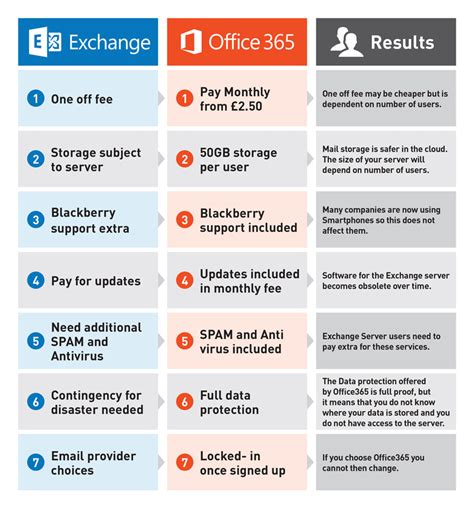
“Supports Exchange” means very different things depending on the client, and the gap matters if your job runs on a shared calendar.
| Client | Exchange method | What works today | What’s still missing |
|---|---|---|---|
| Thunderbird | Native EWS, added in version 145 (Nov 2025) | Email sync, folder management, attachments, OAuth2 for Microsoft 365 | Calendar and address book sync, NTLM and on-premise OAuth2, per Mozilla’s own announcement |
| Evolution | evolution-ews plugin, OAuth2 since v3.27.91 | Mail, calendar, contacts, and Global Address List, confirmed in GNOME’s Evolution documentation | Heavier setup outside GNOME; admin must allow the OAuth2 app for organization accounts |
| KMail | Built-in EWS transport (Kontact) | Mail send/receive natively, according to KDE’s KMail page | Full calendar/contact sync typically needs an Akonadi DAV resource or a DavMail bridge, per the KDE UserBase Office 365 tutorial |
If your job needs Exchange calendar invites and shared contacts today, Evolution is the only one of the three that does it without a bridge app. If you only need Exchange mail, Thunderbird 145 or later closes most of the historical gap.
Security update cadence is a selection criterion, not a footnote
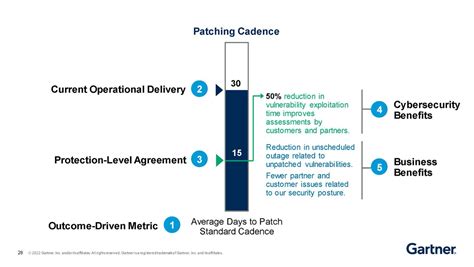
“Actively maintained” is usually asserted, not measured. It can be measured through how fast and how completely a project closes known vulnerabilities.
| Client / project | Recent maintenance signal | Source |
|---|---|---|
| Thunderbird | Version 145 (Nov 17, 2025) closed 9 high-severity and 6 medium-severity vulnerabilities in the same release that shipped Exchange support | Heise Online, citing Mozilla’s release notes |
| Thunderbird | Monthly release cadence continued through version 150 with incremental Exchange, NTLM, and OAuth2 fixes across versions 144 to 150 | Mozilla Support: New in Thunderbird Desktop |
| Betterbird | Community fork that imports a Thunderbird profile directly and tracks upstream fixes on its own schedule | Project’s own betterbird.eu release notes |
Thunderbird 145 landed on November 17, 2025, and it is worth naming plainly: it was a security release and a feature release at once, nine high-severity fixes alongside the first native Exchange support Mozilla had ever shipped.
The Flatpak/ESR trap, and two other setup mistakes

Installing Thunderbird through Flatpak usually pins you to the Extended Support Release channel, which trails the monthly Release channel by roughly six months, so a feature like Exchange support that shipped in the November 2025 monthly release won’t appear on Flatpak until the next ESR cutover. The same lag applies to any distro package that tracks ESR by default instead of the monthly channel.
Why doesn’t my Thunderbird Flatpak show Exchange as an account option? You are very likely on the ESR channel, which had not yet picked up the EWS feature added in the November 2025 monthly release at the time of writing. Installing the monthly Release build (tarball, .deb, or a repository that tracks Release) gets you the feature immediately.
Encryption support compared
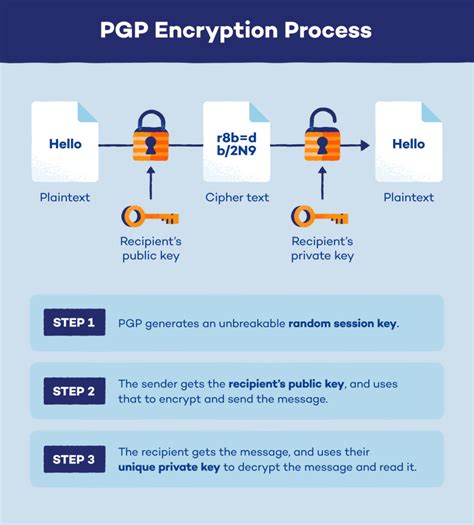
Every major client claims encryption support, but the implementation depth differs enough to matter for anyone handling sensitive mail.
| Client | OpenPGP | S/MIME | Implementation note |
|---|---|---|---|
| Thunderbird | Built in since version 78, no add-on required | Built in | Encryption setup lives in the same account wizard as any other account type |
| Evolution | Via GPG integration | Yes | Documented under Evolution’s core mail encryption settings, not a separate plugin, per GNOME Evolution’s feature documentation |
| KMail | Inline OpenPGP and PGP/MIME | Yes | KDE’s own KMail page lists this as a default, not opt-in, feature |
| Geary | Not included | Not included | Deliberately omitted to keep the app minimal |
The practical difference is not whether encryption exists but where it lives: Thunderbird, Evolution, and KMail all treat it as a core account setting, while Geary requires switching clients entirely if encrypted mail becomes a requirement.
Is Geary secure enough for work email? Geary handles standard TLS-encrypted IMAP/SMTP transport fine, but it has no OpenPGP or S/MIME message encryption. If your job requires signed or encrypted messages, use Thunderbird, Evolution, or KMail instead.
Lightweight and terminal options, and what they cost you
Claws Mail and Geary trade features for a smaller footprint and a shorter learning curve; neither supports Exchange or built-in message encryption, and Claws Mail’s interface has changed little in years, which is a deliberate design choice rather than neglect. NeoMutt runs entirely in a terminal and is the fastest option for triaging large volumes of mail over SSH, but it ships as a text-based client only: getting IMAP sync, sending, and full-text search requires separately configuring tools such as mbsync, msmtp, and notmuch, and building your own keybinding setup on top of them.
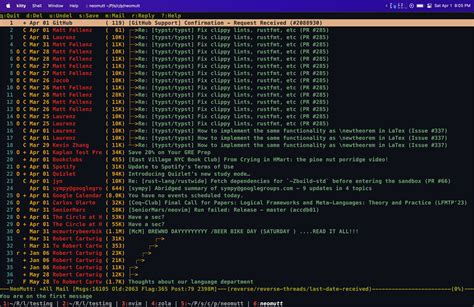
Is it worth learning NeoMutt in 2026? Only if you already work primarily in a terminal. The configuration overhead, wiring together a sync tool, a send tool, and a search index, is real and ongoing. For anyone who wants to open a client and start replying, Thunderbird or Mailspring will get there faster.
None of these three lightweight options include a calendar; anyone who needs one is better served by Evolution or KMail regardless of how minimal their inbox needs are otherwise.