What Android’s Scoped Storage Rules Actually Changed
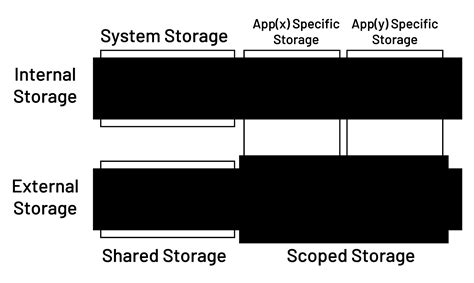
Scoped Storage, enforced on every app starting with Android 11 regardless of which SDK version the app targets, is why a file manager that worked perfectly in 2019 might no longer reach certain folders today. Android 11’s storage documentation explains that Android 10 introduced the sandboxed model as optional, while Android 11 made it mandatory and replaced the old broad storage permission with a narrower “Files & Media” dialog. Apps that genuinely need to read and write anywhere on the device now have to request the separate MANAGE_EXTERNAL_STORAGE permission.
Android/data subdirectory.That boundary matters in practice: it’s why, even on a fully updated phone with every permission granted, a file manager still can’t casually browse into another app’s private cache the way file managers could a decade ago.
Does my file manager still work the same after Android 11?Mostly, for basic browsing, copying, and moving. What changed is bulk or automated access to other apps’ folders, which now requires the reviewed MANAGE_EXTERNAL_STORAGE permission instead of a blanket storage permission granted at install.
Best for Most People: No Root, No Subscriptions
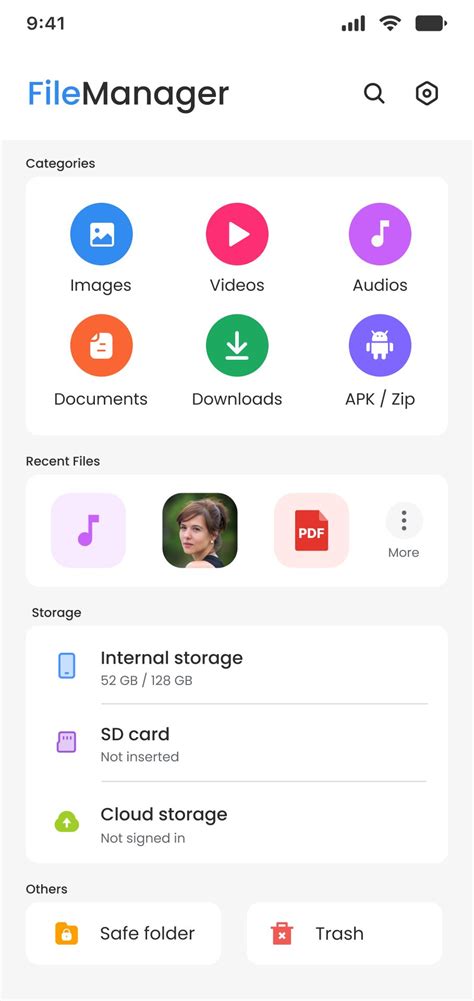
Files by Google needs no root access and no subscription, and it has been Google’s own answer to file management since it debuted in 2017. It handles the basics well: browsing by folder or by type, an encrypted Safe Folder, and search that reaches text inside PDFs and images. What it does not do, per the same source, is let you browse or interact with your actual Google Drive storage, or connect to any non-Google cloud service; it can only push local files up to Drive, one direction only.
Can Files by Google access my Google Drive files directly?No. It can send files to Drive but cannot browse or manage files already stored there, and it has no support for Dropbox, OneDrive, or similar services.
Best for Cloud, Network, and Multi-Account Power Users
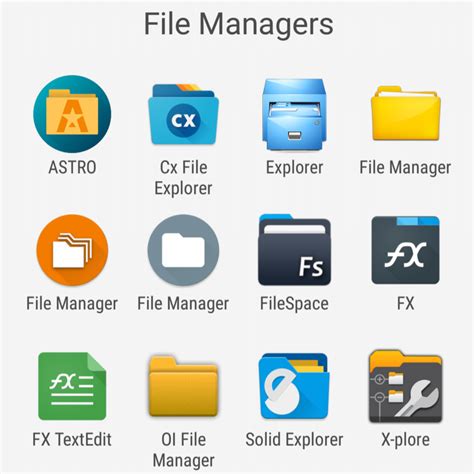
For anyone connecting to FTP servers, SMB shares, or several cloud accounts side by side, Solid Explorer and Mixplorer cover the ground Files by Google leaves open. Solid Explorer, developed by NeatBytes since 2012, adds a dual-pane browser, FTP/SFTP/WebDAV/SMB clients, and AES-encrypted archive creation, with a 14-day free trial confirmed directly by the developer, unlocked afterward with a one-time $3.99 purchase. Mixplorer adds a tabbed, multi-service interface and symlink support, but its free version is distributed as a direct APK download from its XDA-Developers forum thread rather than through Google Play; a $4.49 “MiXplorer Silver” listing on Google Play exists for anyone who wants Play Protect scanning and automatic updates instead.
| User type | Recommended app | Why | Key limitation |
|---|---|---|---|
| Basic browsing, no root, no extra accounts | Files by Google | Free, preinstalled on many devices, searches inside document text | Cannot browse actual Drive storage or connect to other clouds |
| Multiple cloud accounts, FTP or SMB shares | Solid Explorer | Dual-pane browsing, encrypted archives, broad protocol support | $3.99 one-time unlock once the 14-day trial ends |
| Heavy multi-service switching, tabbed workflow | Mixplorer | Tabbed interface, symlinks, plugin extensibility | Free build isn’t distributed through Google Play |
| Rooted device, system-partition editing | Root Explorer or Mixplorer with root | Full filesystem access including system partitions | Requires root, with its own tradeoffs (below) |
The table settles a specific decision: pick by connection type and account count first, since three of these four apps already cover the same basic operations.
Root Access: What It Actually Buys You
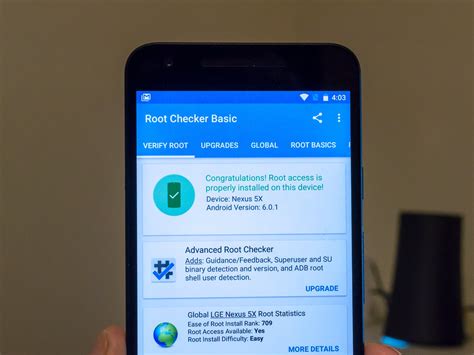
Rooting unlocks system-partition editing that no unrooted file manager above can perform. It also removes the safety net Scoped Storage was built to provide, since a rooted app can bypass the sandboxing entirely. There is no reliable published data on how often rooting itself causes data loss or security incidents on modern Android, so that tradeoff is worth weighing case by case instead of assuming it either way.
Do I need root just to manage files better?No. Everything in the cloud, FTP, and multi-account category above works without root. Root only adds value if you specifically need to edit system partitions or app-private directories.
Apps You Should Remove: The Security and Trust Record
Feature lists rarely mention what happened to some of the most recommended names in this category. Google removed ES File Explorer from the Play Store in April 2019 after its parent company, DO Global, was found running click-fraud through the app, according to Wikipedia’s documented account. India’s government formally banned the app in June 2020.
The specific access flaw was catalogued as CVE-2019-6447, scored 8.1 out of 10 in severity, and let anyone on the same Wi-Fi network read files off a phone that had ever opened the app.
| App | Historical concern | Current status | Verdict |
|---|---|---|---|
| ES File Explorer | Click-fraud (2019) and CVE-2019-6447 remote file-read flaw | Removed from Google Play since April 2019; banned in India since June 2020 | Uninstall it if it’s still on your device |
| Files by Google | None reported | Actively maintained by Google | Safe default |
| Solid Explorer | None reported | Independently developed by NeatBytes since 2012 | Standard commercial track record |
| Mixplorer | Free build isn’t Play Store distributed | Actively updated for over a decade via its own forum thread | Safe in practice; confirm you’re on the official XDA-Developers thread |
Is ES File Explorer safe to use in 2026?No. It has not been available on Google Play since April 2019, receives no further updates through that channel, and the vulnerability that helped trigger its removal affected direct file access over shared Wi-Fi.
Pricing and Value Compared
| App | Free tier | Paid price | What paid unlocks |
|---|---|---|---|
| Files by Google | Fully free | None | N/A |
| Solid Explorer | 14-day full-feature trial | $3.99 one-time (Classic unlock) | Removes the trial limit permanently |
| Mixplorer (forum build) | Fully free, ad-free | None | N/A |
| Mixplorer Silver (Play Store) | Not available | $4.49 | Play Store distribution, automatic updates, Play Protect scanning |
The comparison settles a specific point: the only recurring-looking cost in this whole category is a single, small one-time purchase, not a subscription, and the free options aren’t stripped-down trials.
Getting Files Onto a PC Without a Separate App
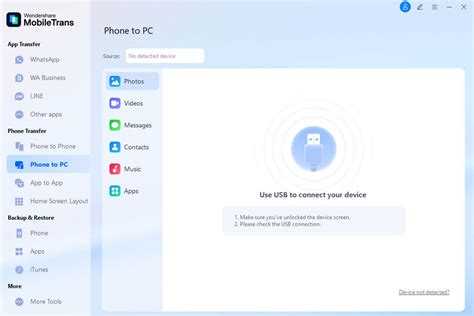
Solid Explorer’s built-in FTP server, already covered above, lets a computer on the same network browse the phone over a browser or FTP client with nothing extra installed on the PC side. Android’s own USB file transfer mode covers basic drag-and-drop use for anyone who doesn’t need that FTP layer.
Common Mistakes That Cost People Files

- Trusting a storage cleaner without reviewing what it flagged. Automated cleanup tools inside some file managers can flag files still in active use; check the list before confirming a bulk delete.
- Assuming a deleted cloud file is always recoverable. Cloud trash windows vary by provider and aren’t indefinite; a file removed locally and then purged from cloud trash is gone.
- Installing a forum-distributed APK from an unofficial mirror. Mixplorer’s legitimate free build comes from its own XDA-Developers forum thread; copies hosted elsewhere aren’t covered by that same trust relationship.