Apple Stopped Selling an 8GB MacBook Pro in 2024
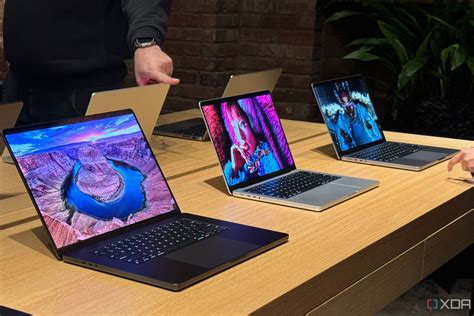
For most of the M-series era, Apple’s entry MacBook Pro shipped with 8GB as the default. That changed for good with the M4 refresh: Apple documents doubling the base 14-inch model’s starting memory to 16GB while holding the price steady, and 9to5Mac’s launch-day coverage confirms the base M4 model starts at 16GB for $1,599 (Apple Newsroom, 9to5Mac).
| Model | Base RAM | Sold | Sold new today? |
|---|---|---|---|
| 13″ MacBook Pro, M1 | 8GB | 2020–2022 | No |
| 13″ MacBook Pro, M2 | 8GB (100GB/s bandwidth) | 2022–2023 | No |
| 14″ MacBook Pro, base M3 (launch config) | 8GB | Nov 2023–Mar 2024 | No |
| 14″ MacBook Pro, base M3 (revised config) | 16GB | Mar 2024–Oct 2024 | No |
| 14″ MacBook Pro, base M4 | 16GB | Oct 2024–Oct 2025 | No (superseded) |
| 14″ MacBook Pro, base M5 | 16GB | Oct 2025–present | Yes |
Sources: Apple Support (13″ M2), EveryMac (14″ M3), Apple Support (14″ M3, current spec page), Apple Newsroom (M4), Apple Newsroom (M5).
Eight gigabytes was never a fringe configuration: it was the default for most of the M-series’ first four years, and it disappeared from new sales in a single afternoon in October 2024, not gradually.
One detail most buyers miss entirely: the base 14-inch M3 model quietly moved from an 8GB default to a 16GB default on March 4, 2024, four months after launch, with no chip change and no price change (EveryMac). Two customers who bought the “same” laptop months apart walked away with different machines.
Can I still buy a new MacBook Pro with 8GB RAM?No. Every MacBook Pro Apple currently sells, refurbished units included, starts at 16GB or more.
Which MacBook Pro Still Has 8GB

If your MacBook Pro is a 13-inch model from 2020 or 2022, or a 14-inch base model you bought between November 2023 and March 2024, it has 8GB. Everything Apple has sold since March 2024 starts at 16GB or higher.
What 8GB Runs Into in Practice
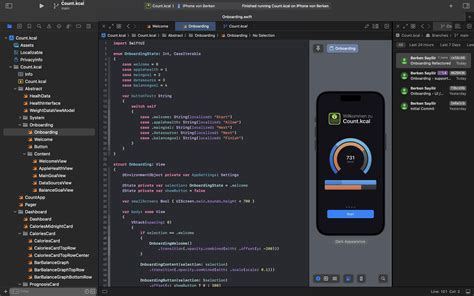
Browsing, email, word processing, and streaming rarely push an 8GB Mac into trouble; macOS compresses and pages memory aggressively before anything visibly slows down. The limits show up in specific, nameable tasks:
- Xcode builds and simulators. Compiling while running an iOS Simulator competes for the same pool the compiler needs; build queues stretch and the simulator can stall.
- Large Lightroom or Photoshop catalogs. These apps cache images in memory for smooth editing; on 8GB, every zoom or scroll can miss that cache and hit the SSD instead.
- Windows virtual machines via Parallels or UTM. A VM claims a fixed memory block up front, leaving little for the host.
- Local AI models (on-device LLMs, Draw Things, LM Studio). These load multi-gigabyte model weights directly into unified memory, which 8GB often can’t hold alongside anything else.
| Task | Typical 8GB result | Typical 16GB+ result | What it actually compares |
|---|---|---|---|
| Export 50 42MP photos in Lightroom Classic with 20 browser tabs open (M3 MacBook Pro) | Over 5 minutes, visible slowdown | Meaningfully faster, no stalling | 8GB vs. 16GB, same chip (BGR, reporting a Max Tech test) |
| Compile in Xcode | n/a | Up to 1.2x faster, M5 vs. M4 | Chip generation, not RAM (Apple) |
| 3D rendering in Blender | n/a | Up to 6.8x faster, M5 vs. M1 | Chip generation, not RAM (Apple) |
Only the first row is directly about 8GB versus 16GB, and it comes from a single reviewer’s test rather than an independent lab, so treat “over 5 minutes” as one documented data point, not a guarantee of what any given machine will do. The other two rows measure chip speed across generations, included because they’re the only quantified, sourced performance figures publicly available for this lineup, not because they answer the RAM question themselves.
A 13-inch M1 MacBook Pro with 8GB, still a common refurbished listing in 2026, handles the tasks above about as well as its M2 successor: the RAM ceiling, not the chip generation, is what limits it.
Does Apple Intelligence make 8GB tighter than before?Yes, incrementally. On-device features for writing suggestions, photo analysis, and Siri improvements all draw from the same shared memory pool, adding background pressure that didn’t exist on 8GB Macs before macOS Sequoia.
Why the Machine Slows Down, and Whether It Wears Out the SSD

When physical memory fills up, macOS moves inactive data to the SSD and pulls it back on demand; Apple documents “Swap Used” in Activity Monitor as exactly this behavior. On an 8GB machine under sustained multitasking, that swapping happens often enough to be the main source of any lag you feel.
Will constant swapping damage my SSD?Not meaningfully, based on the SMART-data testing available. It will slow the machine down while it happens, which is a separate problem from drive longevity.
Buying Used or Refurbished in 2026
An 8GB MacBook Pro is still a reasonable used purchase for light workloads, provided you check a few things first:
- Confirm the exact generation. A 13-inch M1/M2 and an early 14-inch base M3 are all “8GB MacBook Pro,” but they differ in chip speed, port selection, and display; don’t assume they’re interchangeable.
- Match it to a genuinely light workload. Browsing, email, writing, spreadsheets, and casual photo editing; not Xcode, not VMs, not large creative catalogs.
- Check the battery cycle count, since these machines are now two to five years old and battery wear compounds with everything else.
- Price it against a base M4 or M5 model, since Apple’s 16GB base models aren’t far above typical used 8GB pricing once you factor in the newer chip, extra port, and longer support runway.
If You’re Buying New: Current MacBook Pro RAM and Price by Tier
| Chip tier | Base RAM | Max RAM | Starting price |
|---|---|---|---|
| M5 (14″) | 16GB | 32GB | $1,599 |
| M5 Pro (14″/16″) | 24GB | 64GB | $1,699 |
| M5 Max (14″/16″) | 36GB | 128GB | around $3,600 |
Sources: Apple, Apple Support, PhoneArena. Component pricing across the industry has been volatile through 2026; confirm the current figure on Apple’s site before buying.
Since the 2024 change, the practical question for a new buyer isn’t which chip tier gets you past 8GB, it’s which of the three starting points, 16, 24, or 36GB, matches the chip tier you already need for CPU and GPU reasons. RAM no longer moves independently of chip choice the way it used to.
Is 16GB enough, or should I go straight to 24GB?16GB (the M5 base) covers browsing, office work, and moderate photo editing. Go to 24GB (the M5 Pro floor) if you regularly run Xcode, a VM, or large creative catalogs alongside everything else.
The “8GB Is Like 16GB on a PC” Claim, Examined

Is Apple’s “8GB is like 16GB on a PC” claim true?Partly. Apple Silicon does use memory more efficiently than a typical Windows PC. The specific claim that 8GB behaves exactly like 16GB is unverified marketing language, not a benchmark result.