How TV brands label a 60Hz panel as “120Hz”
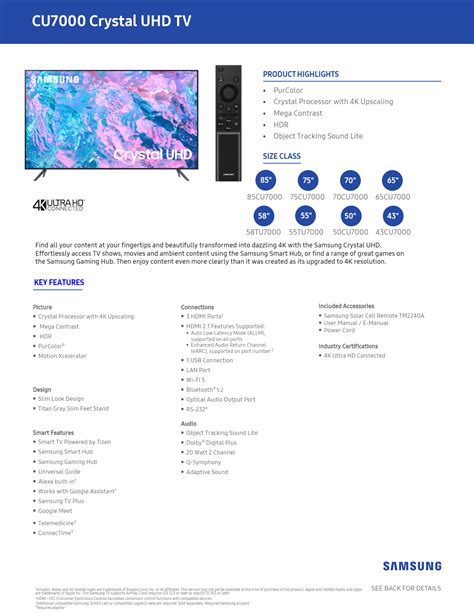
Every major manufacturer has a marketing number for motion handling that sits on top of the true panel refresh rate, and the two are easy to confuse. RTINGS’ technical breakdown of these labels found that Samsung’s Motion Rate and LG’s TruMotion figures are typically double the real refresh rate: a TV marked Motion Rate 240 or TruMotion 240 usually has a native 120Hz panel, while Motion Rate 120 or TruMotion 120 usually means a native 60Hz panel with added processing. Sony’s MotionFlow XR uses higher, less consistent multipliers, so the same conversion rule doesn’t apply cleanly there.
TCL states the practice plainly in a published support answer: certain Roku TV models use backlight scanning and signal processing to turn a 60Hz native panel into what the company calls an “effective refresh rate” of 120Hz. The same number can appear in marketing copy and on the spec sheet, describing two different things.
| Brand | Marketing term | What it typically means |
|---|---|---|
| Samsung | Motion Rate | Number usually double the true native refresh rate (Motion Rate 240 ≈ native 120Hz) |
| LG | TruMotion | Number usually double the true native refresh rate (TruMotion 240 ≈ native 120Hz) |
| Sony | MotionFlow XR | Higher, inconsistent multipliers; no simple 2x conversion |
| TCL (Roku TV models) | Marketed “120Hz” / effective refresh rate | Can describe a 60Hz native panel enhanced with backlight scanning |
Every brand’s number needs converting before it means anything: search the exact model number together with “native refresh rate,” or check the manufacturer’s own spec sheet PDF, which usually lists the true panel Hz separately from the marketing label.
Is “Motion Rate 120” or “TruMotion 120” the same as native 120Hz?No. On Samsung and LG sets, that number is typically double the true panel refresh rate, so a rating of 120 usually points to a 60Hz native panel and a rating of 240 to a native 120Hz panel. Sony’s MotionFlow XR doesn’t follow the same rule.
Where native 120Hz changes the picture
Film and scripted TV shot at 24 frames per second is the most common source of confusion. A 60Hz panel handles this with 3:2 pulldown, repeating frames in a 3-2-3-2 pattern to fill 60 slots from 24 source frames, which can introduce faint judder in slow camera pans. A 120Hz panel divides 24 into 120 evenly, five refreshes per source frame, with no repeating pattern to cause judder. In practice the difference is subtle enough that many viewers only notice it while looking for it during a slow horizontal pan.
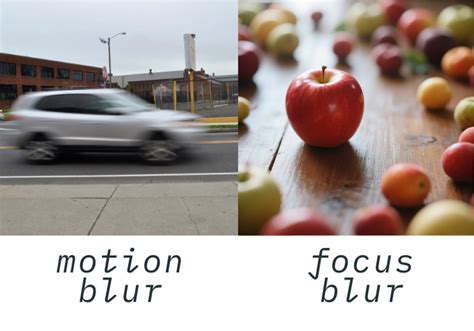
Live sports shot at 60fps benefit more directly, since a 120Hz panel can reduce motion blur on fast-moving elements like a ball or a sprinting player.
Gaming is where the difference is least ambiguous: the PlayStation 5 and Xbox Series X can render supported titles at up to 120 frames per second, and Sony’s PS5 support documentation confirms the console uses HDMI 2.1 to deliver full 4K resolution at 120Hz, without reducing resolution to reach that refresh rate, and notes that the company is still working with TV manufacturers to resolve compatibility issues as the format matures. A 60Hz TV simply cannot display more than 60 of those frames per second.
Does 120Hz make streaming shows or cable news look smoother?No. Most streaming platforms and cable broadcasts deliver 24 to 30 frames per second, well under even a 60Hz panel’s capacity, so a 60Hz and a 120Hz TV display an identical image for that content.
The purchase mistakes that quietly cap your refresh rate
Buying a TV with a native 120Hz panel doesn’t guarantee you’ll get 120Hz where it matters, for two reasons that rarely appear on the spec sheet’s first line.
First, HDMI bandwidth. HDMI 2.0 officially supports 4K only up to 60Hz; reaching 4K at 120Hz requires the added bandwidth of HDMI 2.1. BenQ’s engineering documentation lays out why: at HDMI 2.0’s 18Gbps ceiling, 4K at 120Hz is only reachable by dropping to 4:2:0 chroma subsampling and cutting HDR and 10-bit color, while HDMI 2.1’s 48Gbps carries full 4K120 with 4:4:4 color and HDR intact. That gap between the official HDMI 2.0 minimum and the practically necessary HDMI 2.1 threshold is worth knowing once; after this, treat “HDMI 2.1” as the label to look for on any input used for gaming. VRR, which smooths frame-rate fluctuations in games, also requires an HDMI 2.1 connection on both the console and the TV.
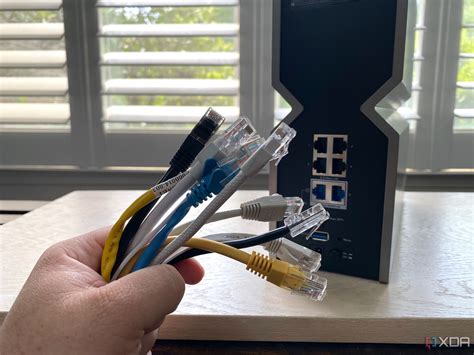
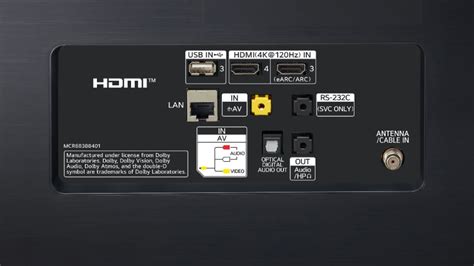
Second, port count. Not every HDMI port on a “120Hz” TV carries full HDMI 2.1 bandwidth. TechRadar’s testing coverage found that TVs from Hisense, TCL, Panasonic, and Sony have historically shipped with only two of four HDMI ports at full HDMI 2.1 spec, a limitation traced to the MediaTek chips several of these brands use, while LG and Samsung have typically enabled all four ports through in-house chip designs. A PS5 or Xbox Series X plugged into the wrong port on one of these TVs won’t show an error: Sony’s troubleshooting guidance for the PS5’s 4K 120Hz feature describes exactly this kind of silent fallback, where the console negotiates a 4K 60Hz signal instead and the game’s 120fps performance mode simply doesn’t appear as an option.
| TV tier | Typical HDMI 2.1 port support | What to check before buying |
|---|---|---|
| Flagship OLED (e.g., LG G5) | All 4 HDMI ports at full HDMI 2.1 bandwidth | Any port works for a console or PC |
| Mid-range 2024 to 2025 Mini-LED/QLED (Hisense, TCL, Panasonic, Sony) | Historically 2 of 4 ports at full spec | Confirm which port numbers support 4K120/VRR in the manual |
| Budget 2026 QLED (e.g., TCL P7L) | 1 HDMI 2.1/eARC port listed | Likely capped at 4K 60Hz for gaming regardless of console |
| Entry LED, no native 120Hz panel (e.g., TCL V6D) | No HDMI 2.1 ports needed | Panel itself tops out at 60Hz, so port count is moot |
The number of full-bandwidth HDMI 2.1 ports tends to drop faster than the price does as a lineup moves down-market, so a “120Hz” badge on a mid-range box says nothing about whether the specific port a console plugs into can carry that signal.
Will my PS5 or Xbox Series X still hit 120Hz if I use the wrong HDMI port?No. Sony’s support documentation confirms 4K at 120Hz requires an HDMI 2.1 port, and on many mid-range TVs only one or two of the four HDMI ports carry that full bandwidth. Plugging into the wrong one drops the console to a 4K 60Hz signal without any warning.
Do you need 120Hz?
Whether 120Hz is worth paying for comes down to what you watch and play most often:
- You own or plan to buy a PS5, Xbox Series X, or a gaming PC that renders 100 or more frames per second: native 120Hz is worth the money, provided the exact HDMI port you’ll use is confirmed HDMI 2.1 (see the HDMI table above).
- You watch a lot of live sports broadcast at 60fps: 120Hz reduces blur on fast motion, though the improvement is smaller in practice than the doubled number implies.
- You mostly watch 24fps movies and prestige streaming drama: a 60Hz panel already displays this content natively; 120Hz’s benefit here is a cleaner pulldown, not sharper detail.
- You mainly watch 30fps cable news, YouTube, or older broadcast content: 120Hz makes no visible difference, since the source never exceeds 30 frames per second.
- Your budget forces a trade-off between a 120Hz panel and better contrast or brightness at the same price: prioritize contrast and brightness. Refresh rate does less for perceived picture quality than those two specs in most rooms.
Does a 120Hz TV use noticeably more electricity than a 60Hz one?No independent measurement of this comparison turned up during research for this guide. Panel technology, screen size, and brightness settings affect power draw far more than refresh rate alone, and any claim of a fixed wattage gap between 60Hz and 120Hz sets should be treated as unverified until a testing lab publishes numbers.
When 60Hz is the smarter buy
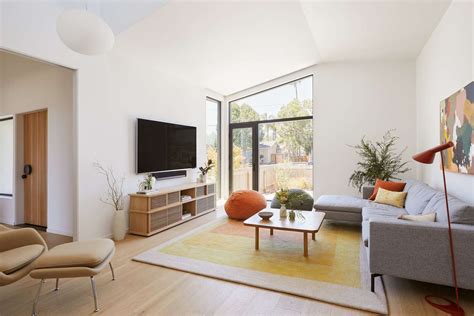
A 60Hz TV is the better purchase whenever the household’s main use is 24 to 30fps content: cable news, most YouTube, older broadcast shows, and film watched without a games console attached. The money saved, often the gap between a base panel and a step-up model in the same size, buys more contrast, brightness, or local-dimming zones than a 120Hz badge would.
What a 2026 TCL lineup shows about the price gap
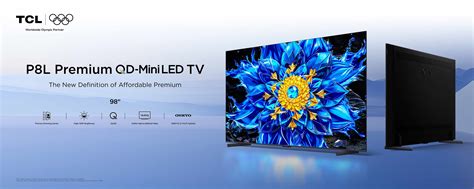
A same-generation pair from TCL’s 2026 lineup gives this trade-off real numbers, in UK list pricing, since that is where the specific figures were published. The 65-inch P8L, which carries a native 4K 144Hz panel with FreeSync Premium and ALLM, lists at £849. The 65-inch P7L, a same-generation QLED limited by its single HDMI 2.1 eARC port to an effective 4K 60Hz for gaming, lists at £699.